WordPress.org

Français

  • Thèmes
  • Extensions
  • Actualités
    • Documentation
    • Forums
  • À propos
  • Compositions
    • Équipes
    • Guide de contribution
  • Obtenir WordPress
Obtenir WordPress
WordPress.org

Plugin Directory

Login & Register Customizer – Popup | Slider | Inline | WooCommerce

  • Envoyer une extension
  • Mes favoris
  • Se connecter
  • Envoyer une extension
  • Mes favoris
  • Se connecter

Login & Register Customizer – Popup | Slider | Inline | WooCommerce

Par xootix
Télécharger
  • Détails
  • Avis
  • Installation
  • Développement
Support

Description

🚀 Live Demo »

Login & Register Customizer is a lightweight and powerful plugin that replaces the default WordPress login and registration experience with modern, fully customizable popup, slider, or inline forms.

Whether you’re running a simple blog or a WooCommerce store, this plugin helps you create a seamless login/signup experience — with no page reloads, field manager support, and shortcodes.

💡 Features:

  • Fully AJAX-based (no page reloads)
  • Login, Register, Lost Password & Reset Password forms
  • Three layouts: Popup, Slider and Inline (with shortcodes)
  • Field Manager – add or remove form fields
  • Fully customizable appearance
  • WooCommerce compatible
  • WPML compatible

Replace your outdated forms and deliver a modern, smooth login experience your users will love.

Add-ons:

  • Custom Registration Fields – Add extra fields to registration form , display them on user profile & myaccount page.

  • Social Login – A single click login & registration with Google, Facebook, Apple & X(Twitter).

  • Two Factor Authentication (2FA) & One time Password (SMS) Login – Allow users to login with OTP ( sent on their phone or email) removing the need to remember a password.
    Enable users to enhance their account security with two-factor authentication (2FA).

  • Recaptcha – Protect your form from bots using recaptcha. Choose from google recaptcha(v2/v3), Cloudflare Turnstile or Friendly GDPR. + Password strength meter + Limit login attempts

  • Email Verification – Sends verification email on registration & restricts login access until email is verified.

  • Profile Builder – Replace the old WooCommerce/WordPress interface for updating fields with a new, modern design similar to the signup form. Use a shortcode to display and allow users to update their profile fields.

  • Auto Complete Address – Get the full and accurate address using Google Places Autocomplete.
    Collect billing and shipping addresses seamlessly in your registration form.

Captures d’écrans

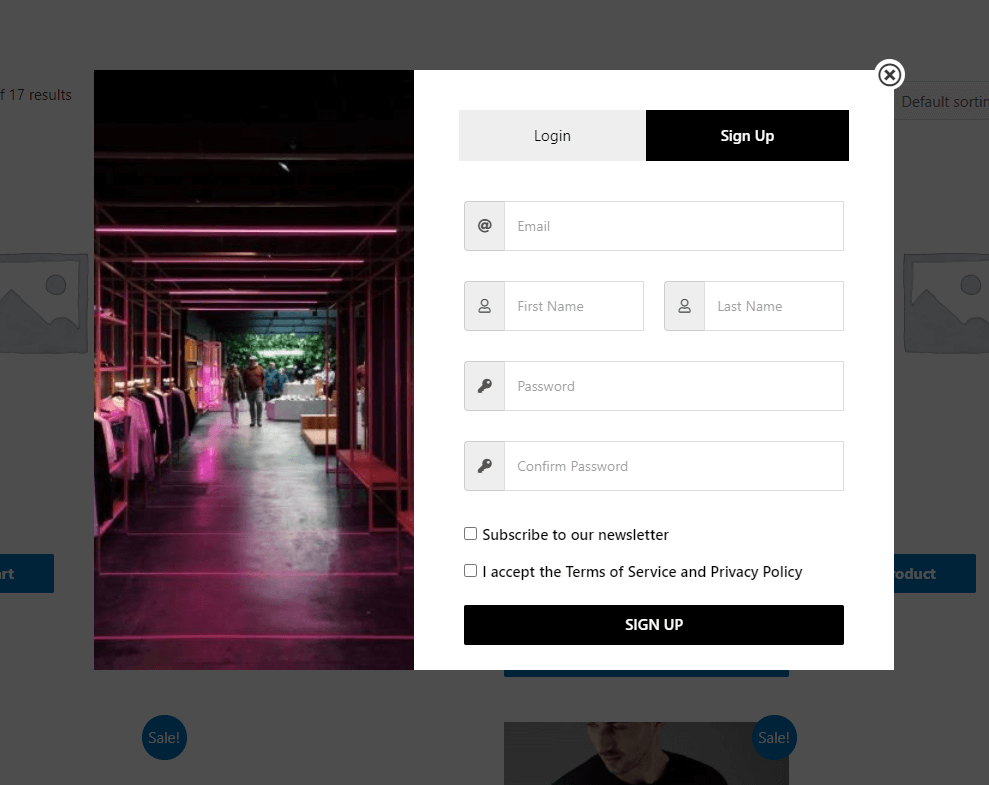
  • Registration Form.
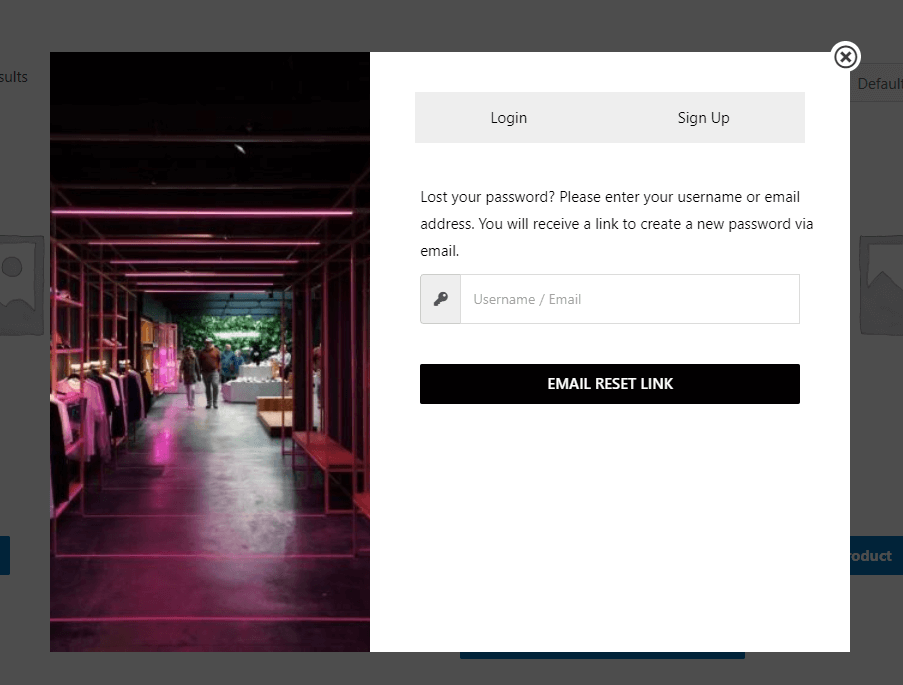
  • Lost Password Form
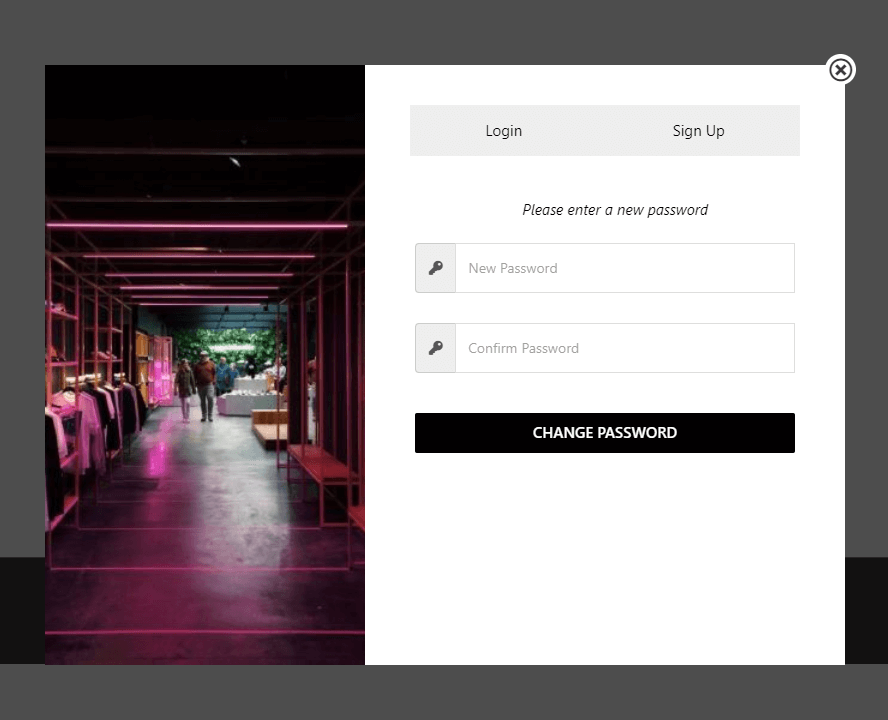
  • Reset password form.
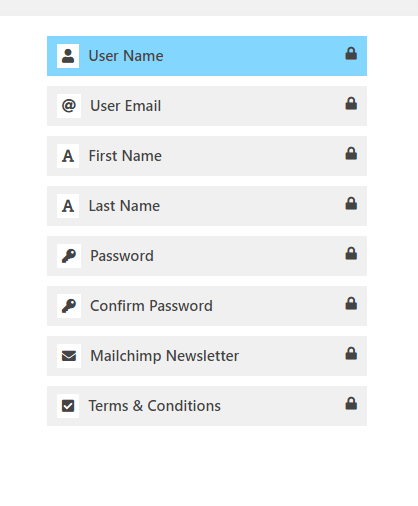
  • Available registration Fields
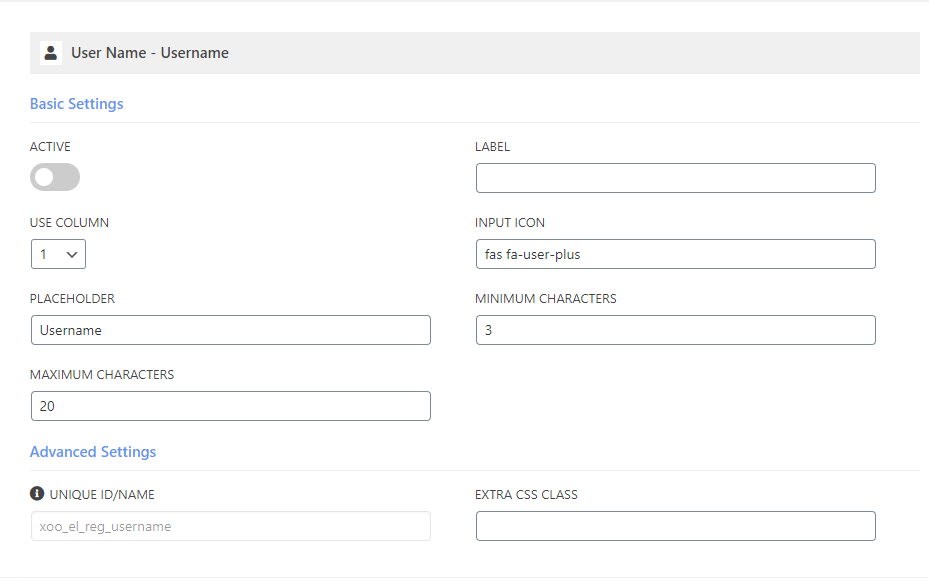
  • Customizable Field
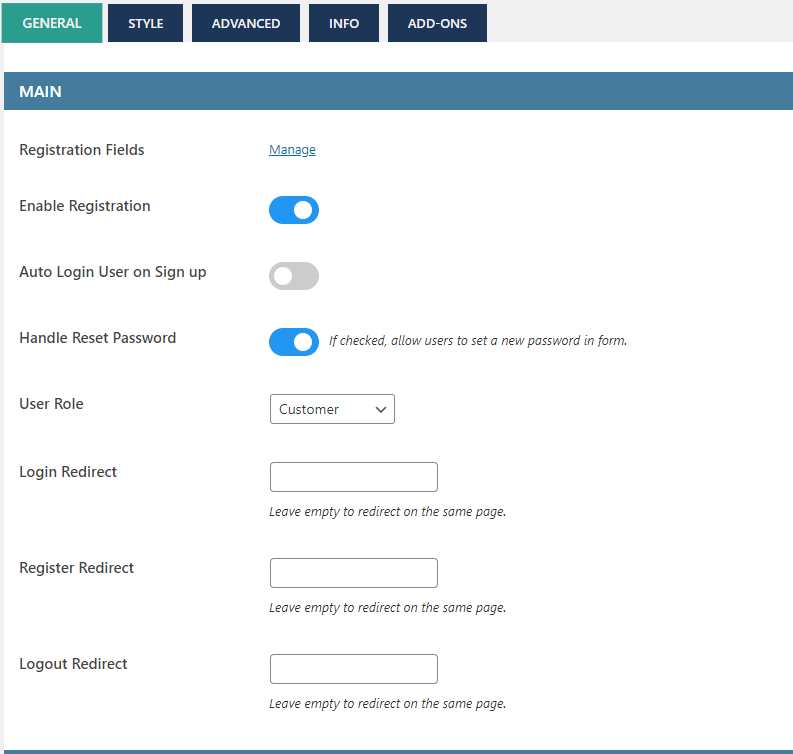
  • General Settings 1
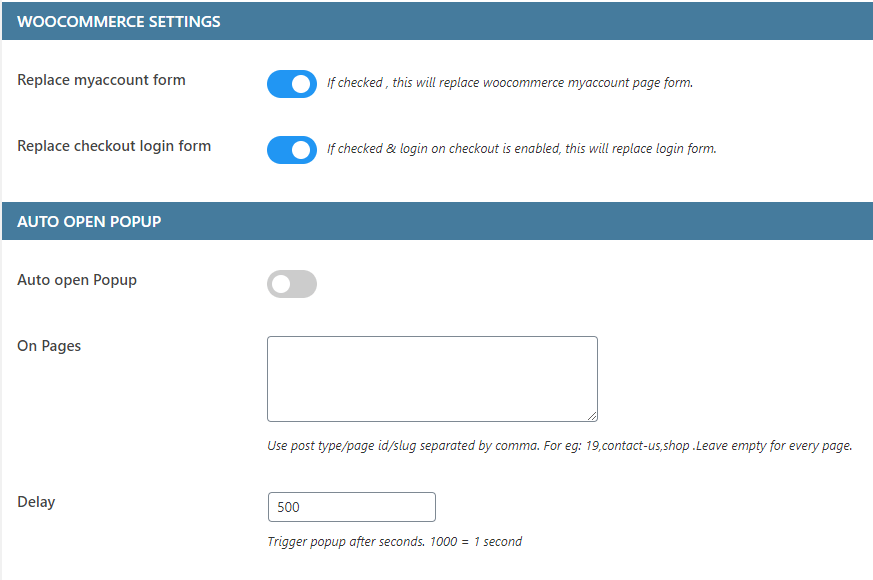
  • General Settings 2
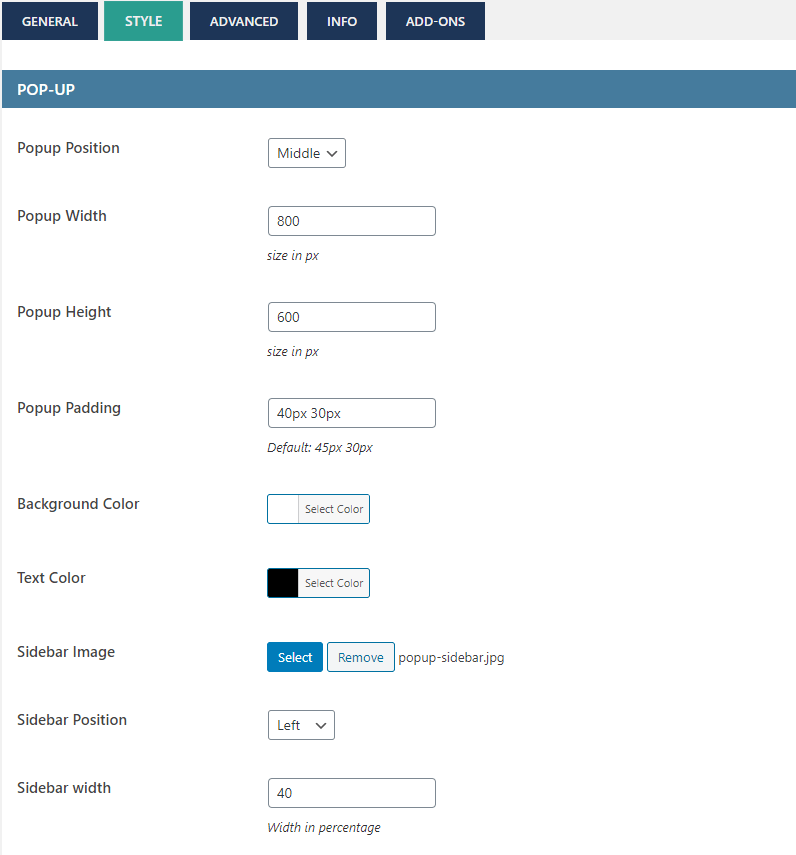
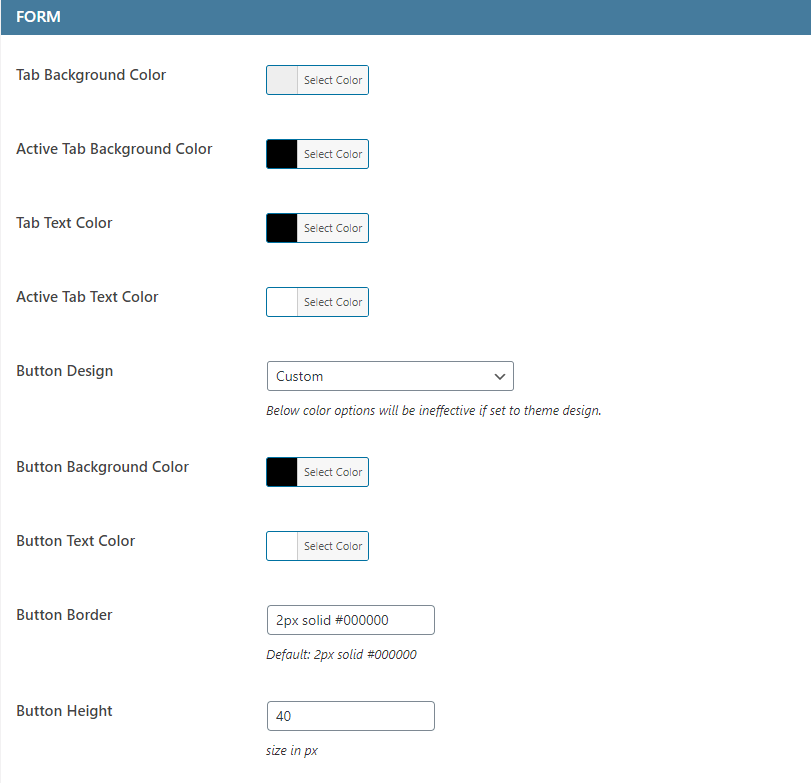
  • Style Settings 1
  • Style Settings 2
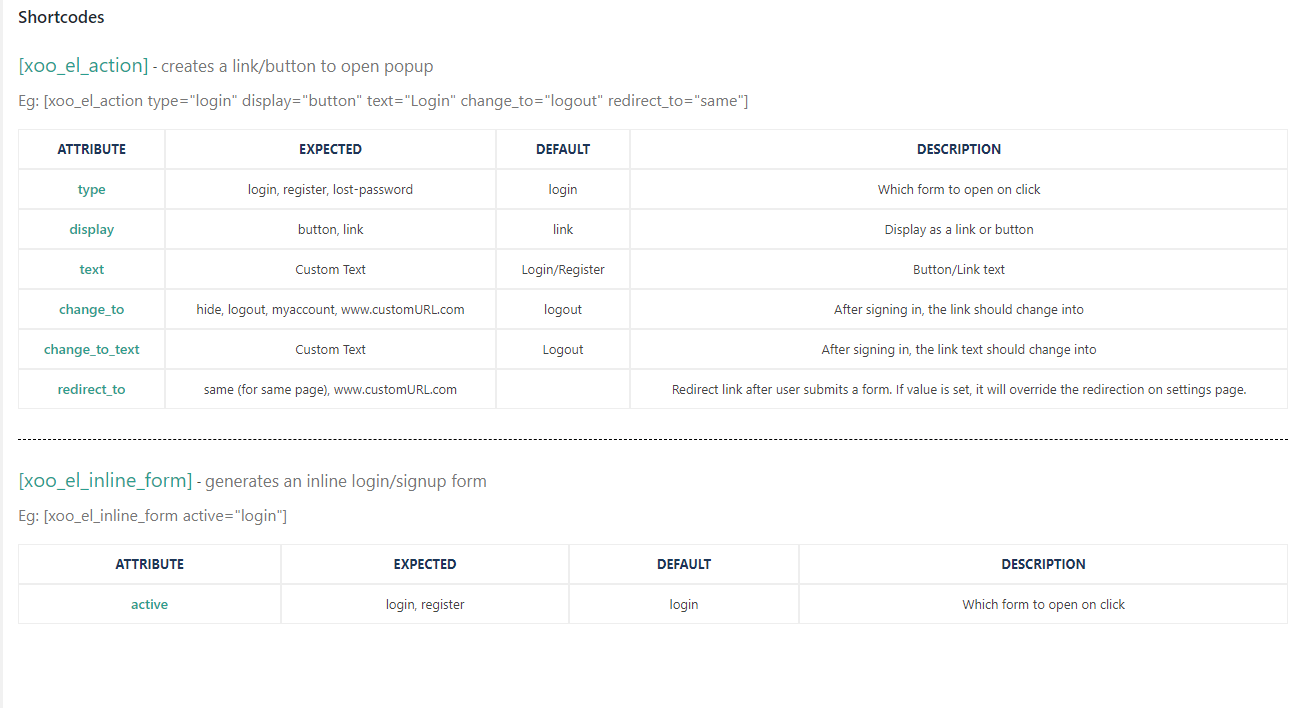
  • Shortcodes

Installation

  1. Upload the plugin files to the `/wp-content/plugins/ directory, or install the plugin through the WordPress plugins screen directly.
  2. Activate the plugin through the ‘Plugins’ screen in WordPress
  3. Click on Login/Signup Popup on the dashboard.

FAQ

How to setup?

  1. Go to apperance->menus
  2. Under Login Popup Tab , select the desired option.

Shortcodes

Please check « How to use » tab under plugin settings for more information.

Use shortcode [xoo_el_pop] to include it anywhere on the website. ( See info tab in settings to know more )
[xoo_el_pop type= »login » display= »button » text= »Login » change_to= »logout » redirect_to= »same »]

For Inline form
[xoo_el_inline_form active= »login »]

You can also trigger popup using class.
Login – xoo-el-login-tgr
Register – xoo-el-reg-tgr
Lost Password – xoo-el-lostpw-tgr
For eg: Login

How to translate?

  1. Download PoEdit.
  2. Open the easy-login-woocommerce.pot file in PoEdit. (/plugins/easy-login-woocommerce/languages/
    easy-login-woocommerce.pot)
  3. Create new translation & translate the text.
  4. Save the translated file with name « easy-login-woocommerce-Language_code ». For eg: German(easy-login-woocommerce-de_DE)
    , French(easy-login-woocommerce-fr_FR). — Language code list
  5. Save Location: Your wordpress directory/wp-content/languages/

How to override templates?

Plugin template files are under templates folder.
Copy the template to your theme/templates/easy-login-woocommerce folder
If the template file is under sub directory, say in /globals folder then the copy directory will be
theme/templates/easy-login-woocommerce/globals/ For more info, check template header description

Avis

The Best Free Plugin: Premium Quality, Zero Cost, and Unbeatable Support

swierz 2 octobre 2025
This free WordPress Login & Register plugin delivers an absolutely premium experience, making it the best solution available for user management today. I was immediately impressed by how easy to use the interface is, allowing for seamless integration and custom form setup in mere minutes without touching any code. What truly sets this apart is the super support provided; getting such responsive, knowledgeable help for a completely free product is practically unheard of. It’s rare to find this combination of robust functionality, professional polish, and dedicated assistance, proving that high quality doesn’t always come with a price tag. Stop paying for features you don’t need—this plugin is highly recommended for anyone looking for powerful user management where all of that is free.

Easy to use with lots of options

jlahm 2 septembre 2025
It provides several ways to create login pop-ups, shortcode and menu entries and does them all well.

No Support

sagarbhagdev 13 août 2025 4 réponses
No support from the support team. We have clearly mentioned that we want to implement login and signup with mobile number and OTP only. We do not want to collect any other information from the user. But even after entering the mobile number, the registration form still appears asking for first name, last name, email, and password. This is not the required flow, and despite raising the issue, there has been no proper assistance or resolution.

Plugin works very well and support is even better

uksentinel 27 juillet 2025
I use Login & Register Customizer and custom registration fields add-on, needed to add an age verification option and support and guidance from Xootix was excellent

Excellent plugin, thanks to the developers!

sergo239 24 juillet 2025
This plugin includes everything you need to log in and register. There are also some add-ons that make this great product even better! The developers did a great job, thanks to them! 🙂

Great Plugins with easy of use

eswong25 16 juin 2025
It’s a very useful plugin to change the look & feel of sign in and registration page. Making it more professional. With the custom field feature, I can create all custom fields easily and all these fields can be edit in user management in WP.
Lire les 250 avis

Contributeurs/contributrices & développeurs/développeuses

« Login & Register Customizer – Popup | Slider | Inline | WooCommerce » est un logiciel libre. Les personnes suivantes ont contribué à cette extension.

Contributeurs
  • xootix
  • xootixsupport

“Login & Register Customizer – Popup | Slider | Inline | WooCommerce” a été traduit dans 12 locales. Remerciez l’équipe de traduction pour ses contributions.

Traduisez « Login & Register Customizer – Popup | Slider | Inline | WooCommerce » dans votre langue.

Le développement vous intéresse ?

Parcourir le code, consulter le SVN dépôt, ou s’inscrire au journal de développement par RSS.

Journal des modifications

2.9.6

  • Settings UI Fix – image not loading

2.9.5

  • Patchstack vulnerability fix

2.9.4

  • Added option to replace woocommerce lost password form template

2.9.3

  • Settings UI update

2.9.2

  • Settings UI update

2.9.1

  • Fix – Form fields settings title fix

2.9.0

  • Form fields settings title improvement

2.8.9

  • Fix – translation missing
  • New – OTP add-on now supports Two factor authentication (2FA)

2.8.8

  • New – Replaced shortcode [xoo_el_action] with new shortcode [xoo_el_pop]

2.8.7

  • New – Enable Required (*) icon
  • New – Autocomplete address Field and add-on
  • Fix – URL stripping.
  • Fix – Woocommerce outdated template version

2.8.6

  • URL escaping in shortcode
  • Fix – Placeholder for country

2.8.5

  • Wordfence firewall compatiblitiy ( shows wordfence errors now)
  • Close popup by pressing escape button

2.8.4

  • New – Shortcode generator
  • Fix – URL endpoint not adding on registration

2.8.3

  • New Field – User role
  • Compatibility with paid membership pro plugin

2.8.2

  • New Field – Profile Picture

2.8.1

  • Fix – Deprecated warning in PHP 8.2

2.8

  • New – Profile builder add-on ( allow logged in users to update their profile fields )
  • Improved – File Upload field

2.7.9

  • Fix – WP Rocket recent update hiding popup

2.7.8

  • Fix – Mailpoet compatibility

2.7.7

  • New – Upload file field
  • New – Use firstname/lastname/username in shortcode [xoo_el_action]
  • New – Mailpoet compatibility
  • Fix – WPML shortcode compatibility

2.7.6

  • Fix – error for non-woocommerce users

2.7.5

  • New – added new redirect option – using URL. ?redirect_to=
  • New – Checkout block « login » link now opens the popup.
  • Fix – OTP Login add-on causing crash
  • Template update => xoo-el-login-section.php | xoo-el-register-section.php

2.7.4

  • New – Added separate shortcode option for woocommerce checkout page
  • Fix – Removed select2 library when not needed
  • Fix – woocommerce outdated template version notice

2.7.3

  • Fix – Security issue
  • Fix – Field label WPML compatibility.

2.7.2

  • Fix – Password reset link not working for non-woocommerce users & when « Handle reset password » option disabled.
  • Fix – Fields disappeared in 2.7.1

2.7.1

  • New – Import/Export settings option
  • Fix – Password eye toggle not working without icons.

2.7

  • New – Field styling options
  • New – Option to open popup using custom classes
  • New – Show custom fields under users profile table
  • Fix – Reset field not working

2.6.5

  • Fix- Field settings were not getting saved for some users.

2.6.4

  • Fix – Autofill browser’s saved email/password for login ( Visit Fields page after update to make it effective )

2.6.3

  • New – added login_redirect and register_redirect attributes for inline form shortcode
  • Fix – missing translation
  • Fix – RTL settings styling
  • Fix – alignment issues when field label is active

2.6.2

  • Fix – Deprecated warning fix

2.6.1

  • Fix – error generated without woocommerce
  • Update – Translations

2.6

  • New – Single field Form pattern
  • New – Popup style – Sidebar
  • New – Navigation pattern option ( Footer links, Tabs )
  • New – Add logo above form
  • New – Polylang support
  • New – RTL Support
  • New – Option to edit shortcode of my account page
  • Update – removed scrollbar script to reduce file size

Template updates
/templates/xoo-el-popup.php
/templates/global/xoo-el-header.php

2.5

  • New – Password eye toggle
  • New – Login, reset & lost password fields under field editor.
  • New – Tab & Button texts as settings
  • New – Separate login and registration forms using inline shortcode
  • New – Email can be set as optional
  • Fix – #login & #register opening popup only once

2.4

  • Security fix

2.3

  • Security fix

2.2

  • Security update
  • Settings UI update

2.1

  • New – Added option to replace woocommerce checkout login form
  • Fix – Minor Bugs

2.0

*** MAJOR UPDATE ***
* New – WPML Compatible
* Tweak – Template Changes
* Tweak – Code Optimized
* Tweak – Fields Tab separated
* Fix – Inline Form always showing on the top
* Fix – Multiple IDs warning
* Fix – Popup Flashing on page load
* Fix – Minor Bugs

1.7

  • Fix – Registration issue for non woocommerce users
  • Fix – OTP login activate/deactivate issue

1.6

  • New – Mailchimp integration
  • New – Added attribute « display » & « change_to_text »in shortcode [xoo_el_action]
  • Tweak – Generate username functionality more secured
  • Minor improvements

1.5

  • Fix – Security issue

1.4

  • Added « Hello Firstname » for menu item
  • Minor bug fixes

1.3

  • Major Release.
  • New – Form input icons.
  • New – Remember me checkbox.
  • New – Terms and conditions checkbox.
  • Tweak – Template changes
  • Tweak – Removed font awesome icons , added custom font icons.

1.2

  • Fix – Not working on mobile devices.
  • New – Sidebar Image.
  • New – Popup animation.

1.1

  • Fix – Not working on mobile devices.
  • New – Extra input padding.

1.0.0

  • Initial Public Release.

Méta

  • Version 2.9.6
  • Dernière mise à jour il y a 4 mois
  • Installations actives 50 000+
  • Version de WordPress 3.0.1 ou plus
  • Testé jusqu’à 6.8.3
  • Langues

    Dutch, English (US), French (France), Italian, Japanese, Norwegian (Bokmål), Russian, Spanish (Ecuador), Spanish (Mexico), Spanish (Spain), Spanish (Venezuela), Swedish, et Ukrainian.

    Traduisez la dans votre langue

  • Étiquettes
    loginpopupregistersignupwoocommerce
  • Vue avancée

Évaluations

4.8 sur 5 étoiles.
  • 228 avis à 5 étoiles 5 étoiles 228
  • 6 avis à 4 étoiles 4 étoiles 6
  • 3 avis à 3 étoiles 3 étoiles 3
  • 4 avis à 2 étoiles 2 étoiles 4
  • 9 avis à 1 étoiles 1 étoile 9

Ajouter mon avis

Voir tous les avis

Contributeurs

  • xootix
  • xootixsupport

Support

Demandes résolues ces deux derniers mois :

0 sur 2

Voir le forum de support

Faire un don

Souhaitez-vous soutenir l’avancement de cette extension ?

Faire un don à cette extension

  • À propos
  • Actualités
  • Hébergement
  • Confidentialité
  • Vitrine
  • Thèmes
  • Extensions
  • Compositions
  • Apprendre
  • Support
  • Développeurs & développeuses
  • WordPress.tv ↗
  • Contribuer
  • Évènements
  • Faire un don ↗
  • « Five For the Future »
  • WordPress.com ↗
  • Matt ↗
  • bbPress ↗
  • BuddyPress ↗
WordPress.org
WordPress.org

Français

  • Visitez notre compte X (précédemment Twitter)
  • Visiter notre compte Bluesky
  • Visiter notre compte Mastodon
  • Visiter notre compte Threads
  • Consulter notre compte Facebook
  • Consulter notre compte Instagram
  • Consulter notre compte LinkedIn
  • Visiter notre compte TokTok
  • Visiter notre chaîne YouTube
  • Visiter notre compte Tumblr
Le code est une poésie.