
Description
The plugin uses the hooks « wp_handle_upload_prefilter » and « wp_handle_sideload_prefilter » and modifies the filename to remove all special characters.
FEATURES
– Remove accents
– Remove special characters
– Change the filename to lowercase
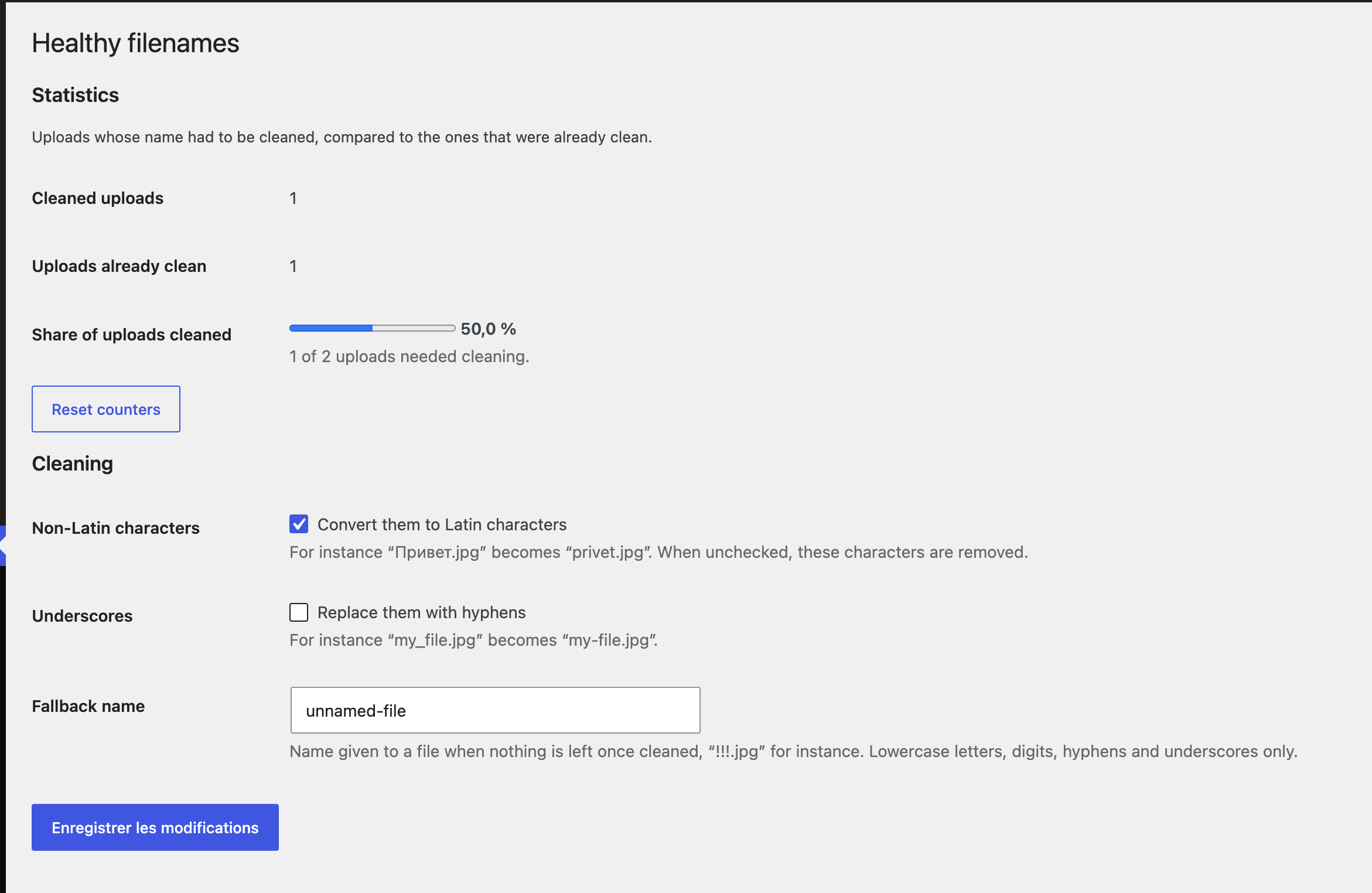
– Convert non-Latin characters to Latin ones (requires the PHP « intl » extension)
– Optionally replace underscores with hyphens
– Count the uploads that had to be cleaned and the ones that were already clean
Examples :
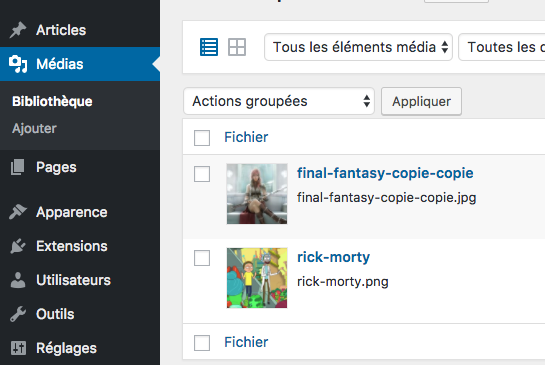
– filename : rick & morty.png > rick-morty.png
– filename : finaL fantasy / (Copié) (Copié).jpg > final-fantasy-copie-copie.jpg
– filename : Привет.jpg > privet.jpg
The settings and the counters are in « Settings > Healthy filenames ».
Captures d’écrans
Installation
- Upload the plugin files to the
/wp-content/plugins/healthy-filenamesdirectory, or install the plugin through the WordPress plugins screen directly. - Activate the plugin through the ‘Plugins’ screen in WordPress
- Optionally adjust the cleaning in « Settings > Healthy filenames »
FAQ
-
Are the files already in the media library renamed?
-
No. Only the files uploaded while the plugin is active are cleaned.
-
Which uploads are cleaned?
-
Every file that goes through the WordPress upload functions: media library, editor, REST API, imports from a URL.
-
Is the file extension changed?
-
No. The extension is left to WordPress, which validates it and converts it to lowercase.
-
What happens to non-Latin characters?
-
They are converted to Latin characters when the PHP « intl » extension is available: « Привет.jpg » becomes « privet.jpg ». Without it, or when the setting is unchecked, they are removed.
-
What happens when nothing is left of the name?
-
A name made only of special characters, such as « !!!.jpg », gets a fallback name: « unnamed-file.jpg ». The fallback name can be changed in the settings.
-
What do the counters count?
-
Each upload accepted by WordPress is counted once: either as « cleaned » when its name had to be modified, or as « already clean ». The settings page shows both counters and the share of uploads that needed cleaning. Image sizes generated from an upload are not counted.
Avis
Il n’y a aucun avis pour cette extension.
Contributeurs/contributrices & développeurs/développeuses
« Healthy filenames » est un logiciel libre. Les personnes suivantes ont contribué à cette extension.
Contributeurs

Traduisez « Healthy filenames » dans votre langue.
Le développement vous intéresse ?
Parcourir le code, consulter le SVN dépôt, ou s’inscrire au journal de développement par RSS.
Journal des modifications
1.1.0
- 30 September 2026
- New: settings page in « Settings > Healthy filenames ».
- New: counters of cleaned and already clean uploads, with the share of uploads that needed cleaning.
- New: non-Latin characters are converted to Latin ones instead of ending up as hexadecimal codes.
- New: option to replace underscores with hyphens.
- New: sideloaded files are cleaned too (REST API raw uploads, imports from a URL).
- Security: the file extension is no longer injected into a regular expression.
- Fix: files without extension no longer lose their last character.
- Fix: a filename made only of special characters gets a fallback name instead of being rejected.
- Performance: the text domain is no longer loaded on every request.
- Removed the generic « TEXT_DOMAIN » constant, which could collide with other plugins or themes.
- Tested up to WordPress 7.1 and PHP 8.5. Requires WordPress 5.3 and PHP 7.4.
1.0.0
- 02 October 2017
- Initial release \o/