Aller au contenu
WordPress.org

Français

  • Thèmes
  • Extensions
  • Actualités
    • Documentation
    • Forums
  • À propos
  • Compositions
    • Équipes
    • Guide de contribution
  • Obtenir WordPress
Obtenir WordPress
WordPress.org

Plugin Directory

Hide Login Language Selector

  • Envoyer une extension
  • Mes favoris
  • Se connecter
  • Envoyer une extension
  • Mes favoris
  • Se connecter

Hide Login Language Selector

Par Saravana Bhava
Télécharger
  • Détails
  • Avis
  • Installation
  • Développement
Support

Description

The Hide Login Language Selector plugin by SazM eliminates the language selection dropdown introduced in WordPress 5.9 from the login screen (wp-login.php).

If your website operates in a single primary language or you want to provide a focused, streamlined login workflow for your users and clients, this plugin removes the dropdown instantly.

Key Features

  • Zero Configuration: Simply activate the plugin—the language switcher is removed immediately.
  • Core-Native Approach: Utilizes the official WordPress login_display_language_dropdown filter hook.
  • Template Fallback: Includes CSS containment to guarantee removal even on custom or overridden login templates.
  • Zero Database Impact: No options added to wp_options, zero database queries, zero frontend overhead.
  • Lightweight & High Performance: Executes in under 1ms, fully compatible with caching and security plugins.
  • WordPress 7.1 & PHP 8.x Ready: Fully tested and optimized for the latest WordPress core releases.

About SazM

Maintained by SazM — 20+ years in production engineering (since Oct 2006). 1,000+ projects for 300+ clients for Weismann Web per CEO letter.

Captures d’écrans

Standard WordPress login screen displaying the language dropdown below the form.
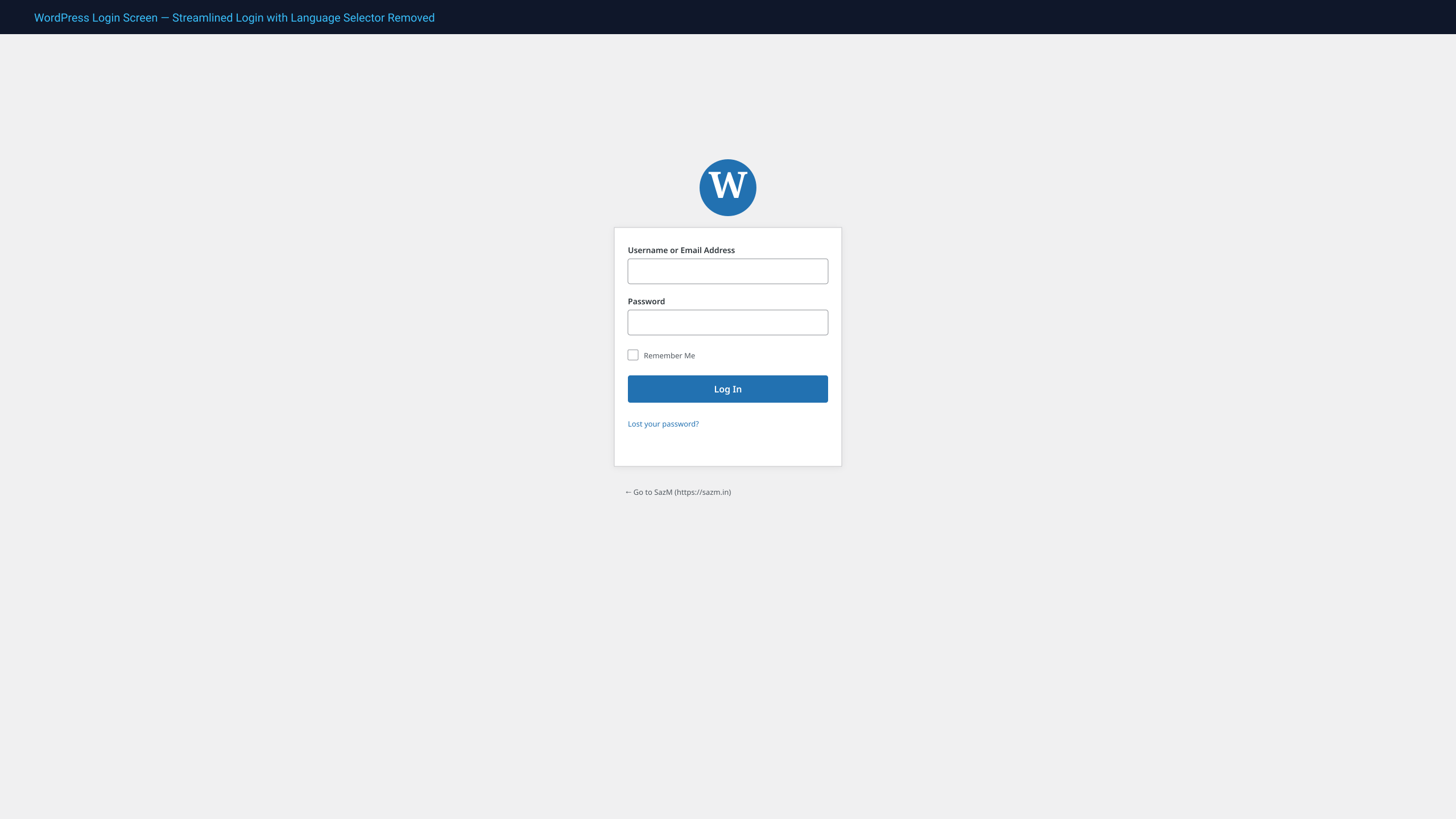
Clean, streamlined login screen with the language selector removed.

Installation

  1. Log into your WordPress admin dashboard.
  2. Navigate to Plugins > Add New Plugin.
  3. Search for Hide Login Language Selector or upload the downloaded .zip file.
  4. Click Install Now, then click Activate.
  5. Visit /wp-login.php to verify that the language selector is gone.

FAQ

Does this prevent administrators from changing the site language?

No. It only hides the public language selector dropdown on the login screen. You can still change your site’s default language in Settings > General or individual user profile languages in Users > Profile.

Does this work with custom login page plugins?

Yes. It hooks into core WordPress login filters and includes a universal CSS fallback to ensure compatibility across popular login customizers and security suites.

Avis

Hide Login Language Selector – Five stars all the way!

Saba 19 novembre 2024
SazM plugins are highly regarded for their effectiveness in debloating WordPress sites. The plugins are well-optimized, contributing to faster loading times and improved overall site efficiency. If you’re looking to simplify and speed up your WordPress site, SazM’s plugins are definitely worth considering. Five stars all the way!
Lire l’avis

Contributeurs/contributrices & développeurs/développeuses

« Hide Login Language Selector » est un logiciel libre. Les personnes suivantes ont contribué à cette extension.

Contributeurs
  • Saravana Bhava

Traduisez « Hide Login Language Selector » dans votre langue.

Le développement vous intéresse ?

Parcourir le code, consulter le SVN dépôt, ou s’inscrire au journal de développement par RSS.

Journal des modifications

2.1.0

  • Confirmed compatibility with WordPress 7.1 and PHP 8.3/8.4.
  • Added defensive CSS fallback to ensure language switcher suppression across third-party custom login wrappers.
  • Updated brand documentation and SazM engineering assets.

2.0

  • Added support for WordPress 6.x.

1.0

  • Initial stable release.

Méta

  • Version 2.1.0
  • Dernière mise à jour il y a 3 semaines
  • Installations actives 10+
  • Version de WordPress 5.9 ou plus
  • Testé jusqu’à 7.1.4
  • Version de PHP 7.4 ou plus
  • Langue
    English (US)
  • Étiquettes
    hidelanguageloginselector
  • Vue avancée

Évaluations

5 sur 5 étoiles.
  • 1 avis à 5 étoile 5 étoiles 1
  • 0 avis à 4 étoile 4 étoiles 0
  • 0 avis à 3 étoile 3 étoiles 0
  • 0 avis à 2 étoile 2 étoiles 0
  • 0 avis à 1 étoile 1 étoile 0

Votre avis

Tout voir

Contributeurs

  • Saravana Bhava

Support

Quelque chose à dire ? Besoin d’aide ?

Voir le forum de support

Faire un don

Souhaitez-vous soutenir l’avancement de cette extension ?

Faire un don à cette extension

  • À propos
  • Actualités
  • Hébergement
  • Confidentialité
  • Vitrine
  • Thèmes
  • Extensions
  • Compositions
  • Apprendre
  • Support
  • Développeurs & développeuses
  • WordPress.tv ↗
  • Contribuer
  • Évènements
  • Faire un don ↗
  • Boutique
  • WordPress.com ↗
  • Matt ↗
  • bbPress ↗
  • BuddyPress ↗
WordPress.org

Français

The WordPress® trademark is the intellectual property of the WordPress Foundation.

  • Visitez notre compte X (précédemment Twitter)
  • Visiter notre compte Bluesky
  • Visiter notre compte Mastodon
  • Visiter notre compte Threads
  • Consulter notre compte Facebook
  • Consulter notre compte Instagram
  • Consulter notre compte LinkedIn
  • Visiter notre compte TokTok
  • Visiter notre chaîne YouTube
  • Visiter notre compte Tumblr
Le code est une poésie.