Description
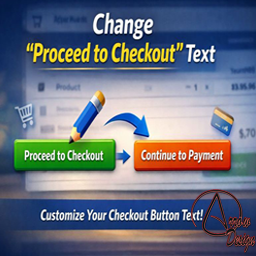
Change Proceed To Checkout Text provides a simple settings screen for changing the WooCommerce Proceed to Checkout button text.
The free plugin is fully functional without a licence, account or external service and supports both the classic WooCommerce cart and the modern WooCommerce Cart Block.
Change Proceed To Checkout Text Pro is an optional, separately installed commercial add-on available from Arrow Design. The Pro implementation and licence-validation code are not included in this WordPress.org plugin.
Pro adds additional WooCommerce button labels, a custom checkout destination and conditional Proceed to Checkout rules based on products, product categories, cart total, cart quantity, product type, login status, customer role, shipping method and payment method.
A 7-day Pro trial is available from Arrow Design.
Installation
- Install and activate Change Proceed To Checkout Text.
- Go to Settings > Checkout Button Text.
- Enter your preferred Proceed to Checkout text.
- The Pro Features tab explains the optional separately installed Pro add-on.
FAQ
-
Does the free plugin require a licence?
-
No. The free plugin does not contain a licence system.
-
Is Pro functionality included but locked?
-
No. Change Proceed To Checkout Text Pro is a separate add-on plugin distributed outside WordPress.org.
-
Does it support WooCommerce Blocks?
-
Yes. The free Proceed to Checkout label supports the WooCommerce Cart Block as well as the classic cart.
Avis


Contributeurs/contributrices & développeurs/développeuses
« Change Proceed To Checkout Text » est un logiciel libre. Les personnes suivantes ont contribué à cette extension.
Contributeurs
Traduisez « Change Proceed To Checkout Text » dans votre langue.
Le développement vous intéresse ?
Parcourir le code, consulter le SVN dépôt, ou s’inscrire au journal de développement par RSS.
Journal des modifications
3.9.1
- Emergency recovery and WordPress.org compliance release.
- Removed the unconditional class-licence.php dependency that could cause a fatal error on existing installations.
- Removed Pro implementation and licence-validation code from the WordPress.org package.
- Retained the core Proceed to Checkout text setting and existing option value.
- Added a clean tabbed settings screen with a separate Pro Features information tab.
- Added information about the optional 7-day Pro trial.
- Preserved classic WooCommerce cart and Cart Block support.
3.9.0
- Previous release.