

Description
Hide Titles is a lightweight plugin that allows you to control the visibility of titles on pages and single posts. Choose whether to show or hide titles based on your content needs.
Features
- Hide post titles
- Hide page titles
- Hide all titles
- Simple settings interface
Captures d’écrans
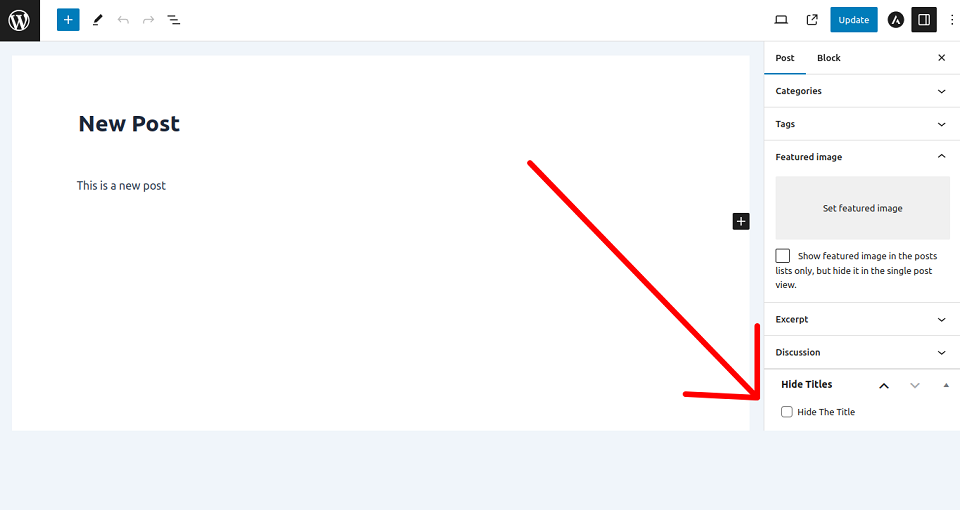
screenshot-1.png
Installation
Install the Hide Titles plugin via WordPress Dashboard (from plugin directory or from your computer), or upload the files manually to your server and activate the plugin.
Install via WordPress dashboard
From Plugin Directory
- Visit ‘Plugins > Add New’
- Search for ‘Hide Titles’
- Install and Activate the plugin
From Your Computer
- Download the Hide Titles plugin
- Visit ‘Plugins > Add New > Upload Plugin’
- Choose the plugin file in .zip format
- Click the Install Now button, and Activate after installation
Install via Uploading Files Manually
- Download the Hide Titles plugin and unzip the folder
- Upload the folder to your ‘/wp-content/plugins/’ directory
- Activate the Hide Titles Plugin from Dashboard
FAQ
-
How to hide titles from pages and single posts?
-
Activate the plugin, go to plugin settings page and choose your option and click on ‘Save Changes’ button.
-
How to get back titles in pages and single post?
-
Go to plugin settings page, choose ‘Don’t Hide’ option and click on ‘Save Changes’ button.
Avis


Contributeurs/contributrices & développeurs/développeuses
« MM Title Manager — Hide Page and Post Title » est un logiciel libre. Les personnes suivantes ont contribué à cette extension.
Contributeurs
“MM Title Manager — Hide Page and Post Title” a été traduit dans 5 locales. Remerciez l’équipe de traduction pour ses contributions.
Traduisez « MM Title Manager — Hide Page and Post Title » dans votre langue.
Le développement vous intéresse ?
Parcourir le code, consulter le SVN dépôt, ou s’inscrire au journal de développement par RSS.
Journal des modifications
1.10
Release Date – 11 April 2026
- Fixed: hiding page title also hides the menu item
- Improved: code maintainability
- Tested: WordPress v7.0-RC2 compatibility
1.9
Release Date – 8 November 2025
- Tested with WordPress v6.9
1.8
Release Date – 15 April 2025
- Tested with WordPress v6.8
1.7
Release Date – 9 April 2024
- Tested with WordPress v6.5
1.6
Release Date – 8 February 2024
- Added New Feature
- Tested with WordPress v6.4.3
1.5
Release Date – 7 November 2023
- Tested with WordPress v6.4
1.4
Release Date – 25 September 2023
- Optimized Codes
1.3
Release Date – 15 September 2023
- Added New Setting Options
1.2
Release Date – 7 September 2023
- Integrated Plugin Settings
- Tested with WordPress v6.3.1
1.1
Release Date – 9 August 2023
- Tested with WordPress v6.3
1.0
Release Date – 14 March 2023
- Initial release.