

Description
TW Login Alert & Tracker is a lightweight yet powerful plugin designed to help administrators monitor login activity and enhance site security.
It automatically tracks every user login and saves the date/time to their profile. A new “Last Login” column appears in the WordPress Users list, helping you quickly view user activity.
The plugin also sends real-time email notifications to the site administrator each time a user logs in, including when the admin logs in. You now have full control over these alerts with a dedicated Settings page where you can enable or disable email notifications as needed.
No configuration is required on activation. However, the Login Alert Settings page (under Settings) gives you the flexibility to toggle notifications anytime.
Features:
- Tracks each user login and records the timestamp as user meta
- Adds a “Last Login” column to the Users admin table
- Sends real-time email alerts to the site administrator on every login
- Settings page with checkbox to enable or disable email alerts
- Emails are sent from a smart “info@yourdomain.com” address dynamically
- Fully supports all WordPress user roles (admins, editors, customers, etc.)
- Built-in Tutorial page for guidance
- Lightweight, fast, and requires no configuration out of the box
License
This plugin is licensed under the GPL-2.0+ License. You can freely use, modify, and distribute it under the terms of this license. See the full license at: https://opensource.org/licenses/GPL-2.0
Captures d’écrans

Screenshot 1: Displays a « Last Login » column on the Users list page in the WordPress admin panel. 
Screenshot 2: Allows administrators to enable or disable email alerts for login activity. 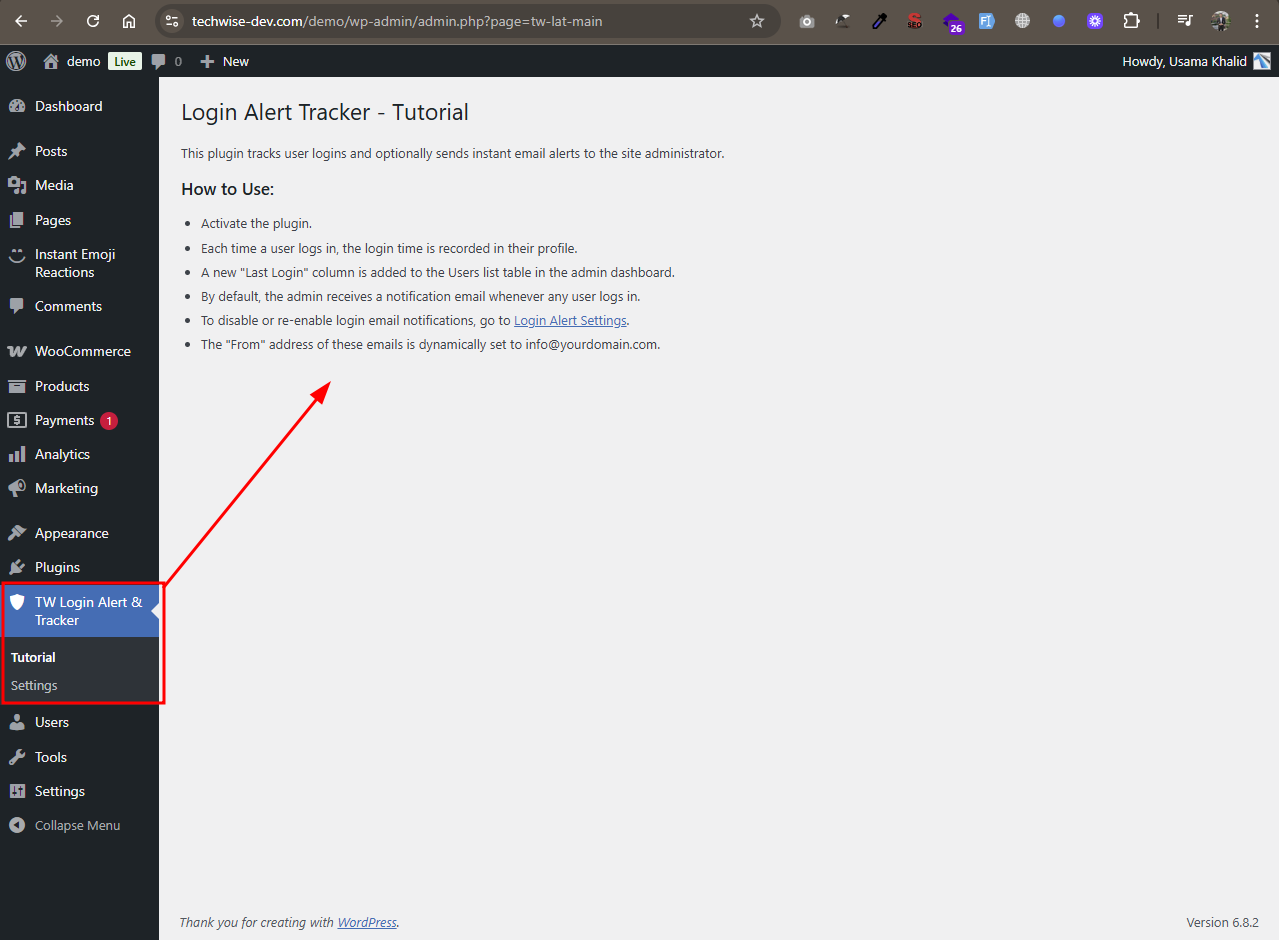
Screenshot 3: Provides helpful guidance and usage instructions for the plugin.
Installation
- Upload the plugin folder to
/wp-content/plugins/, or install it via the WordPress plugin dashboard. - Activate the plugin through the Plugins menu.
- Visit Users All Users to see the new Last Login column.
- Log in with any account to test email alerts.
FAQ
-
Will this plugin notify the admin when any user logs in?
-
Yes. If enabled, every successful login triggers an email alert to the admin, including their own login.
-
Are email notifications enabled by default?
-
Yes, email alerts are enabled by default when the plugin is activated. You can disable them anytime via the settings page.
-
Can I turn off email notifications?
-
Absolutely. Navigate to TW Login Alert & Tracker Settings, and simply uncheck the option to stop receiving login email alerts.
-
What does the « Login Alert Settings » page do?
-
This page lets administrators enable or disable email notifications for user logins. When enabled (default), an email alert is sent to the site admin on every login. Disabling the checkbox will stop the email alerts, but login tracking will still continue in the background.
-
Where is the settings page located?
-
Go to the WordPress admin sidebar and click on TW Login Alert & Tracker Settings. You can also access it via the « Settings » link under the plugin name on the Plugins page.
-
Where are the login notification emails sent?
-
The plugin sends login alerts to the site’s admin email (set in Settings General).
-
Does this work with WooCommerce and other user roles?
-
Yes. It works with any standard WordPress user including WooCommerce customers, editors, etc.
-
Can I customize the email content?
-
Not in this version. Email templates will be editable in a future update.
-
Why do I see empty details in the last login column?
-
If the last login column shows empty details, it means the user has not logged in since the plugin was activated. The plugin only starts tracking login data after activation, so the user must log in at least once after that the last login date and time will appear.
Avis
Il n’y a aucun avis pour cette extension.
Contributeurs/contributrices & développeurs/développeuses
« TW Login Alert & Tracker » est un logiciel libre. Les personnes suivantes ont contribué à cette extension.
Contributeurs
Traduisez « TW Login Alert & Tracker » dans votre langue.
Le développement vous intéresse ?
Parcourir le code, consulter le SVN dépôt, ou s’inscrire au journal de développement par RSS.
Journal des modifications
1.0.0
- Initial release
- Track user logins and store last login time.
- Added “Last Login” column to Users admin page.
- Sends email alert to admin on login event.