Description
BarkingLlama Roulette adds a simple shortcode and REST endpoint that selects a random YouTube video from a configured playlist and embeds it on your site.
Perfect for motivational cards as Shorts, “daily randomness” pages, or any curated playlist you want to keep fresh.
Features:
* Shortcode: [llama_roulette]
* REST endpoint: /wp-json/llama-roulette/v1/random
* Playlist caching via transients to reduce YouTube API calls
* Optional Privacy Enhanced Mode (youtube-nocookie embeds)
* « Start Muted » setting for reliable autoplay
External services
This plugin uses the YouTube Data API v3 (Google) to retrieve videos from the configured YouTube playlist so it can select and display a random video.
What data is sent and when:
* The configured playlist ID (or playlist ID parsed from a provided playlist URL) is sent when the plugin requests playlist items.
* The configured YouTube API key is sent with those API requests for authentication.
* These requests occur when cached playlist data is missing or expired, or when playlist data must be refreshed.
Service provider:
* Google / YouTube Data API v3
Terms of Service and Privacy Policy:
* Google API Services Terms of Service: https://developers.google.com/terms/
* YouTube API Services Terms of Service: https://developers.google.com/youtube/terms/api-services-terms-of-service
* Google Privacy Policy: https://policies.google.com/privacy
Shortcode
Basic:
[llama_roulette]
Available attributes:
* button_label – Custom label for the trigger button (e.g., button_label="Try Luck").
* playlist – Optional YouTube Playlist ID or URL to override the global setting.
* autoplay – Set to 1 to auto-load/play, 0 to wait for click.
* muted – Set to 1 to start muted, 0 for sound (Note: browsers block unmuted autoplay).
* show_title – Set to 1 to show the video title below the player, 0 to hide.
* align – left, center, or right.
* max_width – Any CSS width value (e.g., max_width="800px").
* aspect_ratio – CSS aspect-ratio (e.g., 16/9, 4/3).
* class – Append custom CSS classes.
Example:
[llama_roulette playlist= »PLxxxx » button_label= »Spin! » autoplay= »1″ muted= »1″ show_title= »1″]
REST API
GET /wp-json/llama-roulette/v1/random
Optional query param:
* playlist (Playlist ID or URL) to override the configured playlist for that request
Example:
GET /wp-json/llama-roulette/v1/random?playlist=PLabc123
License
This plugin is licensed under the GPLv2 or later.
Captures d’écrans
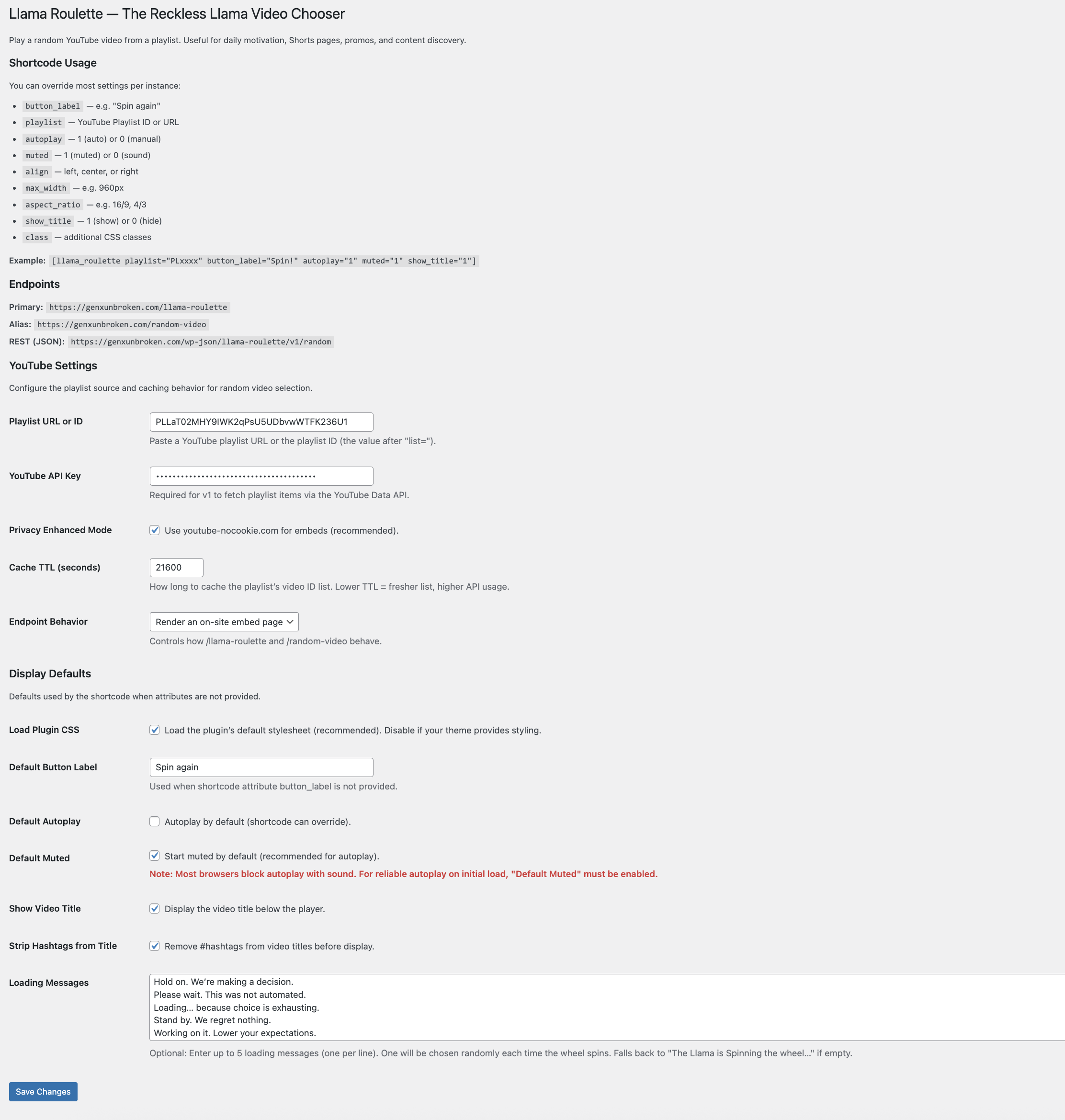
Settings page (playlist, API key, cache, privacy, display settings) 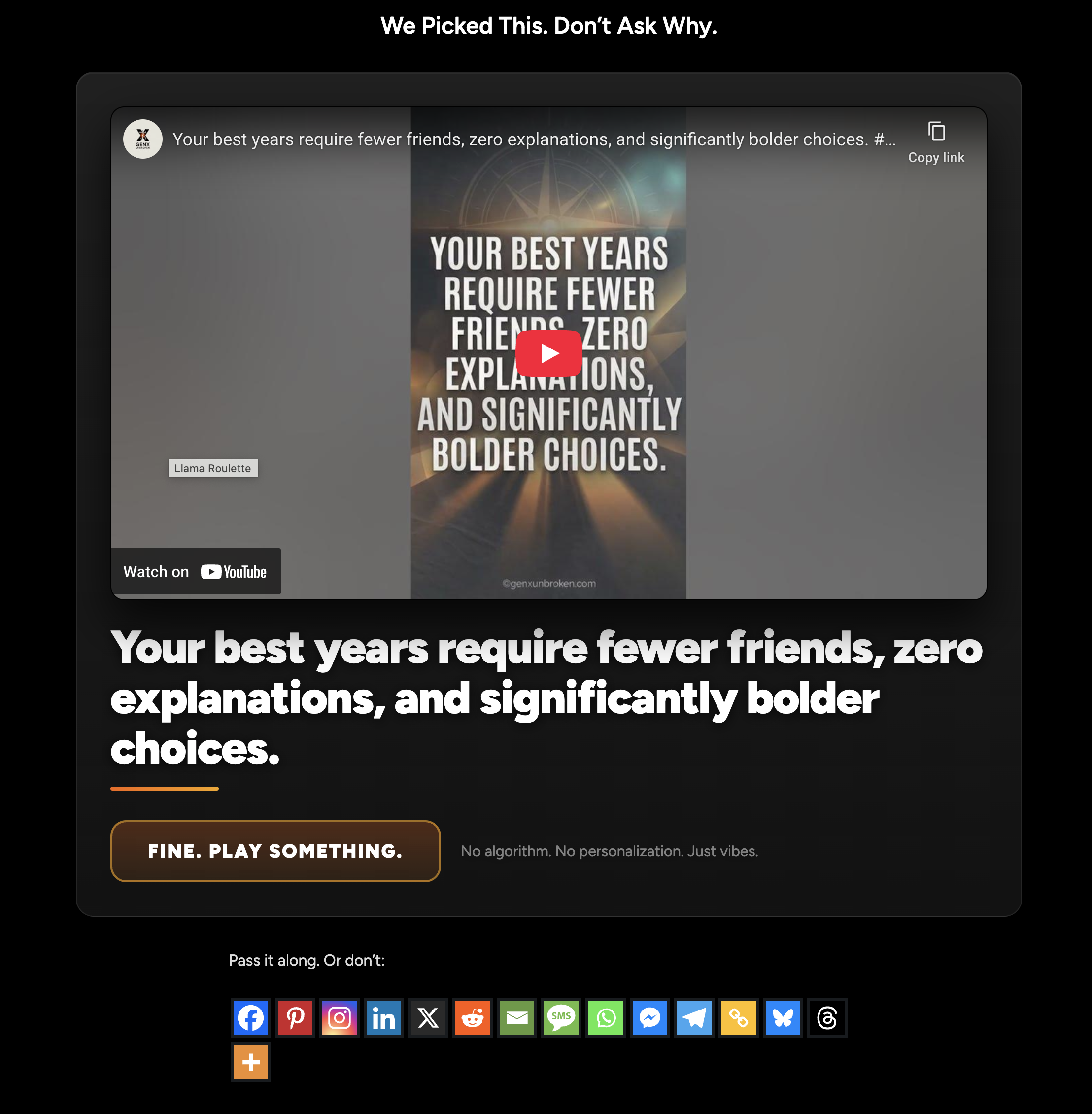
Front-end embed with “Spin again” button and video title
Installation
- Upload the plugin folder to /wp-content/plugins/ or install via the Plugins screen.
- Activate the plugin.
- Go to Settings BarkingLlama Roulette.
- Enter:
- Playlist URL or ID
- YouTube API Key
- Add the shortcode [llama_roulette] to any post or page.
FAQ
-
Do I need a YouTube API key?
-
Yes for v1. BarkingLlama Roulette uses the YouTube Data API to fetch playlist items. The plugin caches results to reduce quota usage.
-
How do I find my Playlist ID?
-
If your playlist URL looks like:
…the playlist ID is the value after « list= ». -
Does it work on mobile?
-
Yes. It uses a standard YouTube embed iframe.
-
How do I use Privacy Enhanced Mode?
-
Enable “Privacy Enhanced Mode” in Settings BarkingLlama Roulette to embed using youtube-nocookie.com.
-
Why does autoplay not work with sound?
-
Modern browsers block videos from autoplaying with sound on initial load unless a user has interacted with the page first. For reliable autoplay, enable the « Default Muted » setting.
-
How do I get a YouTube Data API key?
-
BarkingLlama Roulette uses the YouTube Data API to retrieve videos from your playlist. Google requires an API key for this.
Follow these steps:
-
Go to the Google Cloud Console:
https://console.cloud.google.com/ -
Sign in with the Google account that owns (or can access) the YouTube playlist.
-
Create a new project:
- Click the project dropdown at the top
- Click “New Project”
- Give it any name (for example: “BarkingLlama Roulette”)
- Click Create
-
Enable the YouTube Data API:
- With your project selected, go to:
APIs & Services Library - Search for “YouTube Data API v3”
- Click it, then click “Enable”
- With your project selected, go to:
-
Create an API key:
- Go to:
APIs & Services Credentials - Click “Create Credentials”
- Choose “API key”
- Copy the generated key
- Go to:
-
(Optional but recommended) Restrict the API key:
- In the Credentials screen, click your new API key
- Under “API restrictions”, select “Restrict key”
- Choose “YouTube Data API v3”
- Save changes
-
Paste the API key into WordPress:
- Go to Settings BarkingLlama Roulette
- Paste the key into the “YouTube API Key” field
- Save changes
That’s it. BarkingLlama Roulette will automatically cache playlist data to minimize API usage.
-
Avis
Il n’y a aucun avis pour cette extension.
Contributeurs/contributrices & développeurs/développeuses
« BarkingLlama Roulette » est un logiciel libre. Les personnes suivantes ont contribué à cette extension.
Contributeurs
Traduisez « BarkingLlama Roulette » dans votre langue.
Le développement vous intéresse ?
Parcourir le code, consulter le SVN dépôt, ou s’inscrire au journal de développement par RSS.
Journal des modifications
1.0.4
- FIX: Generic bugs
- TESTED: Up to 7.0
1.0.2
- FEATURE: Added « Show Video Title » option in admin settings and shortcode.
- FEATURE: Added
playlistattribute to shortcode for per-instance overrides. - FIX: Improved shortcode initialization and reliability for multiple instances.
- FIX: Added automatic cache refresh when switching to title-inclusive data format.
1.0.1
- SECURITY: Added output escaping for all template variables.
- SECURITY: Improved redirect logic with
wp_safe_redirect. - FIX: Endpoint button label now respects default settings.
- FEATURE: Added « Start Muted » setting for reliable autoplay.
- FEATURE: Added
mutedattribute to shortcode. - FIX: Improved shortcode attribute reliability via data attributes.
1.0.0
- Initial release: shortcode + REST endpoint + playlist caching + privacy mode