
Description
GovernDocs is a document management plugin for WordPress.
Built for organisations that need a clearer way to manage & publish important records without relying on regular blog posts or pages.
The plugin adds dedicated content types for policies, meeting documents and reports. These documents are stored in a structured way with dedicated fields for files, dates, versions, status information and other governance-related details. You can then display each document on your website using shortcodes.
GovernDocs is suitable for councils, associations, clubs, schools, law firms, committees, non-profits and other organisations that need a simple way to manage official documents in WordPress.
Upgrade to the PRO version to get a full audit log for Policies & Reports as well as the ability to add supporting docs.
GovernDocs PRO also adds shortcode access controls so you can hide a document from selected roles and show an alternative call to action instead.
GovernDocs Document Management Features
- Dedicated content types for Policy, Meeting and Report
- Structured fields for governance-related content
- Attach files to records
- Publish documents as web content, file downloads or both
- Publish as PDF downloads, Word doc downloads
- Display items using shortcodes
- Show document metadata such as type, extension, size, dates, version and status
- Store previous versions for policies
- Clean admin editing experience for document-based content
GovernDocs helps separate governance content from normal website content so your official records are easier to manage and easier for visitors to find.
Policy Features
Use Policies for official policy documents that are displayed on the front end of your website, or you can keep them as internal policies only.
Users can download your PDF policy or other formats, or you can display the policy directly within any page or post type with a shortcode.
Perfect for Privacy Policy.
Each Policy has fields to include:
- Version
- Policy ID
- Status
- Policy Owner
- Responsible Role
- Approving Authority
- Downloadable file
- Effective Date
- Approval Date
- Next Review Date
- Last Review Date
- Department
Plus other fields relating to governance, compliance and records.
Meeting Features
Use Meetings for meeting-related entries such as agenda and minutes. These can be published as web content, downloadable files or both.
Each Meeting has fields to include:
- Meeting Date
- Meeting ID
- Status
- Chair
- Minute Taker
- Location
- Description
- Agenda File
- Agenda Publish Date
- Agenda Notes
- Minutes File
- Minutes Publish Date
- Minutes Notes
- Department
Report Features
Use Reports for reports, strategic reports, operational reports and other formal publications.
Each Report has fields to include:
- Report Type (General, Annual Report, Financial Report etc)
- Report ID
- Status
- Author
- Published Date
- Report Date
- Description
- Department
Shortcode support
GovernDocs includes shortcode output so you can place document records into pages, posts, templates or any area that accepts shortcodes.
Examples of the shortcodes:
[governdocs type="policy" id="123"]
[governdocs type="meeting" id="123"]
[governdocs type="report" id="123"]

[governdocs
type="policy"
id="123"
show_icon="1"
button="1"
display="card"
desc_location="below_title"
class="custom-policy-card"
fields="ext,size,type,status,version,effective_date,approval_date,review_date,last_reviewed_date,owner,approving_authority,policy_id"
order="ext,size,type,status,version,effective_date,approval_date,review_date,last_reviewed_date,owner,approving_authority,policy_id"
]
GovernDocs PRO can also restrict shortcode output for selected roles:
[governdocs type="policy" id="123" blocked_roles="subscriber,customer" blocked_button_text="Request Access" blocked_button_url="https://example.com/request-access" blocked_button_new_tab="1" blocked_button_class="button button-primary" blocked_description="This document is not available for your account type."]
You can also use guest, logged_out, or not_logged_in inside blocked_roles to show the fallback output to visitors who are not signed in.
If you want to invert the logic, use allowed_roles instead. When allowed_roles is set, only those roles will see the document and everyone else will see the fallback output.
Who it is for
GovernDocs is built for websites that need more structure than a normal blog or page setup, especially where documents need to be maintained over time.
Examples include:
- Local government and council websites
- Associations and member organisations
- Sporting clubs and community groups
- Schools and education providers
- Compliance-focused business websites
- Boards and committees
Captures d’écrans
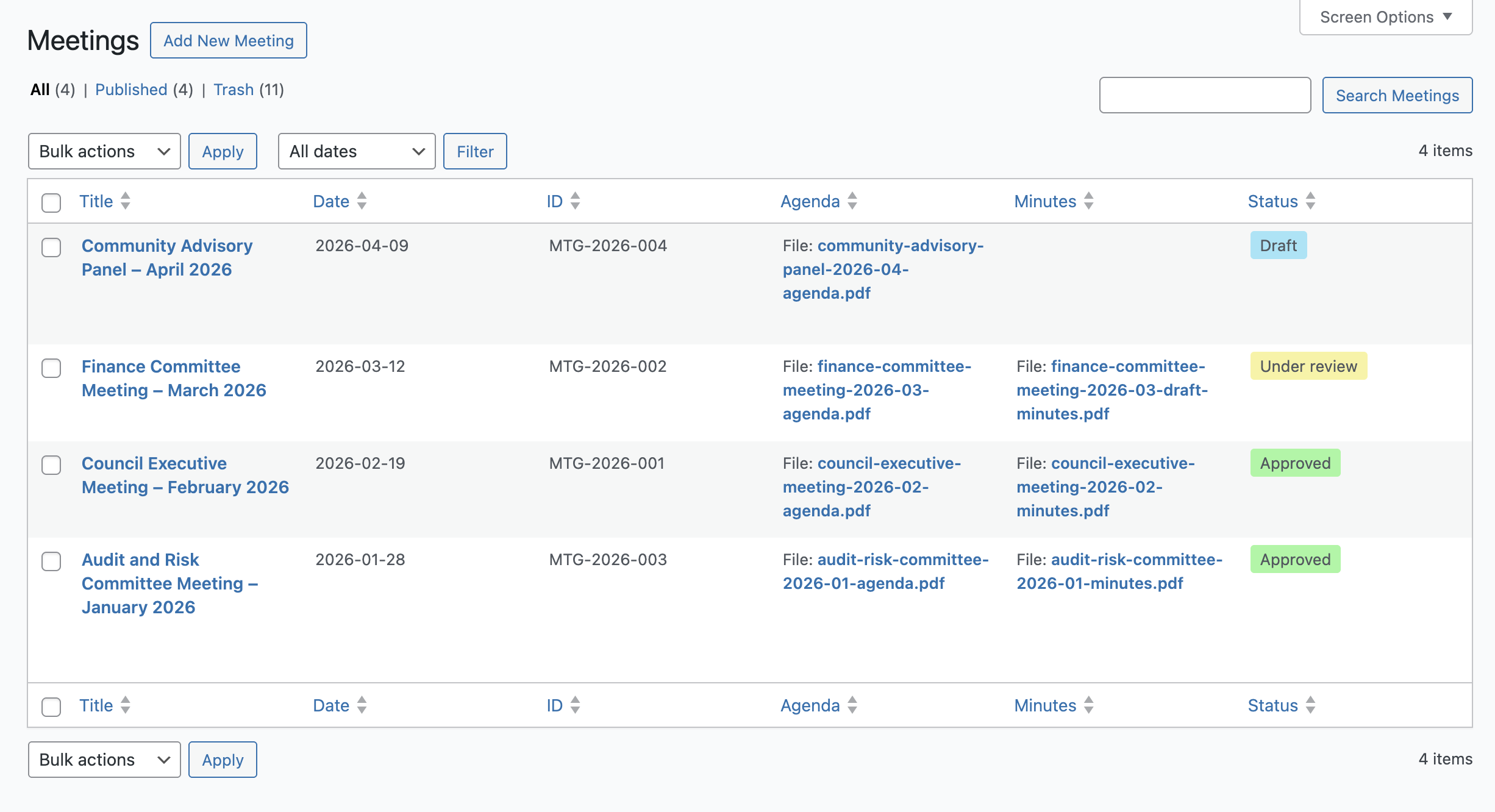
Meetings list screen – sortable and searchable 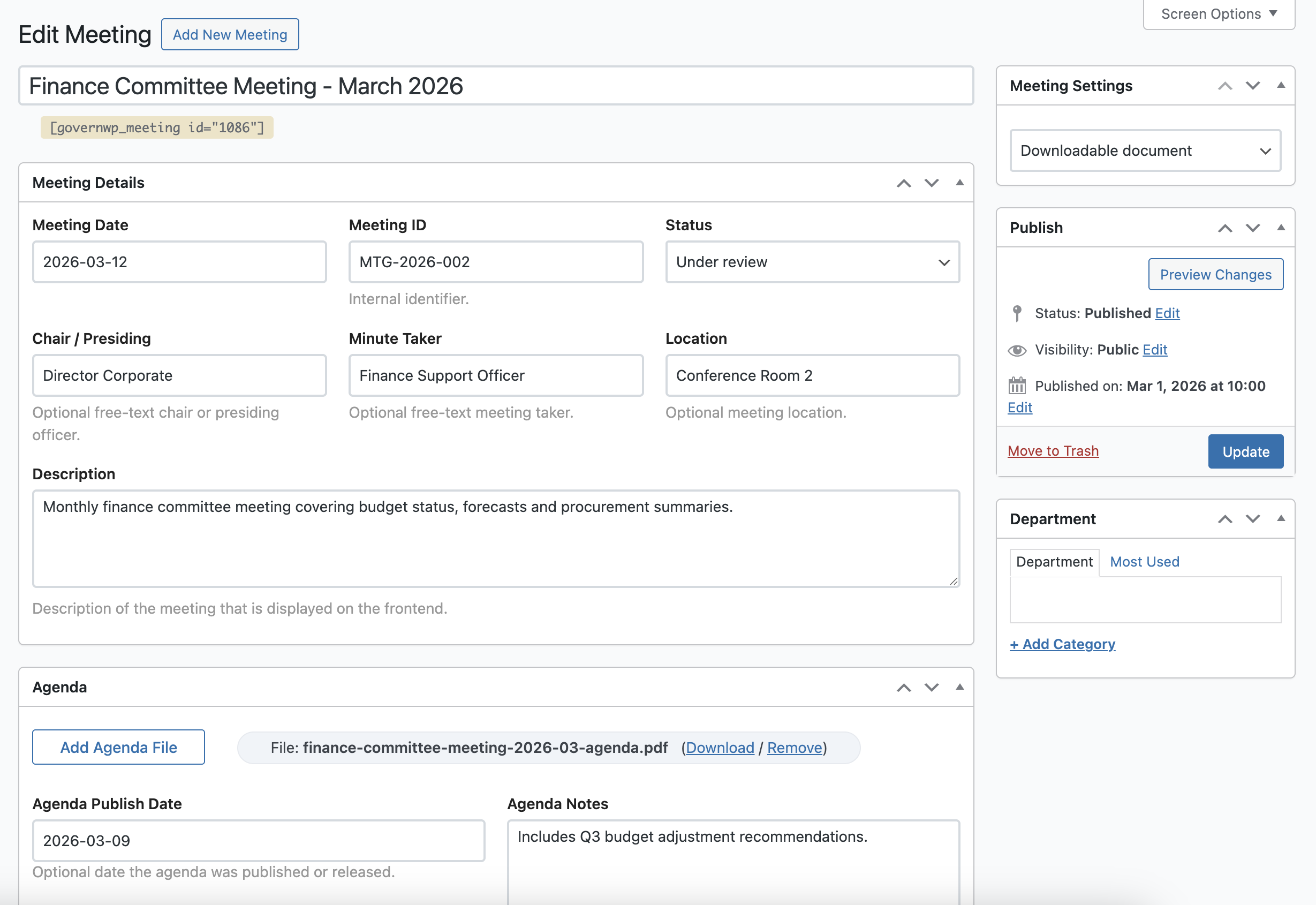
Meetings edit screen for agenda and minutes content 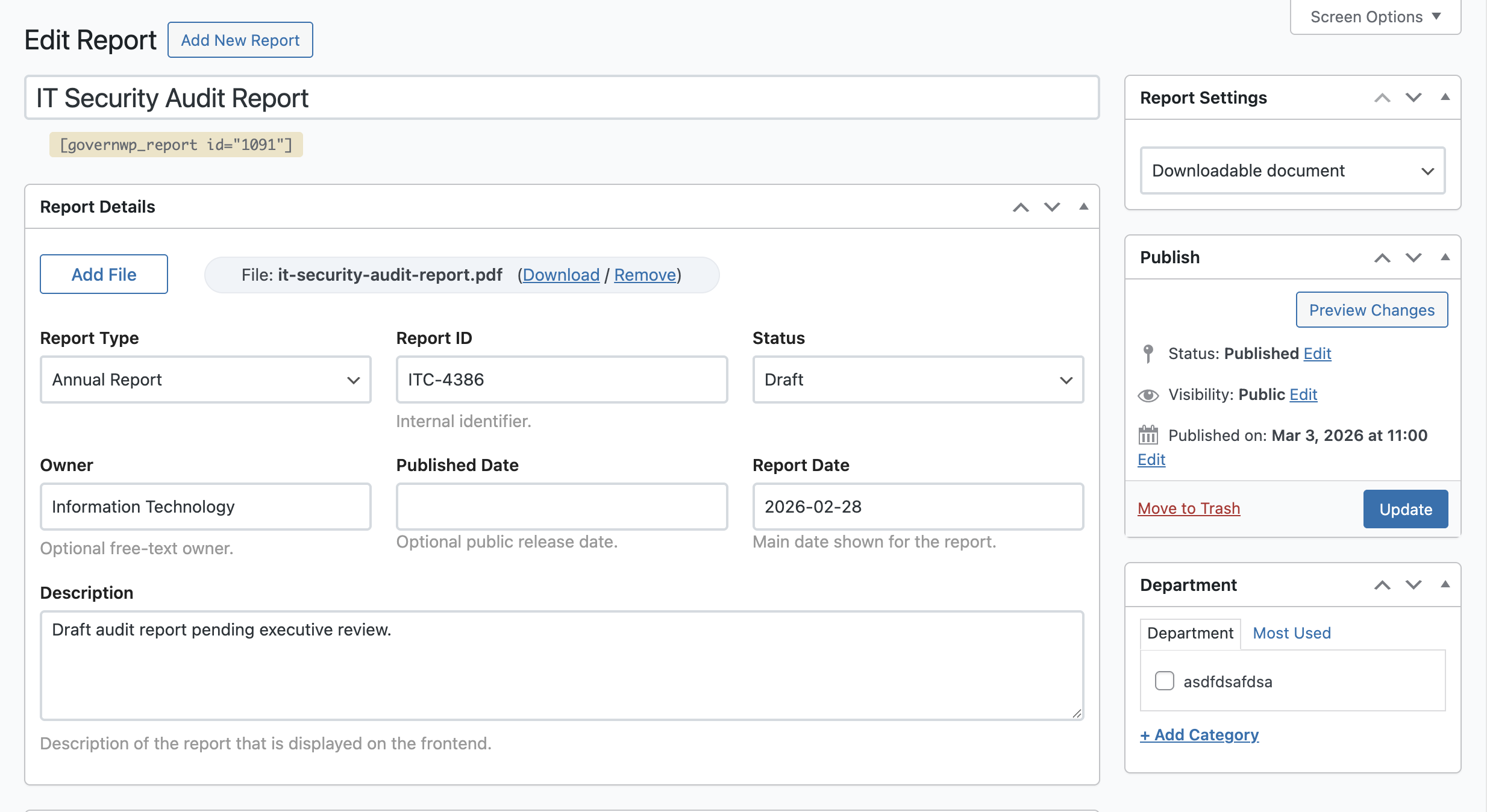
Reports edit screen with file and metadata fields 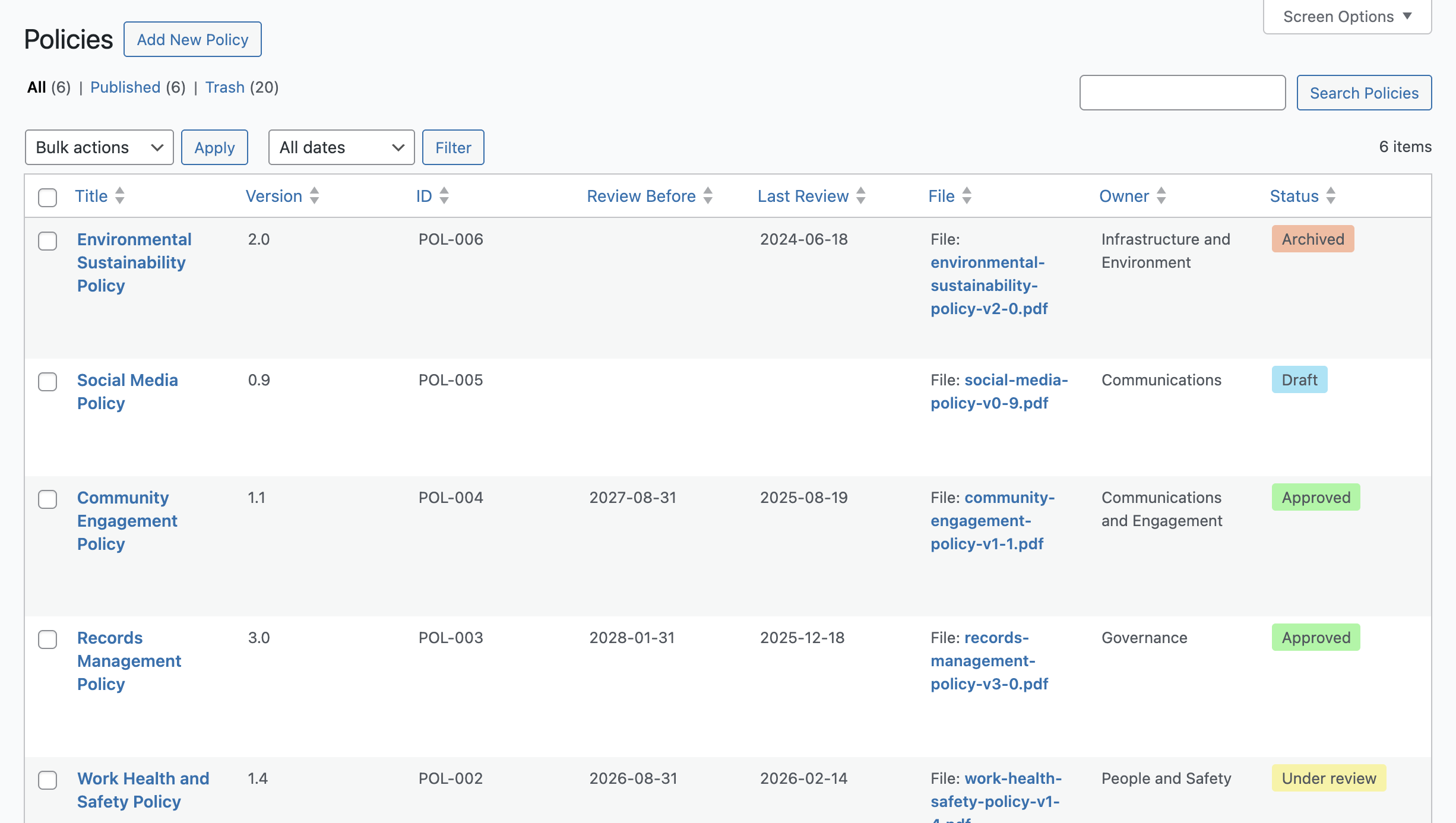
Policies list screen – sortable and searchable 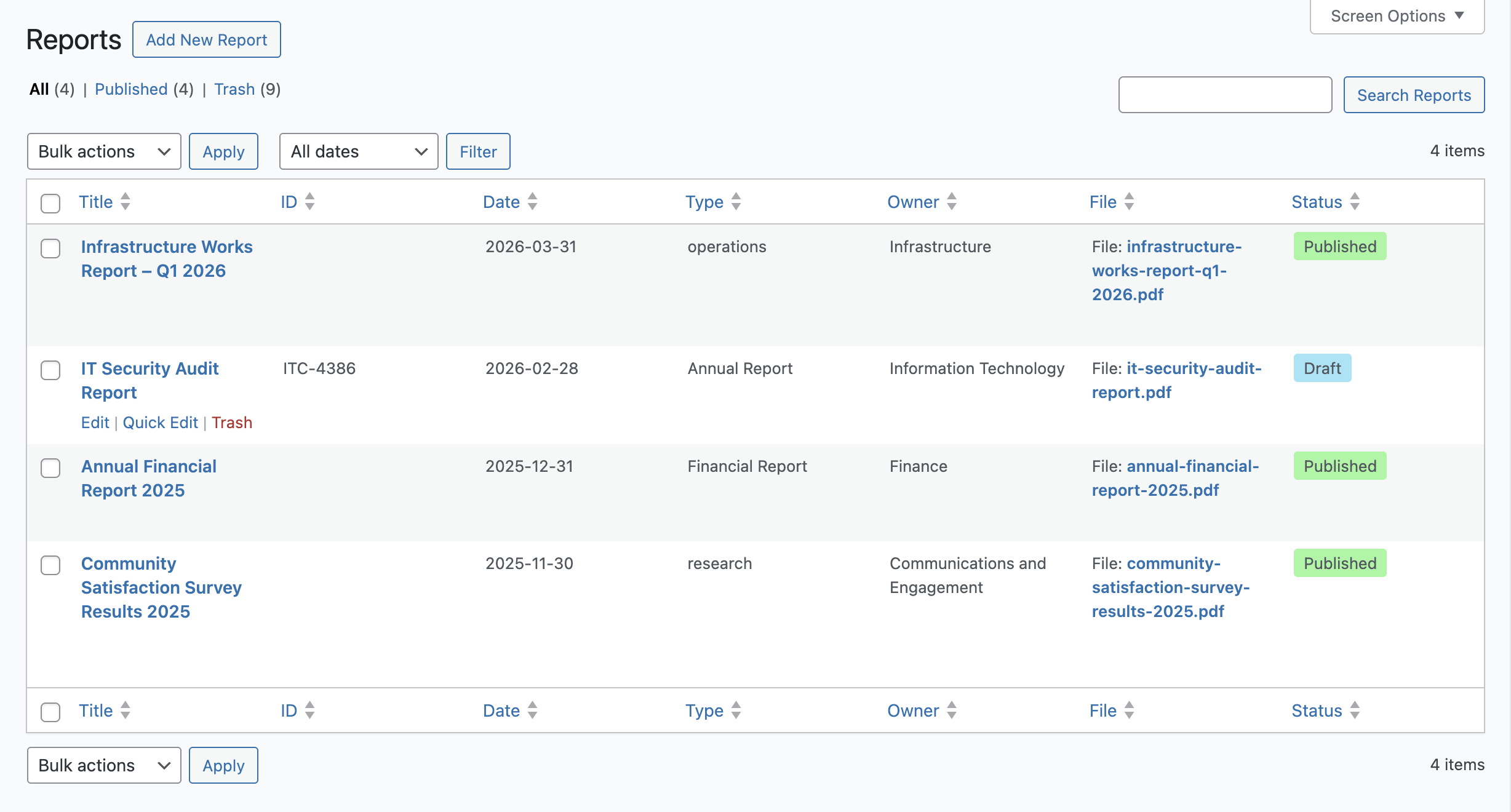
Reports list screen – sortable and searchable 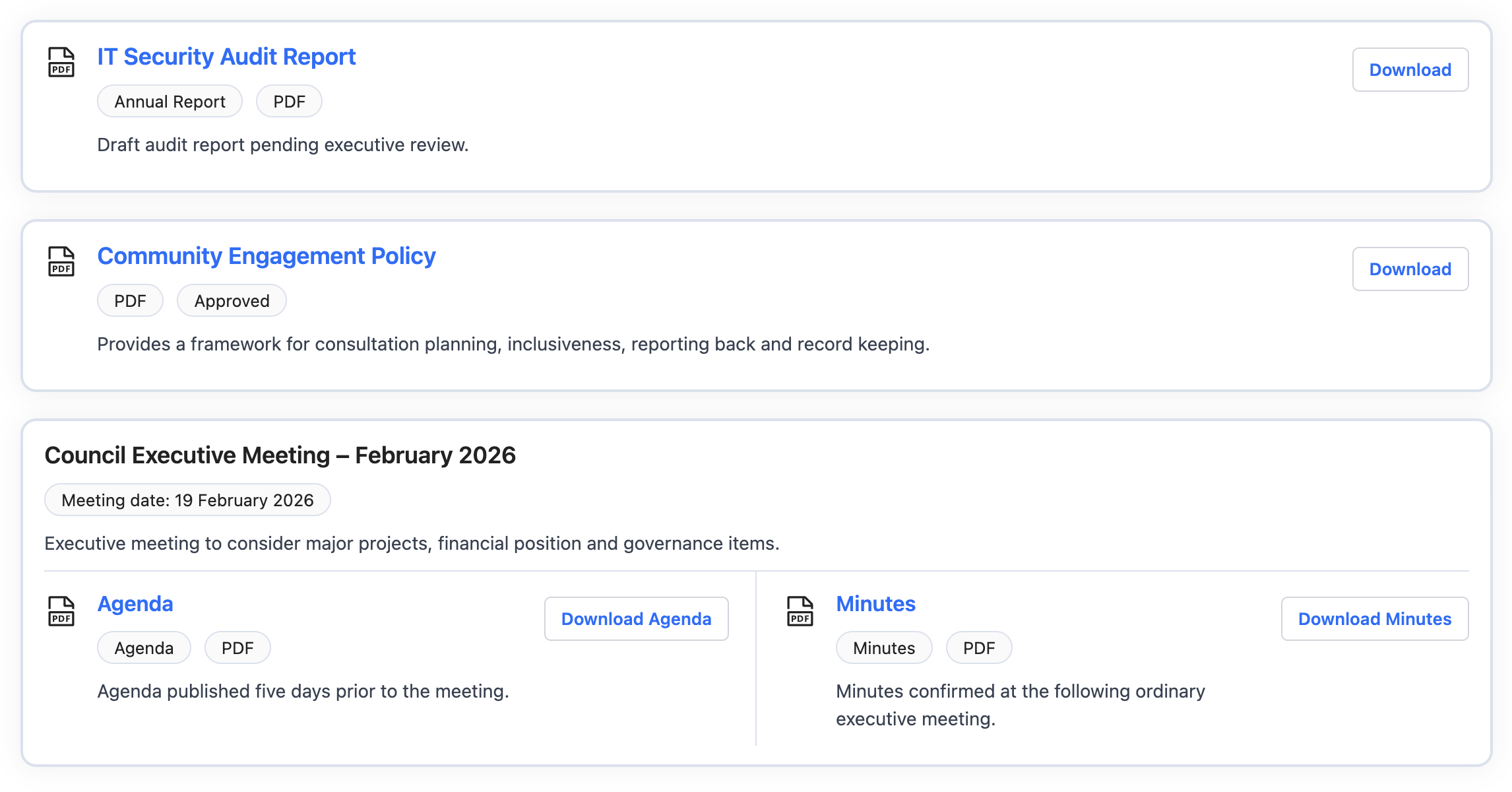
Front-end shortcode output showing all document types
Installation
- Upload the plugin files to the
/wp-content/plugins/governdocs/directory, or install the plugin through the WordPress plugins screen by searching for GovernDocs. - Activate the plugin through the WordPress plugins screen.
- After activation, you will see new admin menu items for governance content.
- Add your Policies, Meetings and Reports.
- Insert the provided shortcodes into pages or posts where you want the content displayed.
FAQ
-
What does GovernDocs add to WordPress?
-
GovernDocs adds custom content types for governance-related documents, along with structured fields and shortcode output.
-
Can I upload PDF files?
-
Yes. You can attach document files to any policy, meeting agenda, meeting minutes or report.
-
Can I show a document as a web page instead of only a file download?
-
Yes. Documents can be published as web content, file-based content or both.
-
Can I display documents on a normal page?
-
Yes. Use the included shortcodes to output individual items or document lists inside regular WordPress content.
-
Is this plugin only for councils?
-
No. It is suitable for any organisation that publishes formal documents and wants a more structured way to manage them.
-
Is this suitable for a Privacy Policy?
-
Yes, this is perfect for your website Privacy Policy. You can upload as PDF that users can then download from the front end, or you can embed the text content within your Privacy Policy page.
Avis

Contributeurs/contributrices & développeurs/développeuses
« GovernDocs Document Management – Policy, Reports & Meetings » est un logiciel libre. Les personnes suivantes ont contribué à cette extension.
Contributeurs
Traduisez « GovernDocs Document Management – Policy, Reports & Meetings » dans votre langue.
Le développement vous intéresse ?
Parcourir le code, consulter le SVN dépôt, ou s’inscrire au journal de développement par RSS.
Journal des modifications
1.1.1 – 29 Apr 2026
- Add global style setting with style override per shortcode
- Add new frontend style in the free version
- Improve frontend asset cache-busting so shortcode style changes load immediately
1.1.0 – 24 Apr 2026
- Add refreshed settings page layout with tabs, logo header, sidebar help panel and improved notice placement
- Add per-document-type status settings for Policies, Reports and Meetings
- Add permanent shortcode sidebar metaboxes on Policy, Meeting and Report edit screens
- Add shortcode rendering hook support for PRO feature extensions
- Add new shortcode attributes to support PRO access-control extensions
- Improve settings validation and admin feedback for saved options
- Improve settings page structure to support future type-specific configuration
- Minor admin UI polish and styling improvements across GovernDocs screens
1.0.3 – 22 Apr 2026
- Add upgrade button into settings
1.0.2 – 1 Apr 2026
- Fix issue CMB2 default $editor_id not being set
1.0.1 – 30 Mar 2026
- Fix issue with Department labels being called Category
- Minor styling updates
1.0.0
- Initial release