

Description
Accept all major cards, Apple Pay, and PayPal directly with PayPal Braintree for WooCommerce. Customers can save their card details or link a PayPal account for an even faster checkout experience.
Features
- No redirects — keep customers on your site for payment, reducing the risk of abandoned carts.
- Security first; PCI compliant, with 3D Secure verification and Strong Customer Authentication (SCA).
- Express checkout options, including Buy Now and PayPal Checkout buttons. Customers can save their card details, link a PayPal account, or pay with Apple Pay.
- Optimized order management; process refunds, void transactions, and capture charges from your WooCommerce dashboard.
- Route payments in certain currencies to different Braintree accounts (requires currency switcher).
- Compatible with WooCommerce Subscriptions and WooCommerce Pre-Orders.
Safe and secure — every time
Braintree’s secure Hosted Fields provide a seamless way for customers to enter payment info on your site without redirecting them to PayPal.
It’s PCI compliant and supports SCA and 3D Secure verification, so you always meet security requirements — without sacrificing flexibility. Plus, Braintree’s fraud tools protect your business by helping detect and prevent fraud.
Even faster checkouts
Customers can save their credit and debit card details or link a PayPal account to fast-forward checkout the next time they shop with you. Adding PayPal Checkout and Buy Now buttons to your product, cart, and checkout pages makes purchasing simpler and quicker, too.
Get paid upfront and earn recurring revenue
Take charge of how you sell online. PayPal Braintree supports WooCommerce Subscriptions — the perfect solution for earning recurring revenue. It’s also compatible with WooCommerce Pre-Orders, enabling you to accept payment upfront or as products ship.
Captures d’écrans
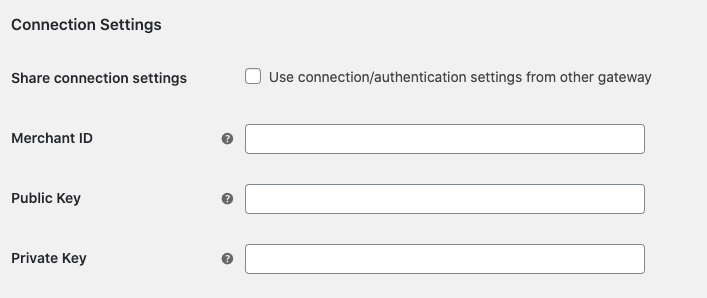
Enter Braintree credentials 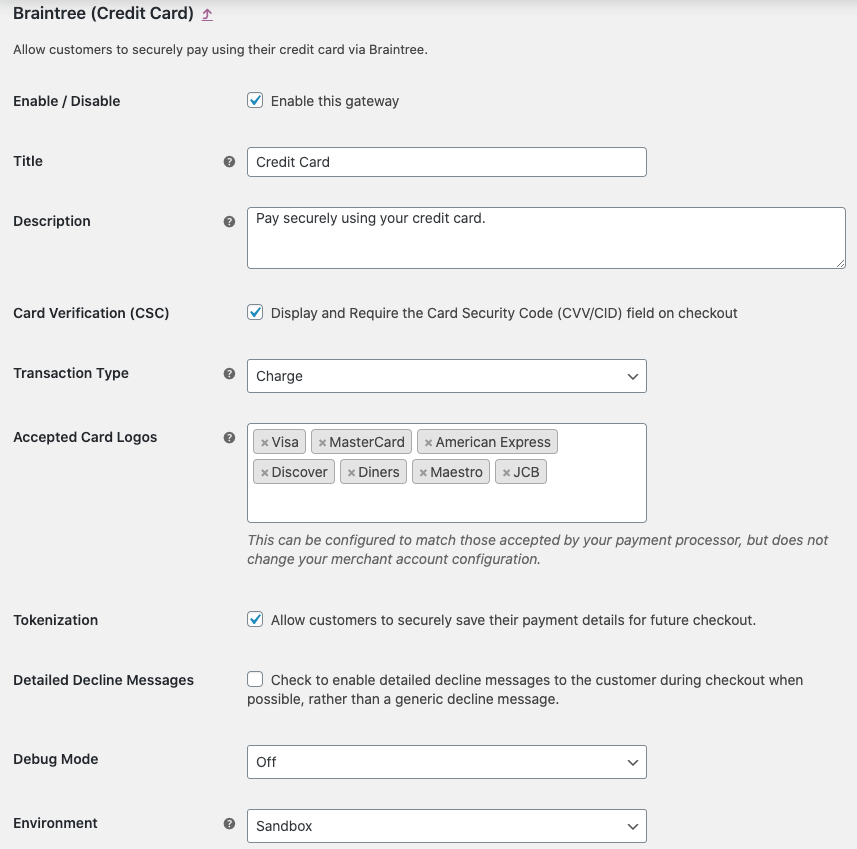
Credit card gateway settings 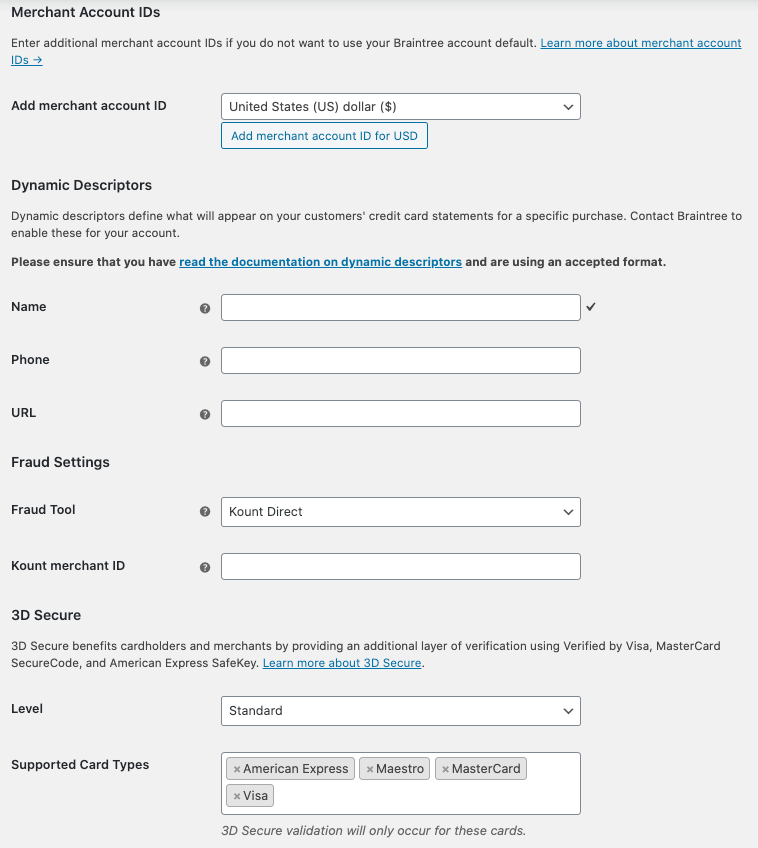
Advanced credit card gateway settings 
PayPal gateway settings 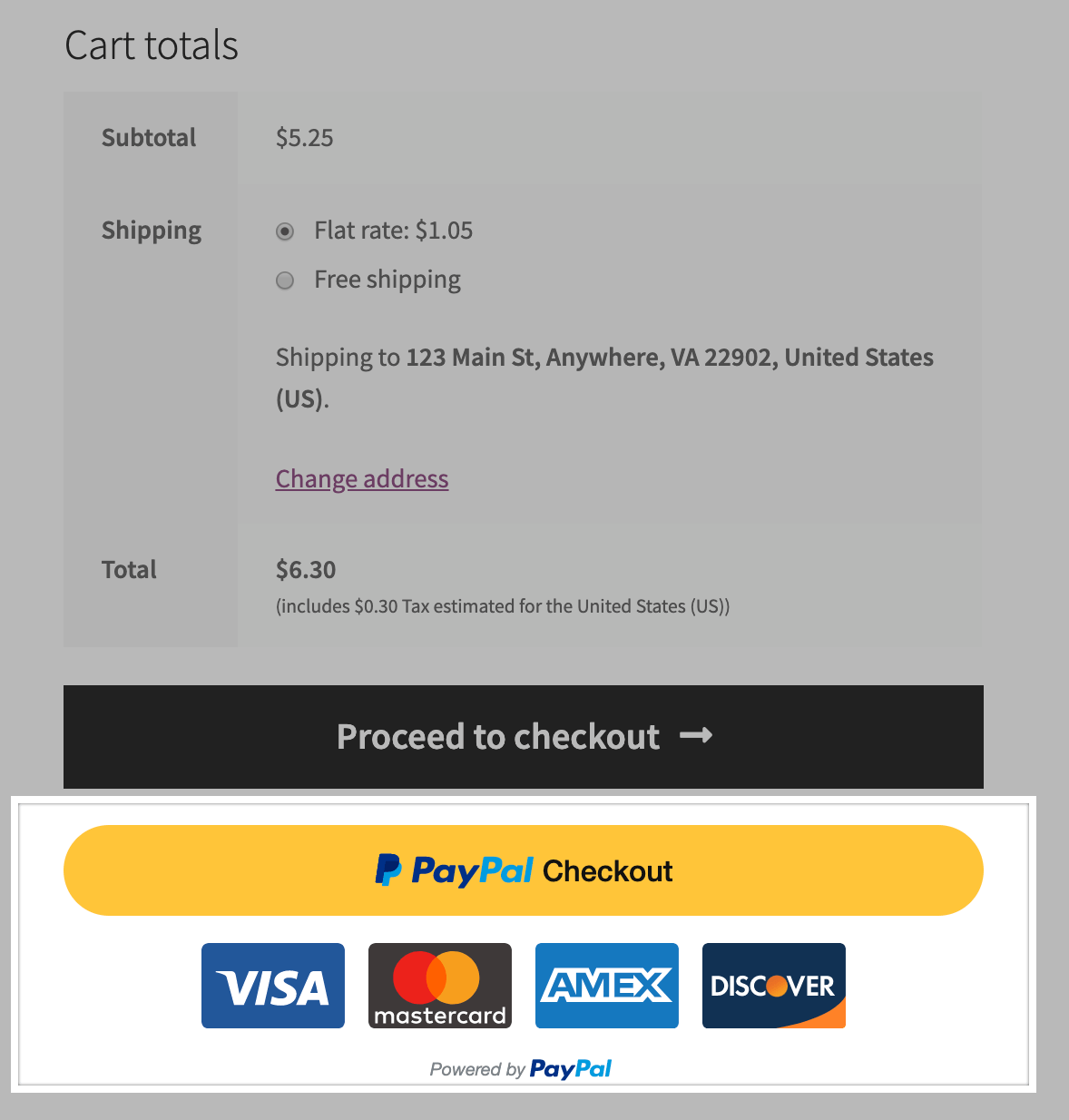
Checkout with PayPal directly from the cart 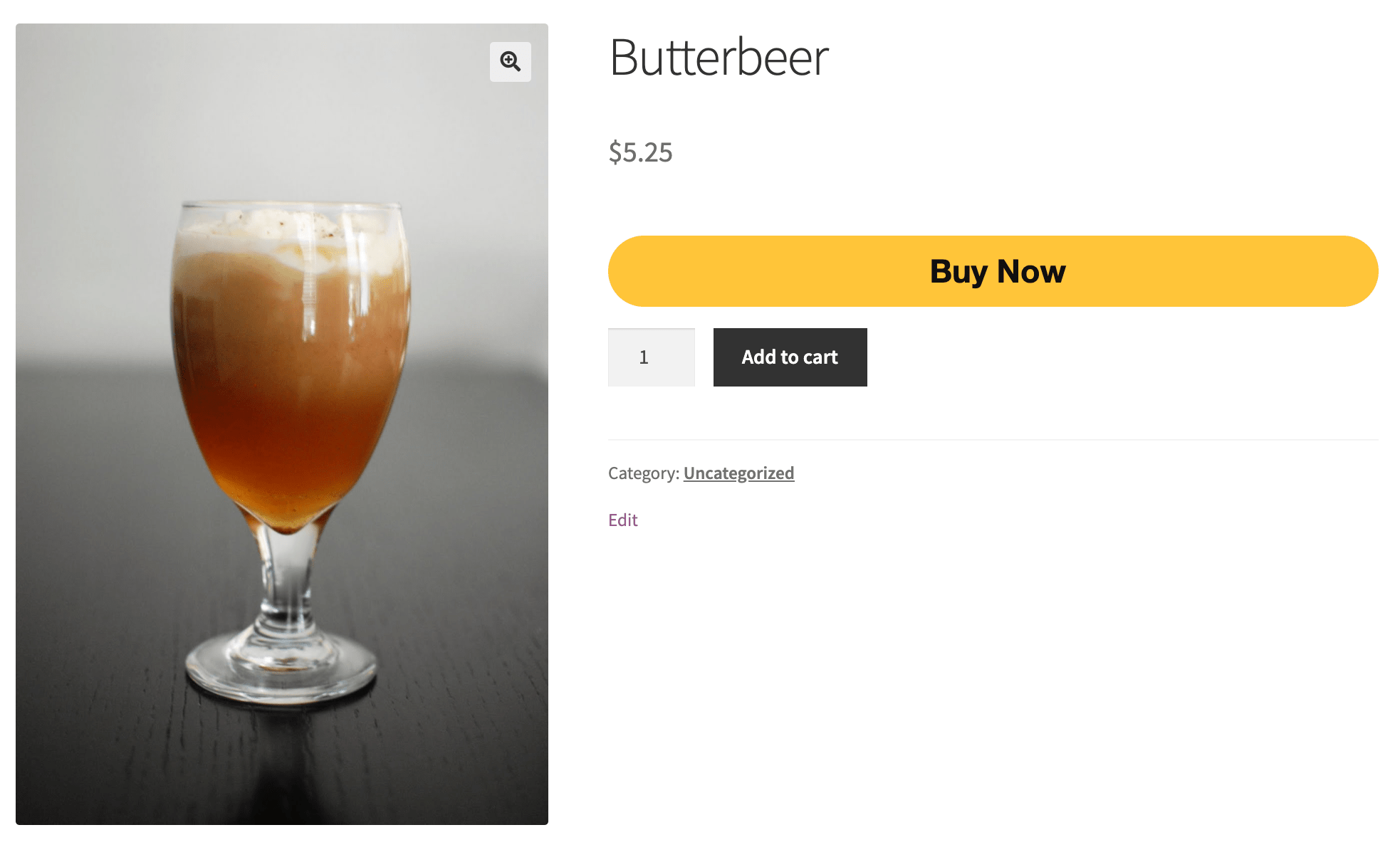
Checkout with PayPal directly from the product page
FAQ
-
Où puis-je trouver la documentation ?
-
You’ve come to the right place. Our documentation for PayPal Braintree for WooCommerce includes detailed setup instructions, troubleshooting tips, and more.
-
Does this extension work with credit cards, or just PayPal?
-
Both! PayPal Braintree for WooCommerce supports payments with credit cards and PayPal. (You can also enable Apple Pay.)
-
Does it support subscriptions?
-
Yes! PayPal Braintree supports tokenization (required for recurring payments) and is compatible with WooCommerce Subscriptions.
-
Which currencies are supported?
-
Support is available for 25 currencies, wherever Braintree is available. You can use your store’s native currency or add multiple merchant IDs to process other currencies via different Braintree accounts. To manage multiple currencies, you’ll need a free or paid currency switcher, such as Aelia Currency Switcher (requires purchase).
-
Can non-US merchants use this extension?
-
Yes! It’s supported in all countries where Braintree is available.
-
Does it support testing and production modes?
-
Yes; sandbox mode is available so you can test the payment process without activating live transactions. Woo-hoo!
-
Credit card payments are working, but PayPal is not — why?
-
You may need to enable PayPal in your Braintree account.
-
Can I use this extension for PayPal only?
-
Sure thing! See our instructions on using PayPal Braintree without credit cards.
-
Will it work with my site’s theme?
-
This extension should work with any WooCommerce-compatible theme, but you might need to customize your theme for a perfect fit.
-
Where can I get support, report bugs, or request new features?
-
First, review our documentation for troubleshooting tips and answers to common questions. If you need further assistance, please get in touch via the official support forum.
Avis


Contributeurs/contributrices & développeurs/développeuses
« Braintree for WooCommerce Payment Gateway » est un logiciel libre. Les personnes suivantes ont contribué à cette extension.
Contributeurs


Traduisez « Braintree for WooCommerce Payment Gateway » dans votre langue.
Le développement vous intéresse ?
Parcourir le code, consulter le SVN dépôt, ou s’inscrire au journal de développement par RSS.
Journal des modifications
3.10.0 – 2026-04-22
- Add – Introduce
wc_braintree_get_remote_configurationfilter to allow merchants to provide hardcoded remote configurations and improve performance with gateway configuration caching. - Fix – Apple Pay and Google Pay buttons on block-based Cart and Checkout pages now respect the « Allow on » display settings.
- Fix – Change the gateway currency notice to include a link to the gateway settings.
- Fix – Replaced
wc_enqueue_jswithwp_add_inline_scriptaccording to the recommended WordPress core script patterns. - Dev – Replace deep relative imports with webpack aliases for improved readability and maintainability.
- Dev – Remove the deprecated LPM feature-flag check from Blocks checkout registration.
- Dev – Fix ESLint import resolver configuration and fix multiple ESLint violations.
- Dev – Bump WooCommerce « tested up to » version 10.7.
- Dev – Bump WooCommerce minimum supported version to 10.5.
- Dev – Bump WordPress « Tested up to » to 7.0.
- Dev – Add additional E2E tests for better coverage.
3.9.0 – 2026-03-30
- Add – EPS local payment gateway
- Add – iDEAL local payment gateway.
- Add – P24 local payment method gateway.
- Add – Bancontact local payment gateway.
- Add – BLIK local payment method gateway.
- Add – MyBank local payment gateway.
- Add – Make LPM gateways generally accessible.
- Add – WooCommerce Blocks checkout support for Local Payment Methods.
- Add – Show admin notice when a local payment method gateway is missing a Merchant Account ID for its supported currencies.
- Fix – Deprecation messages caused by dynamic properties in PHP 8.2.
- Dev – Upgrade SkyVerge Framework from 5.15.10 to 6.0.1.
- Dev – Add compatibility for PHP 8.4.
- Dev – Bump WooCommerce « tested up to » version 10.6.
- Dev – Bump WooCommerce minimum supported version to 10.4.
- Dev – Bump WordPress minimum supported version to 6.8.
- Dev – Centralize braintree-js-data-collector script registration.
- Dev – Add per-method Local Payment Method gateway infrastructure.
- Dev – Github workflow to run JS unit tests on each PR.
- Dev – Add additional E2E tests for better coverage.
3.8.0 – 2026-03-03
- Add – Make ACH gateway generally accessible.
- Add – Make Fastlane generally available without requiring the early access toggle.
- Add – Support for ACH in blocks checkout.
- Add – Fastlane support to blocks checkout.
- Add – Style extraction for Fastlane card component to match the active theme’s checkout styling.
- Fix – « View Transaction Details » button functionality when using legacy order screen.
- Fix – Reduce L3 cooldown period from 3 months to 1 day and add
wc_braintree_level3_bank_declined_cooldown_windowfilter. - Fix – Add a guard to prevent
assert()failures when rendering checkout. - Fix – Resolve « _doing_it_wrong » notice caused by direct order property access during credit card transactions.
- Fix – Show standard shipping fields when a Fastlane member has no saved shipping address.
- Fix – Show card input fields when a Fastlane member has no saved cards in their profile.
- Fix – Update build code to ensure all translatable strings are included.
- Update – Remove email confirmation modal for autofilled emails in Fastlane checkout.
- Tweak – keep billing fields visible when Fastlane returns incomplete address data.
- Dev – Extract shared Fastlane utility functions into a shared module for reuse across classic and blocks checkout.
3.7.0 – 2026-02-02
- Add – Make Venmo gateway generally available.
- Add – PayPal Fastlane integration for accelerated checkout on shortcode checkout pages.
- Add – Introduce a checkbox to enable Fastlane Early Access Payment method.
- Add – Email confirmation modal for Fastlane checkout when email is pre-filled.
- Add – Remove Fastlane feature flag.
- Add – ACH Direct Debit support for subscriptions.
- Add – Support for fetching account configuration data from Braintree.
- Add – Show a notice on the gateway settings page if gateway is not enabled in any available merchant account.
- Add – Merchant account ID dropdown to select a merchant account ID for the gateway based on the selected account configuration and currency.
- Add – Full mandate details for ACH.
- Add – ACH/SEPA webhook events handler for payment status updates.
- Update – Restrict manual connection settings to Credit Card and PayPal.
- Fix – Subscription renewals when using Fastlane.
- Fix – Improve compatibility with the Avatax plugin when using express checkouts.
- Fix – Prevent manual credential input on child gateways when no parent gateway credentials are configured.
- Fix – Shipping fields when using Fastlane with a product that doesn’t require shipping.
- Fix – Limit Fastlane availability to only the guest shoppers.
- Fix – Billing name not being prefilled when authenticating as a Fastlane member.
- Fix – Preserve Fastlane address field edit mode across WooCommerce checkout updates.
- Fix – Show a better description for subscriptions being paid using ACH.
- Fix – Add some missing PHP direct access checks.
- Dev – Bump WooCommerce « tested up to » version 10.5.
- Dev – Bump WooCommerce minimum supported version to 10.3.
- Dev – Upgrade woocommerce/plugin-check-action to v1.1.5.
- Dev – Automatic formatting on pre-commit.
- Dev – Format codebase with wp-scipts.