
Description
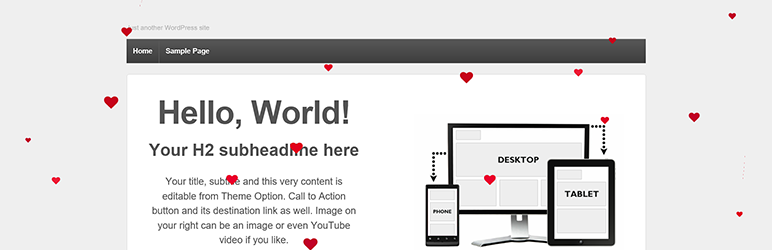
When the plugin is activated, the front end of your site will have floating hearts to help spread love!
Captures d’écrans

Spread the love on Valentine’s Day!
Installation
- Upload the plugin files to the
/wp-content/plugins/plugin-namedirectory, or install the plugin through the WordPress plugins screen directly. - Activez l’extension sur la page « Extensions » dans WordPress
- Turn on the floating hearts in the Appearance | Floating Hearts menu page
- Spread the love!
FAQ
- Installation Instructions
-
- Upload the plugin files to the
/wp-content/plugins/plugin-namedirectory, or install the plugin through the WordPress plugins screen directly. - Activez l’extension sur la page « Extensions » dans WordPress
- Turn on the floating hearts in the Appearance | Floating Hearts menu page
- Spread the love!
- Upload the plugin files to the
Avis

14 février 2020
Plugged it in to my wife’s site for Valentines day, but it looks so nice, we may just keep the hearts coming all the time… Thank you Digitally Cultured!

3 septembre 2016
Thanks a lot for his plugin. I am happy to find this plugin.
Simple to install and works exact as described. 😉
Contributeurs/contributrices & développeurs/développeuses
« Valentine’s Day Hearts » est un logiciel libre. Les personnes suivantes ont contribué à cette extension.
Contributeurs
Traduisez « Valentine’s Day Hearts » dans votre langue.
Le développement vous intéresse ?
Parcourir le code, consulter le SVN dépôt, ou s’inscrire au journal de développement par RSS.
Journal des modifications
2.0
- Add: new configuration page, found in the Appearance menu, called Floating Hearts
- Add: ability to turn on/off the display of the hearts on the front end of your site
- Edit: force the heart to use color scheme by changing CSS class & adding !important to CSS styles
1.0
- Plugin created and added to repository