

Description
Explore Product Categories Designs for WooCommerce Features | Annual or Lifetime Bundle Deal
Display WooCommerce product categories with good designs and grid and slider view. Added two designs i.e. design-1, design-2 work with both grid and slider.
Plugin add a sub tab under « Products –> Category Designs – How It Works » for more details.
Try Woo Product Slider and Carousel with category
Also work with Gutenberg shortcode block.
This plugin contain 2 shortcode:
1) Display WooCommerce product categories in grid view
[wpos_product_categories]
2) Display WooCommerce product categories in slider / carousel view
[wpos_product_categories_slider]
You can use Following parameters with shortcode
Product Categories in Grid
[wpos_product_categories]
- columns:
[wpos_product_categories columns= »4″] (Display Number of Category Per Row. Default value is 3) - Design:
[wpos_product_categories design= »design-2″] (Design Number to Display your Product Category. Values are design-1 or design-2. Default value is design-1.) - number:
[wpos_product_categories number= »5″] ( i.e. Display 5 product categories at time. Default value is all ) - Order by product categories:
[wpos_product_categories orderby= »name »] ( Accepts term fields (‘name’, ‘slug’, ‘term_group’, ‘term_id’, ‘id’, ‘description’) ) - Order:
[wpos_product_categories order= »ASC »] (Accepts ‘ASC’ (ascending) or ‘DESC’ (descending). Default ‘ASC’ ) - hide_empty:
[wpos_product_categories hide_empty= »1″] (Accepts 1|true or 0|false. Default 1|true. ) - ids:
[wpos_product_categories ids= » »] (Display Specific Category. values are Comma separated Category Id. Default is all.) - height:
[wpos_product_categories height= »300″] (Set the height for Category.) - parent:
[wpos_product_categories parent= » »] (Enter parent category ID to retrieve direct-child terms of.) - extra_class:
[wpos_product_categories extra_class= » »] (Enter extra CSS class for design customization. Note: Extra class added as parent so using extra class you customize your design.)
Product Categories in Slider
[wpos_product_categories_slider]
- Design:
[wpos_product_categories_slider design= »design-2″] (Design Number to Display your Product Category. Values are design-1 or design-2. By Default value is design-1.) - number:
[wpos_product_categories_slider number= »5″] ( i.e. Display 5 product categories at time. Default value is all ) - Order by product categories:
[wpos_product_categories_slider orderby= »name »] ( Accepts term fields (‘name’, ‘slug’, ‘term_group’, ‘term_id’, ‘id’, ‘description’) ) - Order:
[wpos_product_categories_slider order= »ASC »] (Accepts ‘ASC’ (ascending) or ‘DESC’ (descending). Default ‘ASC’ ) - hide_empty:
[wpos_product_categories_slider hide_empty= »1″] (Accepts 1|true or 0|false. Default value is 1.) - ids:
[wpos_product_categories_slider ids= » »] (Display Specific Category. Values are Comma separated Category Id. Default it will take all.) - height:
[wpos_product_categories_slider height= »300″] (Set the height for Category.) - Display number of product categories at time:
[wpos_product_categories_slider slidestoshow= »3″] (Display no of product categories in a slider ) - Number of products categories slides at a time:
[wpos_product_categories_slider slidestoscroll= »1″] (Controls number of product categories rotate at a time) - Pagination and arrows:
[wpos_product_categories_slider dots= »false » arrows= »false »] (Hide/Show pagination and arrows. Default value is « true ». Values are true OR false) - Autoplay and Autoplay Speed:
[wpos_product_categories_slider autoplay= »true » autoplay_interval= »3000″] - Slide Speed:
[wpos_product_categories_slider speed= »300″] (Control the speed of the slider) - loop:
[wpos_product_categories_slider loop= »true »] (By default value is « true ». Values are true OR false) - parent:
[wpos_product_categories_slider parent= » »] (Enter parent category ID to retrieve direct-child terms of.) - extra_class:
[wpos_product_categories_slider extra_class= » »] (Enter extra CSS class for design customization. Note: Extra class added as parent so using extra class you customize your design.)
Stunning Features:
- Product Categories in grid
- Product Categories in Slider
- 100% Mobile & Tablet Responsive
- Awesome Touch-Swipe Enabled
- Work in any WordPress Theme
- Created with Slick Slider
- Lightweight, Fast & Powerful
- Set Number of Columns you want to show
- Slider auto play on/off
- Navigation show/hide options
- Pagination show/hide options
PRO Features Includes
Premium Version
- 10 stunning and cool designs for Woocommerce Categories.
- Product Categories in Grid view
- Product Categories in Slider view
- Created with Slick Slider
- Awesome Touch-Swipe Enabled
- Work in any WordPress Theme
- WP Templating Feature
- Gutenberg Block Supports.
- Visual Composer / WPBakery Support
- Elementor, Beaver and SiteOrigin Page Builder Support (New).
- Divi Page Builder Native Support (New).
- Fusion (Avada) Page Builder Native Support (New).
- Display category title and description.
- Display product count.
- Display specific categories.
- Exclude specific categories.
- Category order and order by sorting parameter.
- Lightweight, Fast & Powerful
- Set Number of Columns you want to show
- Slider Auto Play on/off
- Navigation show/hide options
- Pagination show/hide options
- 100% Mobile & Tablet Responsive
Explore Product Categories Designs for WooCommerce Pro Features
Captures d’écrans
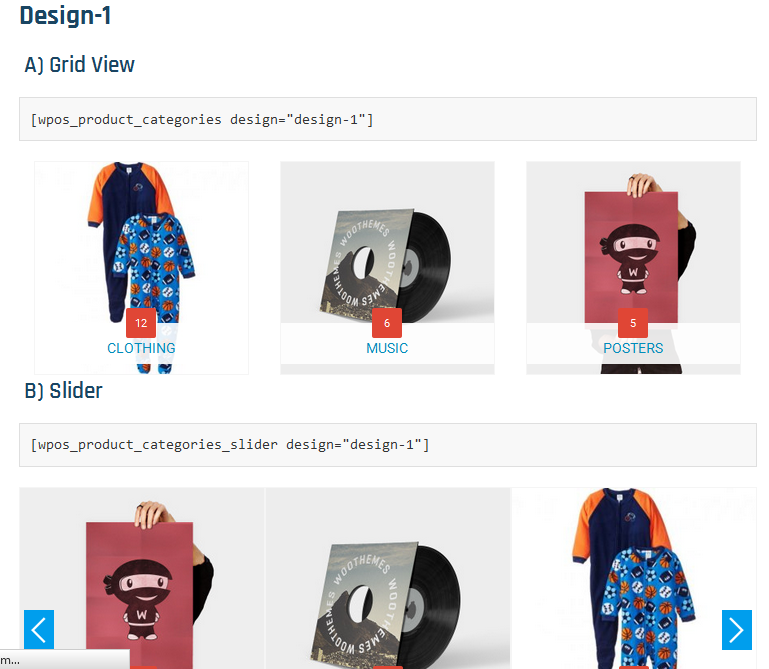
Design 1 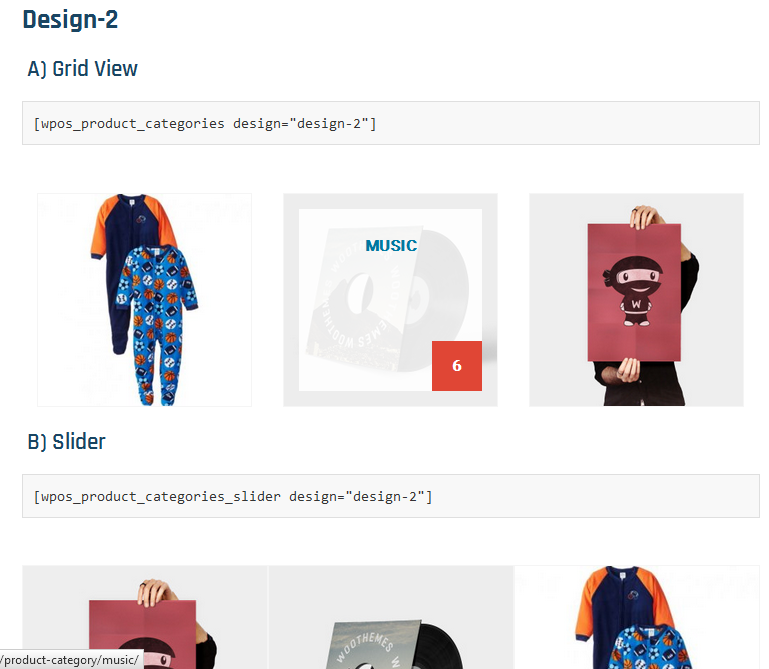
Design 2 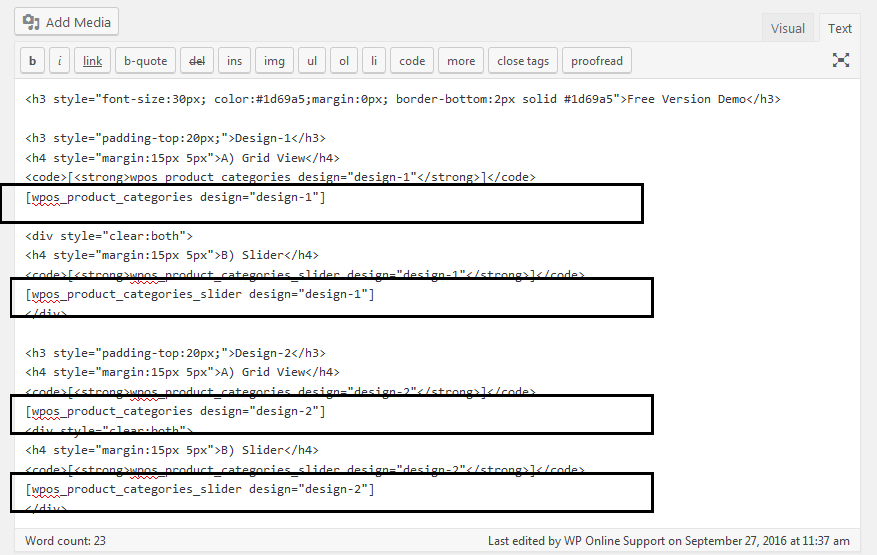
Shortcodes and how to display
Blocs
Cette extension fournit 2 blocs.
- Product Category Grid
- Pcdfwoo Product Slider
Installation
- Upload the ‘product-categories-designs-for-woocommerce’ folder to the ‘/wp-content/plugins/’ directory.
- Activate the « product-categories-designs-for-woocommerce » list plugin through the ‘Plugins’ menu in WordPress.
This plugin contain 2 shortcode:
1) Display WooCommerce product categories in grid view
[wpos_product_categories]
2) Display WooCommerce product categories in slider / carousel view
[wpos_product_categories_slider]
Avis


Contributeurs/contributrices & développeurs/développeuses
« Product Categories Designs for WooCommerce » est un logiciel libre. Les personnes suivantes ont contribué à cette extension.
Contributeurs
“Product Categories Designs for WooCommerce” a été traduit dans 1 locale. Remerciez l’équipe de traduction pour ses contributions.
Traduisez « Product Categories Designs for WooCommerce » dans votre langue.
Le développement vous intéresse ?
Parcourir le code, consulter le SVN dépôt, ou s’inscrire au journal de développement par RSS.
Journal des modifications
1.5.2 (15, May 2025)
- [*] Check compatibility with WordPress version 6.8.1
1.5.1 (11, Nov 2024)
- [*] Check compatibility to WordPress version 6.7
1.5 (11, April 2024)
- [*] Fix – Fixed WooCommerce HPOS custom order declare compatibility.
- [*] WC tested up to: 8.7.0.
- [*] Tested up to: 6.5.2
1.4.1 (29, July 2022)
- [*] Fix – Fixed Slider responsiveness.
1.4 (29, July 2022)
- [*] Update – Use escaping functions for better security.
- [*] Update – Update Slick slider JS to stable version 1.8.0
- [*] Update – JavaScript syntax for jQuery 3.0 and higher with compatibility in shortcode builder.
- [*] Fix – Fixed slider initialization issue with Elementor vertical tab.
- [*] Tweak – Code optimization and performance improvements.
- [*] Check compatibility to WordPress version 6.0.1
1.3.4 (14, Feb 2022)
- [*] Tested up to: 5.9
- [-] Removed some unwanted code and files.
1.3.3 (04, Feb 2022)
- [*] Tested up to: 5.9
- [*] Solved Gutenberg wp-editor widget issue.
1.3.2 (17, Nov 2021)
- [*] Fix – Resolve Gutenberg WP-Editor script related issue.
- [*] Update – Add some text and links in read-me file.
1.3.1 (22, Sep 2021)
- [*] Tested up to: 5.8.1
- [*] Updated demo link
1.3 (20, Aug 2021)
- [*] WC tested up to: 5.6.0
- [*] Updated all external links.
- [*] Fixed Blocks Initialize Issue.
- [*] Updated language file and JSON.
1.2.3 (30, March 2021)
- [+] New – Added Gutenberg block support. Now use plugin easily with Gutenberg!
- [+] New – Added native shortcode support for Elementor, SiteOrigin and Beaver builder.
- [+] New – Added Divi page builder native support.
- [+] New – Added Fusion page builder native support.
- [+] New – Added « extra class » parameter for all shortcodes.
- [*] Tweak – Code optimization and performance improvements.
1.2.2 (14, July 2020)
- [+] Added language template file.
- [*] Checked compatibility with WooCommerce 4.3.0
- [*] Fixed some typo mistake.
1.2.1 (01-02-2020)
- [*] Updated features list.
- [*] Tested with latest version of WooCommerce.
1.2
- [*] Fixed : get_woocommerce_term_meta deprecated error solved.
- [*] Fixed : Slider shortcode [wpos_product_categories_slider] order and orderby parameter solve.
- [*] Fixed : Fixed some minor HTML structure.
1.1.4
- [*] Tested with WooCommerce version 3.7.0
1.1.3
- [*] Tested with WooCommerce version 3.5.1
1.1.2
- [*] Tested with WooCommerce version 3.3
1.1.1
- [+] Added « How it work » tab under Products
- [+] Added « height » shortcode parameter
- [+] Added new function pcdfwoo_column();
- Fixed grid bug
- Fixed slider bug
- Improved designs
1.1
- Fixed some design bug
1.0
- Initial release.