

Description
Asgaros Forum is the perfect WordPress plugin if you want to extend your website with a lightweight and feature-rich discussion board. It is easy to set up, super fast and perfectly integrated into WordPress.
Support, démo et documentation
Fonctionnalités
- Gestion de Contenu simple
- Profils et Liste des membres
- Notification et flux
- Un éditeur puissant
- Optimisé pour le référencement SEO
- Réactions
- Téléversements
- Recherche
- Sondages
- Widgets
- Statistiques
- Publication par les invités
- Approbation, interdiction et signalement
- Modérateurs, Droits & Groupes d’utilisateurs
- Thème responsive paramétrable
- Multilinguisme
- Instances multiples
- Compatibilité multi-sites
- Intégration myCRED
Installation
- A new forum-page is automatically created during the installation
- Ajoutez cette page à votre menu pour que vos utilisateurs puissent accéder à votre forum
- Thats all!
Captures d’écrans

Vue générale du forum. 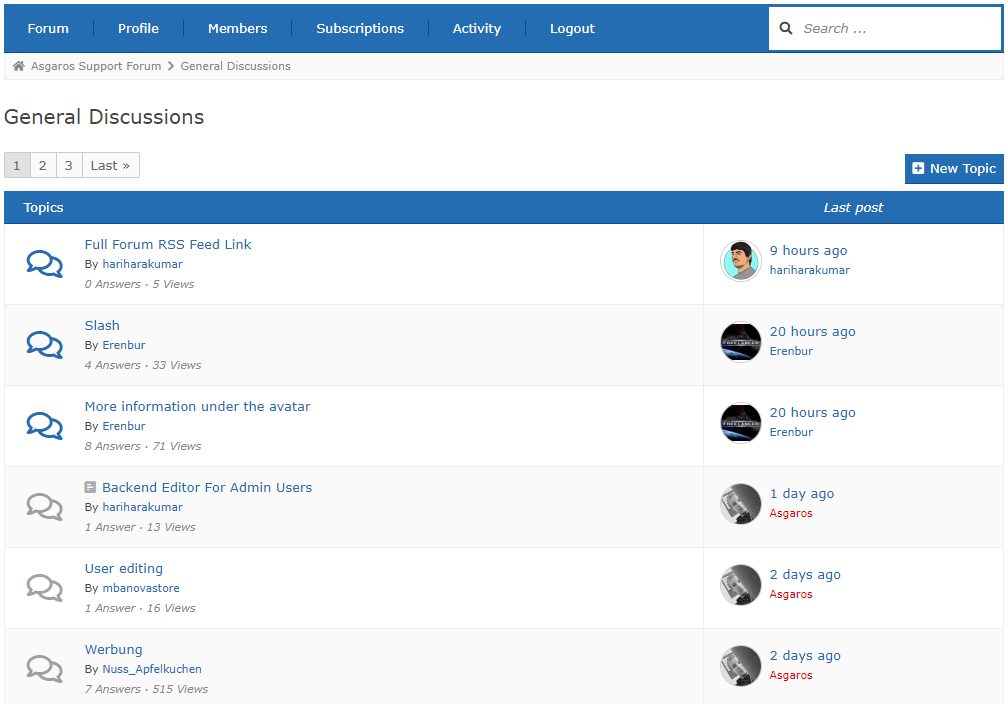
The topic overview 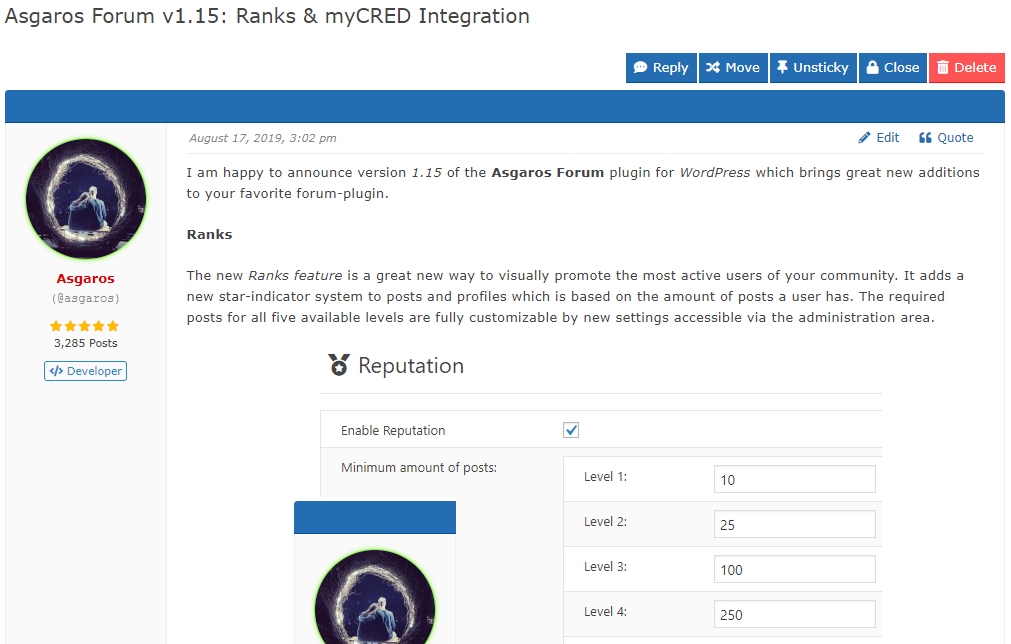
The topic view 
Creating a new topic 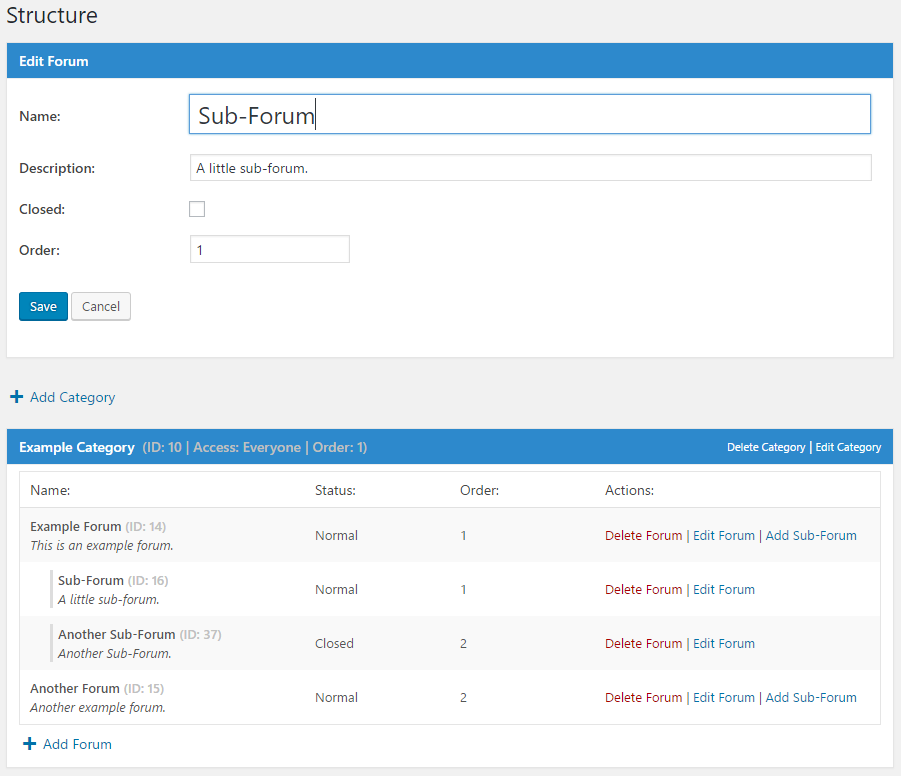
Gérez les forums dans la zone d’administration. 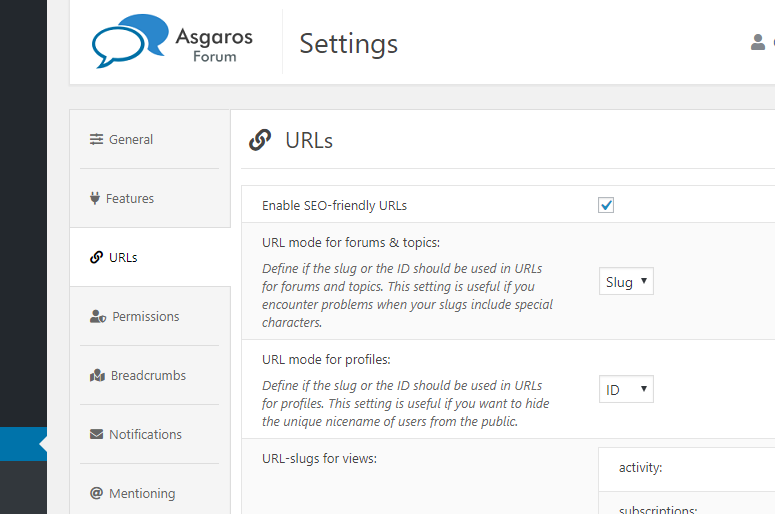
Gérez les options générales.
Installation
- Télécharger
Asgaros Forum. - Activer l’extension via la page des
extensionsdans WordPress. - A new forum-page is automatically created during the installation
- Vous pouvez aussi ajouter manuellement un forum à une page en y insérant le code court
[forum]. - Ajoutez cette page à votre menu pour que vos utilisateurs puissent accéder à votre forum
- Sur la gauche de la zone d’administration vous trouverez un nouveau menu appelé
Forumoù vous pouvez modifier les réglages et créer de nouvelles catégories et forums. - Thats all!
FAQ
-
Je n’arrive pas à voir le contenu ou les modifications que je fais sur le forum
-
If you are using some third-party plugin for caching (WP Super Cache for example) and disable caching for the forum-page, everything should work fine again.
-
Je ne peux pas mettre en ligne mes fichiers
-
Par défaut, uniquement les fichiers ayant les extensions suivantes peuvent être téléversés : jpg, jpeg, gif, png, bmp, pdf. Vous pouvez modifier les types de fichiers autorisés à partir de l’administration du forum.
-
Où puis-je ajouter des modérateurs et bannir des utilisateurs/utilisatrices ?
-
Vous pouvez bannir des utilisateurs ou ajouter des modérateurs depuis l’écran de modification d’utilisateur/utilisatrices de l’administration WordPress.
-
Comment puis-je afficher un(e) message/sujet/forum/catégorie spécifique sur une page ?
-
Vous pouvez compléter les codes courts avec différents paramètres pour afficher uniquement un contenu spécifique. Par exemple :
[forum post="ID_MESSAGE"],[forum topic="ID_SUJET"],[forum forum="ID_FORUM"],[forum category="ID_CATEGORIE"]ou[forum category="ID_CATEGORIE_1,ID_CATEGORIE_2"]. -
Comment puis-je ajouter un captcha à l’éditeur pour les invités ?
-
Pour ajouter un captcha à votre forum vous devez utiliser une extension captcha pour WordPress existante et modifier vous même le fichier functions.php de vos thèmes avec la logique de vérification via les points d’accroche et filtres. Par example, vous pouvez utiliser l’extension Really Simple CAPTCHA et modifier le fichier functions.php de vos thèmes avec ce code:
https://gist.github.com/Asgaros/6d4b88b1f5013efb910d9fcd01284698. -
Je veux aider à traduire Asgaros Forum
-
You can help to translate Asgaros Forum on this site:
https://translate.wordpress.org/projects/wp-plugins/asgaros-forum.
Please only use this site and dont send me your own .po/.mo files because it is hard to maintain if I get multiple translation-files for a language. -
Veuillez approuver mes traductions
-
Vous pouvez approuver les traductions par vous-même si vous êtes un éditeur de traduction de projet (PTE). Veuillez me contacter dans les forums si vous êtes un traducteur dont la langue maternelle est celle de la traduction et que vous souhaitez devenir un PTE.
-
Which hooks and filters are available?
-
You can find a list of available hooks and filters on this site:
https://asgaros.com/support/topic/list-of-available-hooks-and-filters/. -
Where do I report security bugs found in this plugin?
-
Please report security bugs found in the source code of the Asgaros Forum plugin through the Patchstack Vulnerability Disclosure Program. The Patchstack team will assist you with verification, CVE assignment, and notify the developers of this plugin.
Avis


Contributeurs/contributrices & développeurs/développeuses
« Asgaros Forum » est un logiciel libre. Les personnes suivantes ont contribué à cette extension.
Contributeurs

“Asgaros Forum” a été traduit dans 35 locales. Remerciez l’équipe de traduction pour ses contributions.
Traduisez « Asgaros Forum » dans votre langue.
Le développement vous intéresse ?
Parcourir le code, consulter le SVN dépôt, ou s’inscrire au journal de développement par RSS.
Journal des modifications
3.4.0
- Added: Missing notices in administration area when changing configurations
- Changed: Switched to native WordPress admin notice functions
- Compatibility with WordPress 6.9
- The required minimum WordPress version is now 6.4
3.3.0
- Fixed: Cross Site Scripting vulnerability within the spoiler title
- Fixed: Cross-Site Request Forgery in subscription settings
- Changed: Updated FAQ
3.2.1
- Changed: Updated FAQ
3.2.0
- Fixed: Unauthenticated SQL Injection vulnerability
3.1.0
- Fixed: Deleted files did not get removed from filesystem in some cases
- Fixed: It is not longer possible to upload more files than allowed by modifying requests
- Compatibility with WordPress 6.8
3.0.0
- Fixed: _load_textdomain_just_in_time PHP notice
- Compatibility with WordPress 6.7
2.9.0
- Fixed: Cross-Site Request Forgery vulnerability when marking topics as read
- Compatibility with WordPress 6.5
2.8.0
- Fixed: PHP Object Injection
- Performance improvements and code optimizations
- Compatibility with WordPress 6.4
2.7.2
- Fixed: PHP warning and database error in statistics
2.7.1
- Fixed: PHP parse error in forum-compatibility.php
- Fixed: Prevent forum administrators from allowing dangerous file extensions for uploads
- Fixed: Improved file size error handling during file uploads
- Fixed: Ensure that asgarosforum_filter_profile_link filtering is always performed
2.7.0
- Added: Option which allows users to only delete own topics without replies
- Added: Support for forum name in title of notifications
- Fixed: Malformed meta descriptions when using some special characters
- Fixed: Deprecated error message in statistics
- Improved compatibility with WP-Sweep
- Removed: Themes functionality
- Performance improvements and code optimizations
- The required minimum PHP version is now 5.3
2.6.0
- Fixed: Minor display issues
- Fixed: Wrong stylings when using custom colors
- Compatibility with WordPress 6.3
2.5.1
- Fixed: Wrong stylings when using custom colors
- Fixed: Display issues on mobile navigation
- Fixed: Potential error in title generation
2.5.0
- Revised topic view
- Fixed: Wrong HTML output in forum navigation
- Added: Option to define minimum time between new posts
- Changed: Time limit for editing/deleting topics/posts from minutes to seconds
- Minor design changes
- Improved mobile design
- Performance improvements and code optimizations
- Compatibility with WordPress 6.2
2.4.1
- Fixed: Multiple warnings in widgets
- Fixed: Wrong stylings when using custom colors
2.4.0
- Fixed: It was not possible to unsubscribe from topics/forums in the subscriptions area
- Fixed: Don’t remove href-attribute if links are allowed in signatures
- Fixed: Remove slashes from some outputs
- Fixed: Show groups in mobile view
- Fixed: Display issues with some themes
- Changed: Only show moderators, administrators and topic participants in suggestions for mentioning-functionality
- Minor design changes
- Performance improvements and code optimizations
- Updated: Font Awesome to version 6.3.0
2.3.1
- Fixed: Broken automatic embedding
2.3.0
- Fixed: Embedding shortcodes broken under certain conditions
- Fixed: Rare rendering issues for widgets
- Fixed: Add missing escaping for output data
- Fixed: Cross-Site Request Forgery vulnerability when moving topics
- Performance improvements and code optimizations
2.2.1
- Fixed: Add missing escaping for output data
2.2.0
- Fixed: Multiple Cross-Site Request Forgery vulnerabilities
- Compatibility with WordPress 6.1
2.1.0
- Added: Functionality to delete forum posts and topics when deleting users
- Added: asgarosforum_overwrite_is_feed_enabled filter
- Amélioration de la compatibilité avec Yoast SEO
- Compatibility with WordPress 6.0
2.0.0
- Revised pagination
- Added: Option to hide names of online users in statistics
- Added: Option to define units for maximum file-size of uploads
- Added: Forum name to notifications
- Added: asgarosforum_render_custom_forum_element action
- Added: asgarosforum_overwrite_forum_status filter
- Added: asgarosforum_overwrite_post_counter_cache filter
- Added: asgarosforum_overwrite_topic_counter_cache filter
- Added: asgarosforum_overwrite_lastpost_forum_cache filter
- Added: asgarosforum_overwrite_get_topics_query filter
- Added: asgarosforum_overwrite_get_sticky_topics_query filter
- Added: asgarosforum_render_custom_forum_element_decision filter
- Fixed: SQL injection vulnerability in the reaction-functionality
- Fixed: Usergroup icons could not get saved correctly
- Fixed: Send notifications to forum-subscribers when there is a new blog-post-topic
- Fixed: Send notification to siteowner when there is a new unapproved blog-post-topic
- Fixed: HTML from message-templates got removed after saving them
- Changed: Move settings related to statistics to its own section
- Changed: Improve instructions in notifications-template
- Changed: Improved multiple strings for better clarifications
- Performance improvements and code optimizations
- Updated: Font Awesome version 5.15.4
- Compatibility with WordPress 5.9
- Compatibility with PHP 8.1