Description
Festival Banner is a powerful yet simple plugin for displaying promotional banners, announcement bars, holiday greetings, and festive messages on your WordPress website.
Whether you’re running a seasonal sale, sharing a cookie notice, promoting an upcoming event, or welcoming visitors — Festival Banner gives you full control over how and where your banners appear, with zero coding required.
Key Features
6 Banner Positions
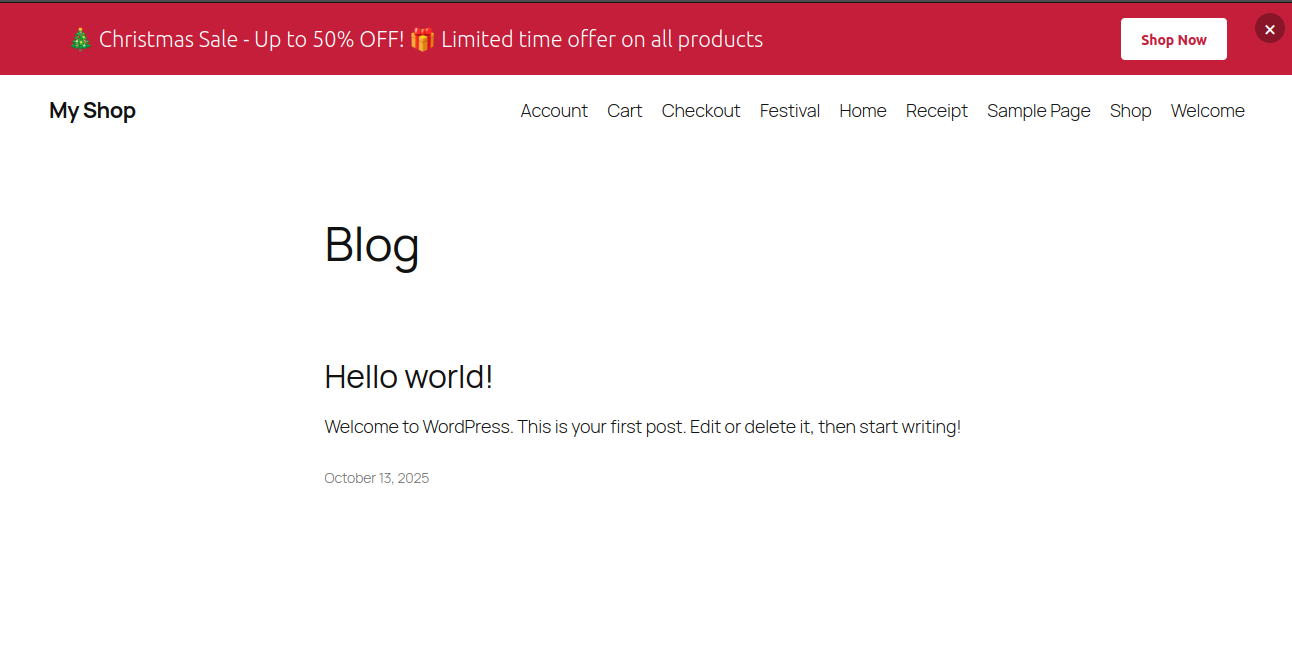
- Top Bar — Fixed bar pinned to the very top of the viewport
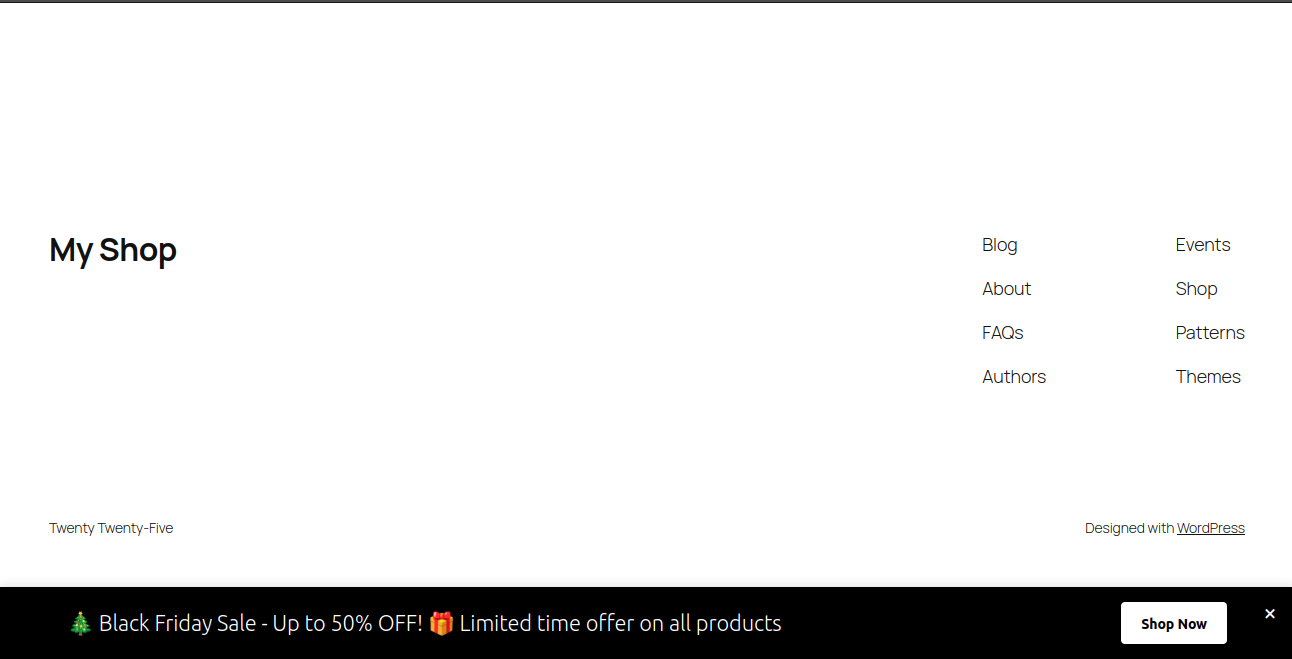
- Bottom Bar — Fixed bar pinned to the bottom of the viewport
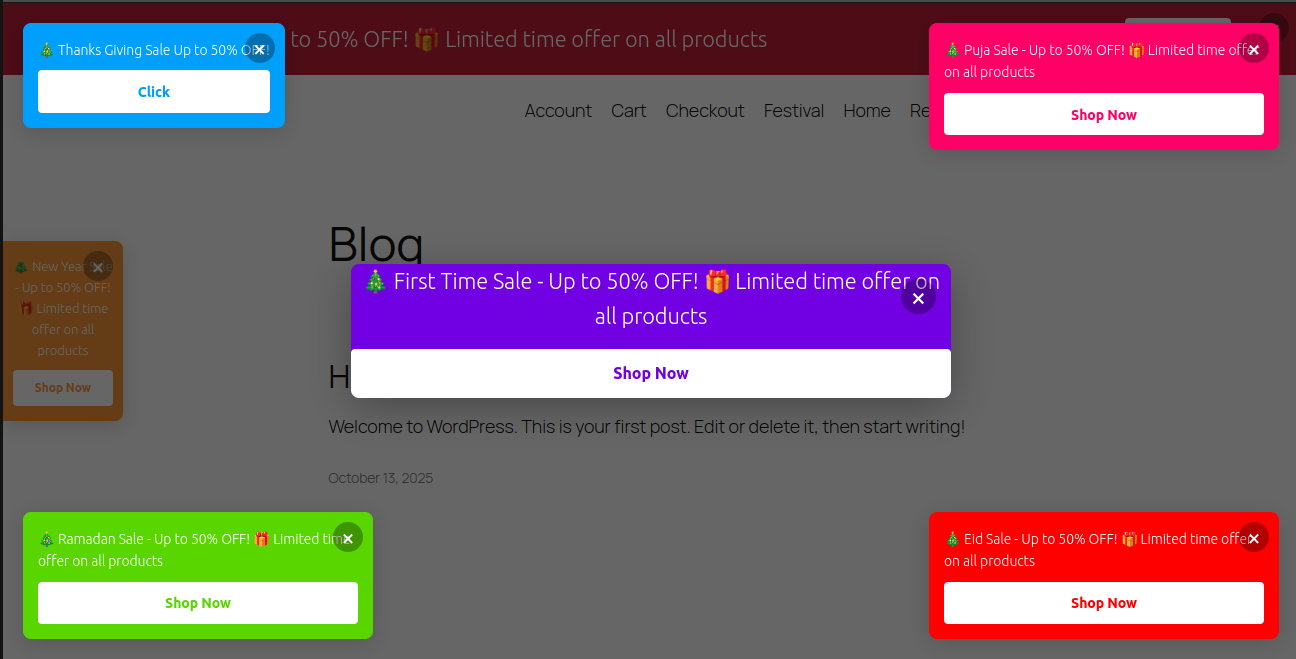
- Floating — Small card anchored to any corner of the screen
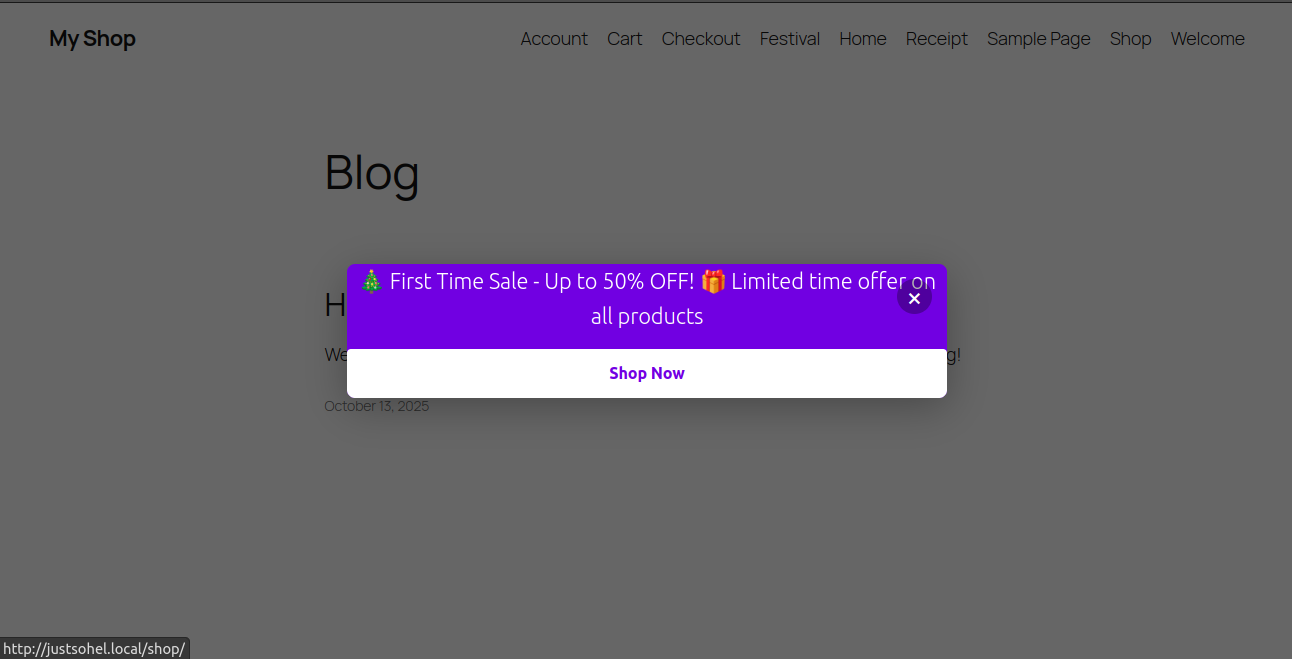
- Modal / Popup — Centered overlay with configurable delay
- Side Banner — Vertical strip on the left, right, or both sides
- Inline — Embed anywhere using a simple shortcode
Rich Content & Styling
- Write banner content with basic HTML (
<strong>,<a href>,<em>, etc.) - Upload a banner image via the WordPress Media Library
- Choose background and text colors with a built-in color picker
- Set layout direction: horizontal or vertical
- Set content alignment: left, center, or right
Call to Action Button
- Add a button with a custom label and URL
- Choose button background and text colors independently
- Option to open the link in a new tab
Animations
- Choose an entry animation: Fade In, Slide In, or None
Smart Scheduling
- Set a start date and/or end date for each banner
- Expired banners are hidden automatically — no manual intervention needed
Dismissible Banners
- Let visitors close banners with a single click
- Dismissed state is saved in localStorage so it persists across page loads
Page Targeting
- Show on All Pages
- Show on Homepage Only
- Show on Specific Pages or Posts — pick exactly which ones from a searchable list
Live Preview
- See exactly how your banner will look — in real time — while you fill in the form
Multiple Banners
- Create and manage as many banners as you need
- Each banner has its own settings, schedule, and targeting rules
Getting Started
- Install and activate the plugin
- Go to WP Admin Festival Banners
- Click Add New Banner
- Fill in your content, choose a position, pick your colors
- Set Status to Active and click Create Banner
Your banner is now live on your site!
Inline Shortcode
For Inline banners, paste the shortcode into any page, post, or widget:
[festival_banner id="123"]
Who Is This Plugin For?
- Store owners running seasonal sales or free shipping promotions
- Bloggers sharing announcements or newsletter sign-ups
- Agencies displaying cookie consent or GDPR notices
- Event organizers counting down to a launch or registration deadline
- Anyone who wants a clean, customizable banner without bloated page builders
Captures d’écrans

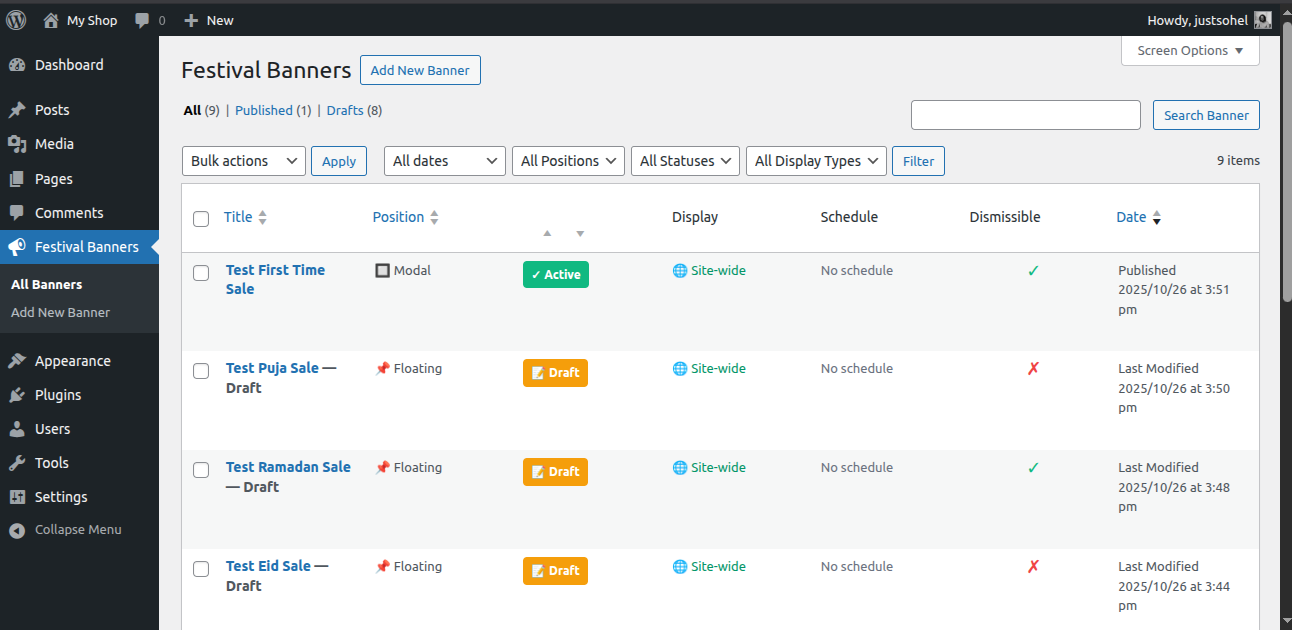
Banner List — The admin dashboard showing all your banners with their positions and statuses. 
Create / Edit Form — The banner editor with live preview updating as you type. 
Top Bar — A full-width banner pinned to the top of the page. 
Bottom Bar — A full-width banner pinned to the bottom of the page. 
Modal / Popup — A centred overlay banner that appears after a short delay. 
Floating Banner — A small card anchored to a corner of the screen.
Installation
Automatic Installation
- In your WordPress admin, go to Plugins Add New
- Search for Festival Banner
- Click Install Now, then Activate
Manual Installation
- Download the plugin zip file
- Go to Plugins Add New Upload Plugin
- Upload the zip file and click Install Now
- Click Activate Plugin
After Activation
Go to WP Admin Festival Banners to create your first banner.
FAQ
-
When creating or editing a banner, set Show on to All Pages under the Page Targeting section. Make sure Status is set to Active (Published).
-
Set Show on to Specific Pages, then search for and select the pages you want in the dropdown.
-
Yes! Set the banner position to Inline, save it, then copy the shortcode shown in the form (e.g.
[festival_banner id="123"]) and paste it anywhere in your content. -
Yes — enable Dismissible in the Behaviour section. Once a visitor closes the banner, it won’t appear again for them (their choice is stored in localStorage).
-
Yes. In the Scheduling section, set a Start Date and/or End Date. The banner will automatically start and stop displaying on those dates.
-
Yes — combine the Scheduling feature (start and end dates) with the position and page targeting that suits your campaign.
-
As many as you need. Each banner has its own independent settings.
-
Festival Banner uses fixed CSS positioning for most banner types, which works with virtually all WordPress themes. If you experience layout issues, please open a support thread.
-
Yes. The content field supports basic safe HTML:
<strong>,<em>,<a href>,<br>, and other tags allowed by WordPress’swp_kses_post(). -
Does the plugin slow down my site?
-
No. Festival Banner only loads assets when there are active banners to display. The admin UI (React) is only loaded on the plugin’s admin page, never on the frontend.
-
Your banner data is preserved in the database when the plugin is deactivated. It is only removed when you delete the plugin via the Plugins screen (uninstall).
-
Does it support RTL languages?
-
Yes. A separate RTL stylesheet is automatically loaded for right-to-left language sites.
Avis
Il n’y a aucun avis pour cette extension.
Contributeurs/contributrices & développeurs/développeuses
« Festival Banner » est un logiciel libre. Les personnes suivantes ont contribué à cette extension.
ContributeursTraduisez « Festival Banner » dans votre langue.
Le développement vous intéresse ?
Parcourir le code, consulter le SVN dépôt, ou s’inscrire au journal de développement par RSS.
Journal des modifications
1.2.0
- New: Floating position — small card anchored to any screen corner
- New: Side position — vertical strip on left, right, or both sides
- New: Modal delay — configure how many seconds before the modal appears
- New: Animations — Fade In and Slide In entry animations
- New: CTA button background and text colors (set independently)
- New: Open CTA link in a new tab option
- New: Layout direction (horizontal / vertical) and content alignment
- New: Image support via WordPress Media Library
- Improved: React-powered admin UI with live banner preview
- Improved: Server-side pagination for the banner list
- Improved: Dismissal now uses per-banner localStorage key (persists across sessions)
- Improved: Shortcode alias
[wp_banner]supported for backward compatibility
1.1.1
- Added default translation support
1.1.0
- Clear cache on plugin uninstall
- Remove all data when plugin is deleted
- Fix default dismissible behavior
1.0.0
- Initial release
- Customizable banner options: position, colors, content, scheduling
- Responsive layout
- Dismissible banners