

Description
GetPPWR: PPWR and EPR packaging reports for WooCommerce
Every EU country you ship to has its own packaging register, its own rows and its own deadlines. GetPPWR turns your WooCommerce products and orders into packaging figures by country and material, and prepares each country’s report the way that country’s register asks for it.
Set packaging once with automations, fill gaps in past orders in a few clicks, and download ready-to-file reports in PDF, Excel or CSV. No spreadsheets, no manual order reviews.
Reporting, taken care of
- Reports for 27 EU countries: Each report groups your shipments the way that country’s register does, so the figures go onto the form as they are.
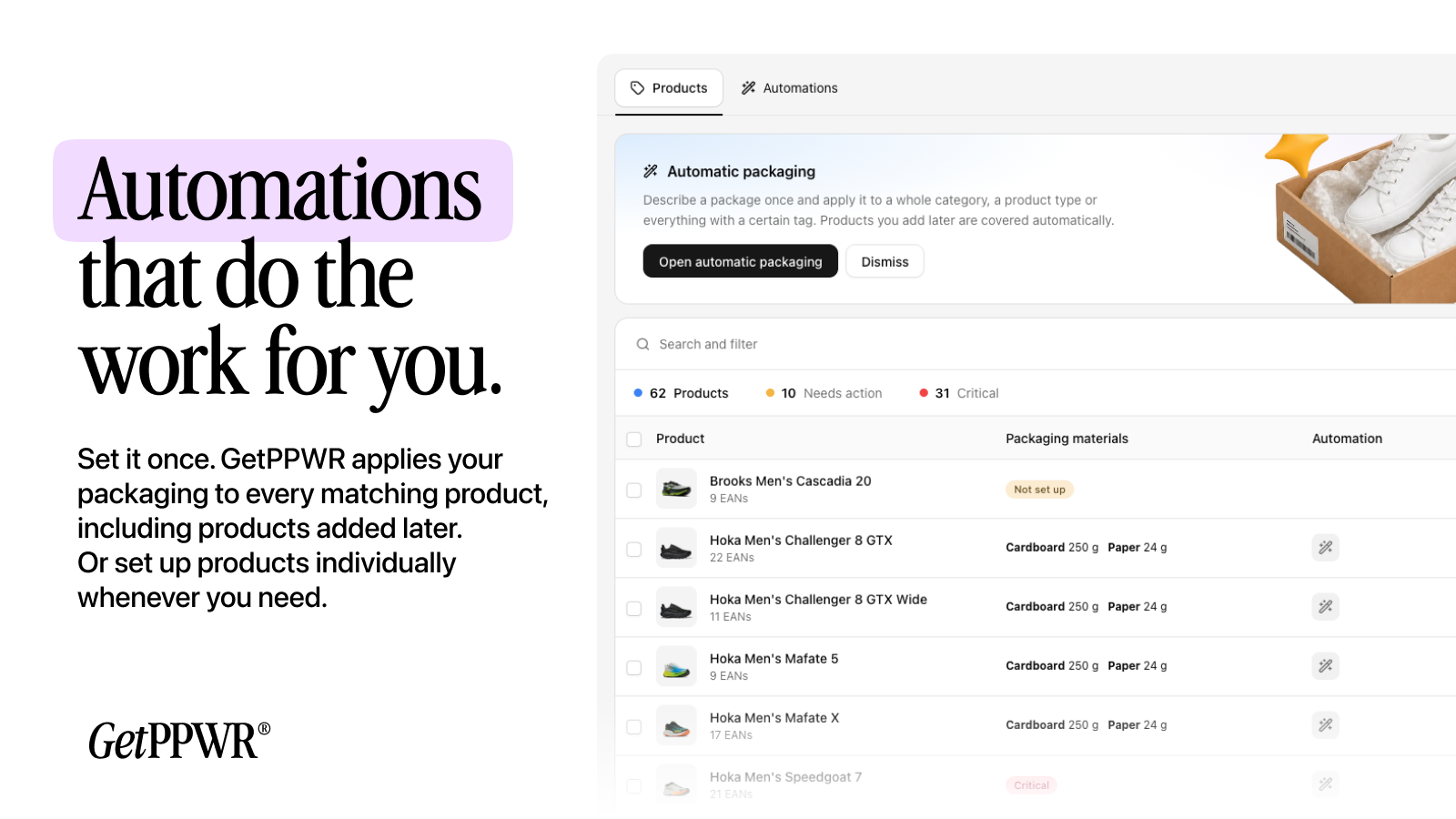
- Packaging automations: Set packaging once for matching products, including new ones, or add it to products one by one.
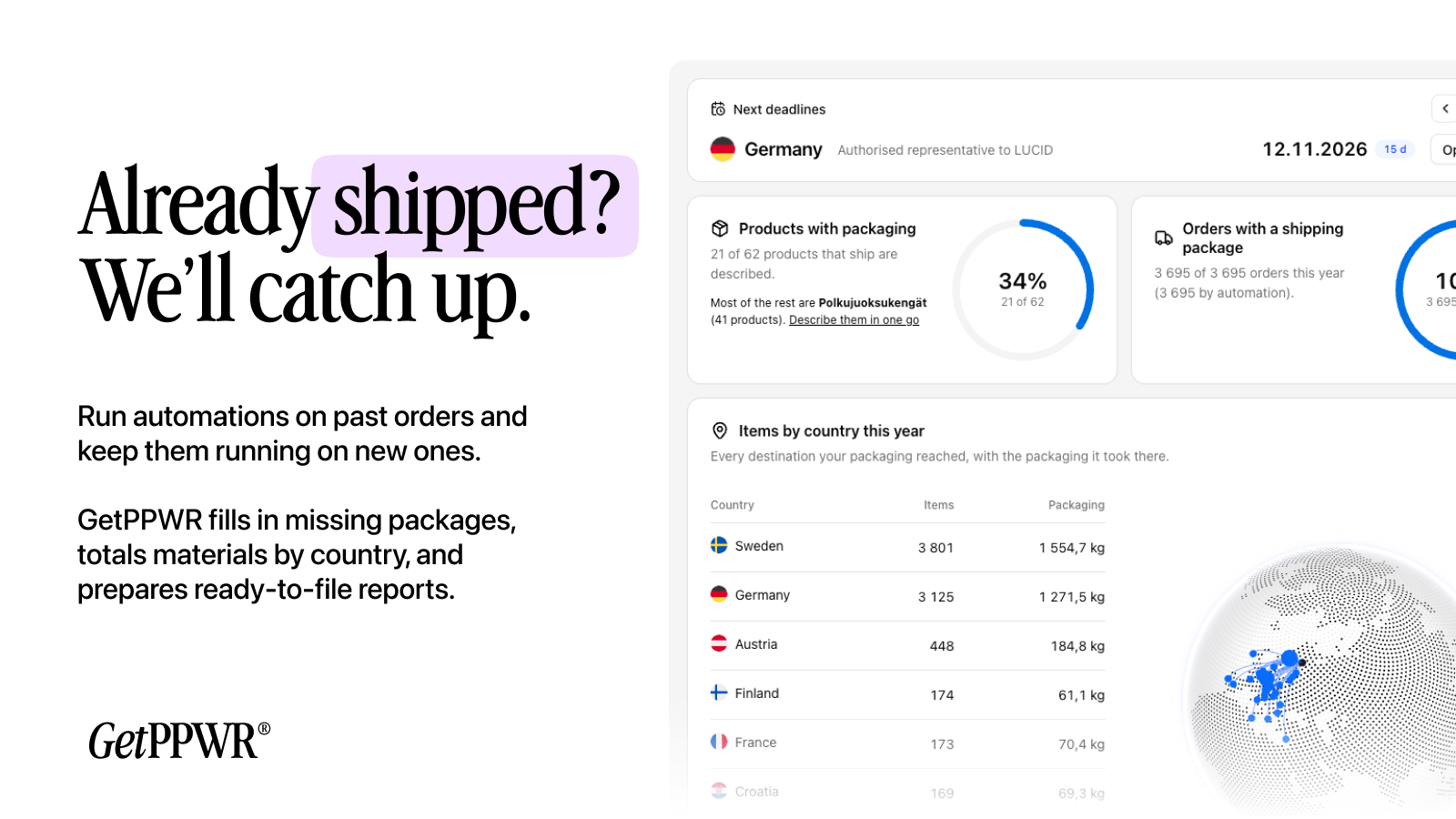
- Fill past orders: Already shipped? GetPPWR fills missing packaging data across past orders, so earlier periods can be reported too.
- Materials by country: See how much paper, plastic, glass and other materials went to each country.
- PDF, Excel and CSV: Download each country’s report in the format your register or authorised representative asks for.
- Full report history: Every report is kept, so you never lose a filed figure.
- Next deadlines: See when each country’s next report is due.
How it works
- Install the plugin and click Connect to GetPPWR under WooCommerce > GetPPWR.
- Approve read-only access in WooCommerce. GetPPWR reads your products and orders in a few minutes.
- Describe your packaging, or let automations do it.
- Download each country’s report and file it.
Who GetPPWR is for
- WooCommerce stores that ship to customers in other EU countries
- Stores that report packaging in their home country and want the figures without spreadsheets
- Stores that work with an authorised representative and need to send them packaging data
What GetPPWR reads
- Products, with their weights and EANs
- Completed orders: what was in them and the country they went to
- No customer names, emails or addresses
GetPPWR’s access is read-only. You approve it in WooCommerce’s own approval screen, and you can remove it at any time in WooCommerce > Settings > Advanced > REST API. The plugin is compatible with WooCommerce’s High-Performance Order Storage (HPOS).
Plans
Basic is free: up to 500 orders a month and your home country’s report. Grow, Advanced and Plus add every EU country’s report and more orders. See getppwr.com.
Credits
The globe on the GetPPWR page is drawn with cobe (MIT licence), included in assets/vendor.
How GetPPWR connects (external service)
This plugin connects to GetPPWR (app.getppwr.com), the service that builds the packaging reports.
- When you click Connect to GetPPWR, your browser goes to app.getppwr.com with your store’s address, so you can sign in and confirm the store.
- After that, the plugin asks app.getppwr.com for your store’s status (connection, products and orders read, last read, plan) each time you open WooCommerce > GetPPWR. It sends only the key GetPPWR gave it.
- Products and orders are read by GetPPWR through WooCommerce’s REST API with the read-only key you approved, not by this plugin.
GetPPWR Terms of Service and Privacy Policy.
Captures d’écrans

Installation
- Install and activate the plugin.
- Go to WooCommerce > GetPPWR and click Connect to GetPPWR.
- Sign in to GetPPWR or create an account, and confirm your store.
- Approve read-only access in WooCommerce. GetPPWR reads your products and orders in a few minutes.
FAQ
-
Does GetPPWR file the reports for me?
-
No. GetPPWR builds each country’s report from your data, ready to copy onto the register’s form or upload. You file it yourself, or your authorised representative does.
-
Can I connect a local or staging site?
-
Only a site that can be reached over the internet with HTTPS. GetPPWR reads the store from its own servers, so a site on your own computer can’t be connected.
-
Can GetPPWR change anything in my store?
-
No. The key you approve in WooCommerce is read-only.
-
What happens if I remove the plugin?
-
The page under WooCommerce goes away. Your store stays connected in GetPPWR until you disconnect it there or remove GetPPWR’s key in WooCommerce.
Avis
Il n’y a aucun avis pour cette extension.
Contributeurs/contributrices & développeurs/développeuses
« GetPPWR » est un logiciel libre. Les personnes suivantes ont contribué à cette extension.
Contributeurs
Traduisez « GetPPWR » dans votre langue.
Le développement vous intéresse ?
Parcourir le code, consulter le SVN dépôt, ou s’inscrire au journal de développement par RSS.
Journal des modifications
1.0.0
- First release: connect the store, and see the connection’s state under WooCommerce > GetPPWR.