

Description
Most « connect AI to WordPress » tools expose either everything or nothing: a single broad REST scope, or a fixed bundle of tools the site owner can’t trim. HLB Ability Registry for MCP takes a different approach — it ships a declarative catalogue of individually-togglable WordPress Abilities, and the site owner decides exactly which ones are live, per site.
What it actually does
- Registers a curated set of abilities against WordPress core’s own Abilities API (
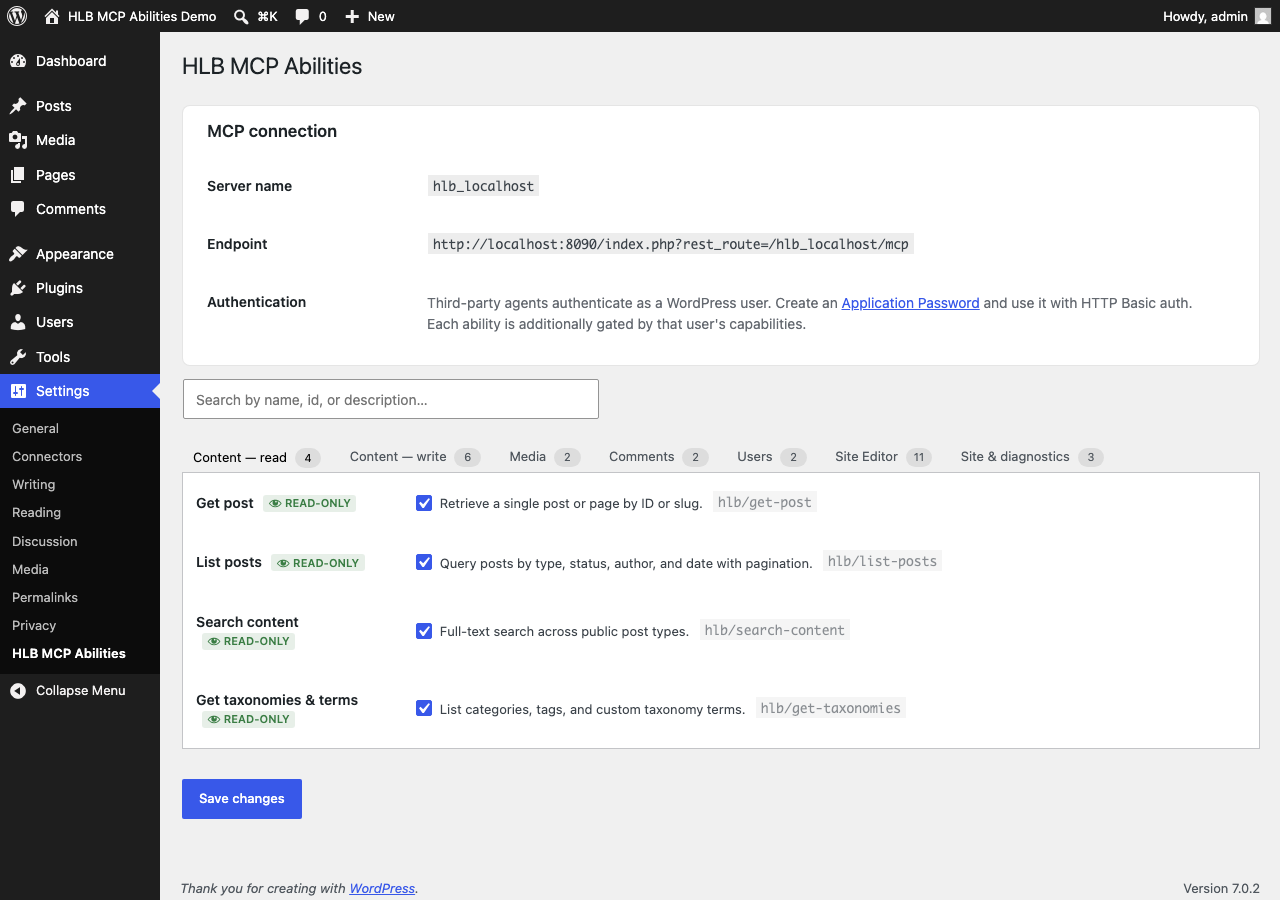
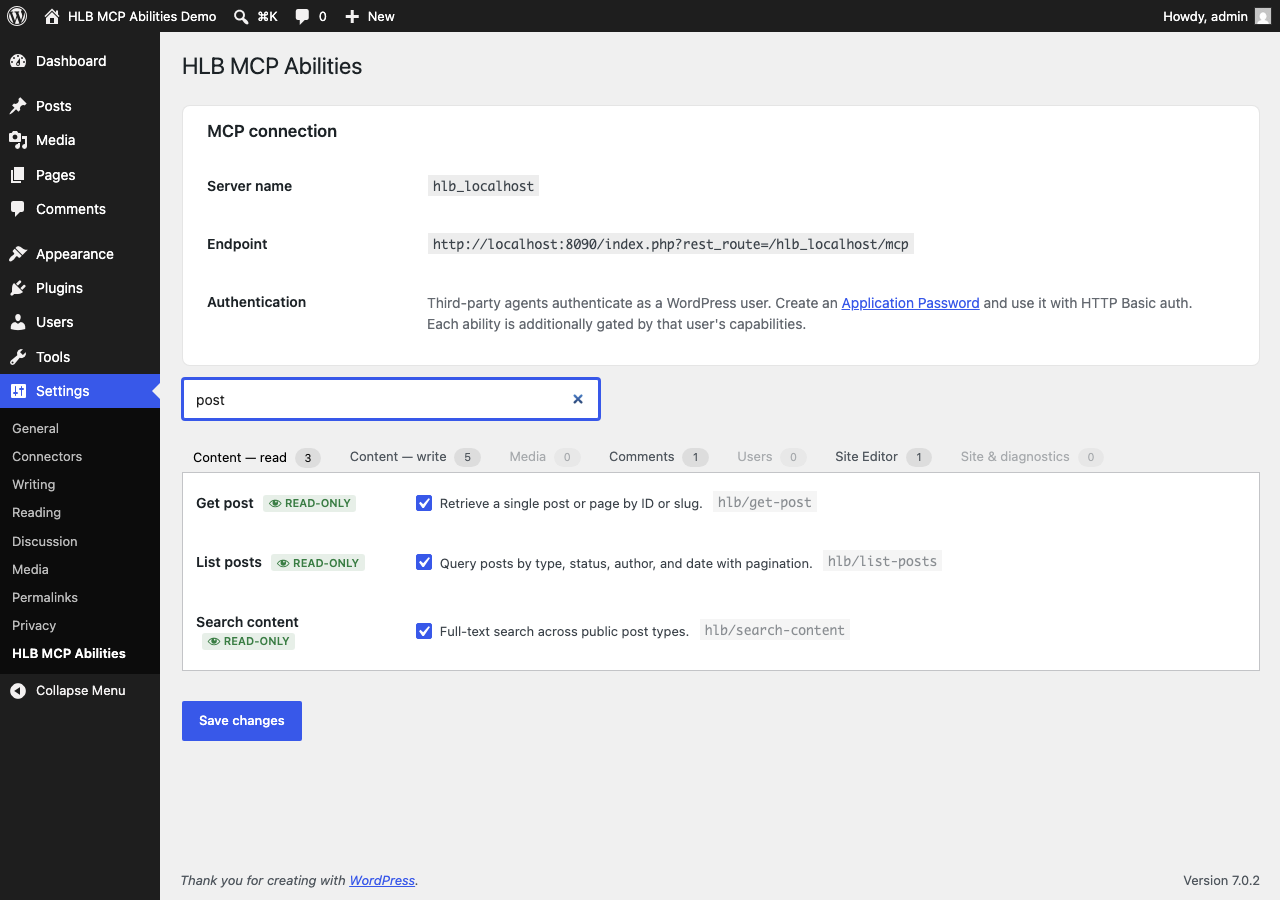
wp_register_ability()) — content, media, comments, users, Site Editor templates & patterns, and optional WooCommerce and SEOPress integrations when those plugins are active. - Every ability has its own admin toggle in Settings HLB Ability Registry for MCP, searchable and grouped by category. Read-only abilities default on; write and destructive abilities default off.
- Read handlers do per-object capability checks (not just a blanket
current_user_can), so a low-privilege caller can’t read drafts or private posts by ID just because a coarse capability check passed. Listing abilities force unprivileged callers back to published content, and abilities only ever address post types the site already exposes publicly or over the REST API. - On multisite, each subsite gets its own on/off set, inherited from a network default unless a subsite administrator explicitly overrides it. An optional network mode lets the main site’s server target any subsite by id, with every permission and capability check re-run inside that subsite’s own context — nothing is granted network-wide by default.
- If the MCP Adapter plugin is active, the enabled abilities are projected onto a standard MCP server at
/wp-json/{server-slug}/mcp, so any MCP-speaking client or agent can call them. Without the MCP Adapter, the abilities you enable are still fully registered and reachable through core’s own/wp-json/wp-abilities/v1/REST routes — this plugin has value on a bare WordPress 6.9 install, the MCP Adapter is an optional extra hop for MCP clients specifically, not a hard requirement.
Source code
Development happens in the open: https://github.com/jdbg/hlb-ability-registry-mcp
Try it without installing anything
This plugin ships a WordPress Playground blueprint so you can click through the settings screen and a live MCP endpoint in a disposable browser sandbox before installing anything on a real site. See the FAQ below for the link.
Captures d’écrans
Installation
- Install and activate the plugin as usual (upload the zip, or
wp plugin install). - Visit Settings HLB Ability Registry for MCP to review and toggle the abilities available on this site.
- (Optional) Install the MCP Adapter plugin — it’s not in the wordpress.org directory, so download it from its GitHub releases page and upload it via Plugins Add New Upload Plugin. Once it’s active, this plugin’s admin notice clears and your MCP endpoint goes live automatically; no extra configuration needed.
- On multisite, network-activate to set a network default; individual subsites can override it from their own settings screen unless network mode is enabled.
FAQ
-
Does this plugin require the MCP Adapter to do anything?
-
No. Abilities register with WordPress core’s Abilities API regardless, and are reachable via
/wp-json/wp-abilities/v1/. The MCP Adapter is only needed if you want the dedicated MCP protocol endpoint. This plugin never downloads or installs the MCP Adapter automatically — it only detects whether it’s present and links to its GitHub releases page if not. -
Which abilities are enabled by default?
-
Read-only abilities (listing/getting posts, media, comments, taxonomies, templates, site info) default on. Anything that writes or deletes data defaults off until a site administrator turns it on explicitly.
-
Can I try this before installing it?
-
Yes — open it in WordPress Playground: https://playground.wordpress.net/?blueprint-url=https://raw.githubusercontent.com/jdbg/hlb-ability-registry-mcp/main/blueprints/demo.json
-
Is this safe on multisite?
-
Yes. Per-subsite settings are always intersected with the currently-available ability registry, so a stale or renamed id can never be registered. In network mode, every permission and capability check still runs inside the target subsite’s own context via
switch_to_blog(), so a non-member is denied exactly as if they’d called the API on that subsite directly.
Avis
Il n’y a aucun avis pour cette extension.
Contributeurs/contributrices & développeurs/développeuses
« HLB Ability Registry for MCP » est un logiciel libre. Les personnes suivantes ont contribué à cette extension.
Contributeurs
Traduisez « HLB Ability Registry for MCP » dans votre langue.
Le développement vous intéresse ?
Parcourir le code, consulter le SVN dépôt, ou s’inscrire au journal de développement par RSS.
Journal des modifications
1.6.4
- Maintenance only — no changes to plugin behaviour.
- The Live Preview on the plugin page now installs the MCP Adapter alongside this plugin, so the preview opens on a working MCP endpoint rather than the dependency notice.
1.6.3
- Maintenance only — no changes to plugin behaviour.
- The WordPress Playground blueprint now sits where wordpress.org looks for it, so the plugin page offers a Live Preview.
1.6.2
- The MCP Adapter dependency notice no longer reports an adapter that is active but failed to load as « installed but not active », and no longer offers an Activate button that would do nothing.
- The notice now names the actual cause — missing bundled dependencies, a suppressed
WP_MCP_AUTOLOADautoloader, or an unexplained load failure — and gives the remedy that fits it. - The post-activation success notice is only shown when the adapter really loaded, instead of appearing alongside the error notice.
1.6.1
- Fix a fatal error in network mode: abilities whose input schema has no properties (e.g.
get-current-user) aborted registration, silently dropping every ability after them from the MCP tool list. - Tested up to WordPress 7.1.
1.6.0
- Security:
wc-list-productsno longer returns draft, pending, private or trashed products to callers who cannot edit products. - Security: abilities only address post types that are public or exposed in the REST API, so a coarse
readcapability cannot reach a plugin’s private post types. Filterable withhlb_mcp_allowed_post_types. get-active-themeonly reports the theme version and author to callers who can manage options, matchingget-site-info.
1.5.0
- Rework the settings screen with tabbed categories, search, and the Settings API.
1.4.0
- Version bump.
1.3.0
- Add SEOPress ability integration.
1.2.0
- Add Frontend Gatekeeper integration.
1.1.0
- Restrict pattern category creation.
- Add Site Editor template and pattern abilities.
- Security refactor.
1.0.0
- Initial release.