

Description
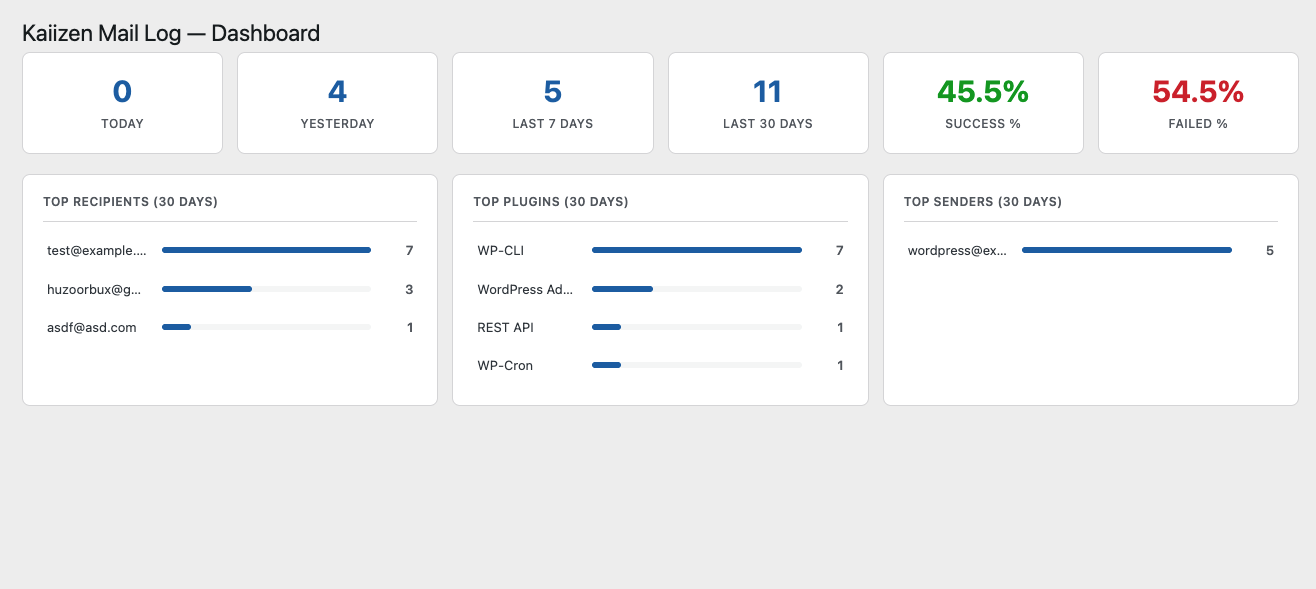
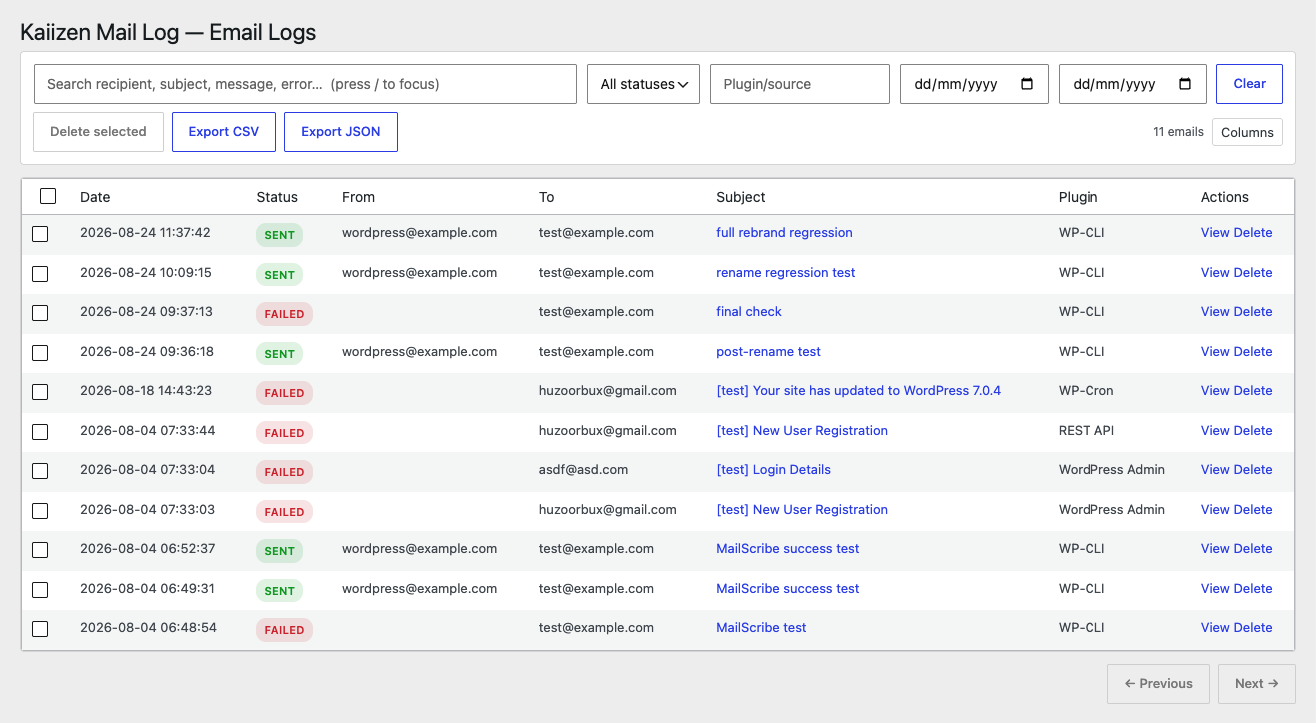
eMail Logs logs every email sent through wp_mail() — WordPress core, WooCommerce, Contact Form 7, WPForms, Gravity Forms, Fluent Forms, and any other plugin that uses the standard mailing API — into a dedicated, indexed database table (never wp_posts), so it stays fast even at hundreds of thousands or millions of logged emails.
Features
- Zero configuration — logging starts automatically on activation.
- Dedicated, indexed database table with a FULLTEXT search index.
- Fast, filterable, sortable admin log table with keyset (seek) pagination.
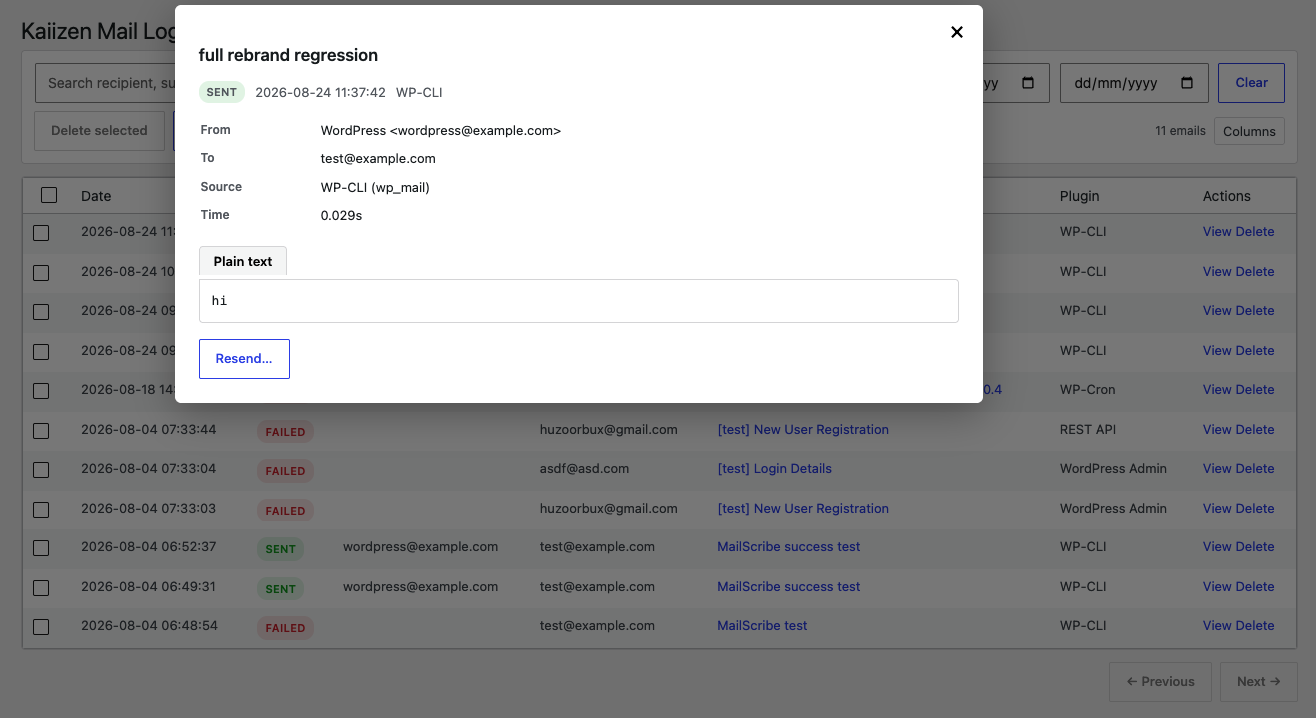
- Full email viewer: headers, HTML/plain text, attachments, SMTP response, source detection.
- Resend any logged email, with the option to edit recipients/subject/body first.
- CSV and JSON export, filtered or full.
- Optional SMTP delivery — send all WordPress email through any SMTP server (host, port, SSL/TLS, authentication, From email/name), with the password stored encrypted or set via the
KAIIZENML_SMTP_PASSWORDconstant. - Send a test email from the admin, with a redacted SMTP conversation shown when something goes wrong.
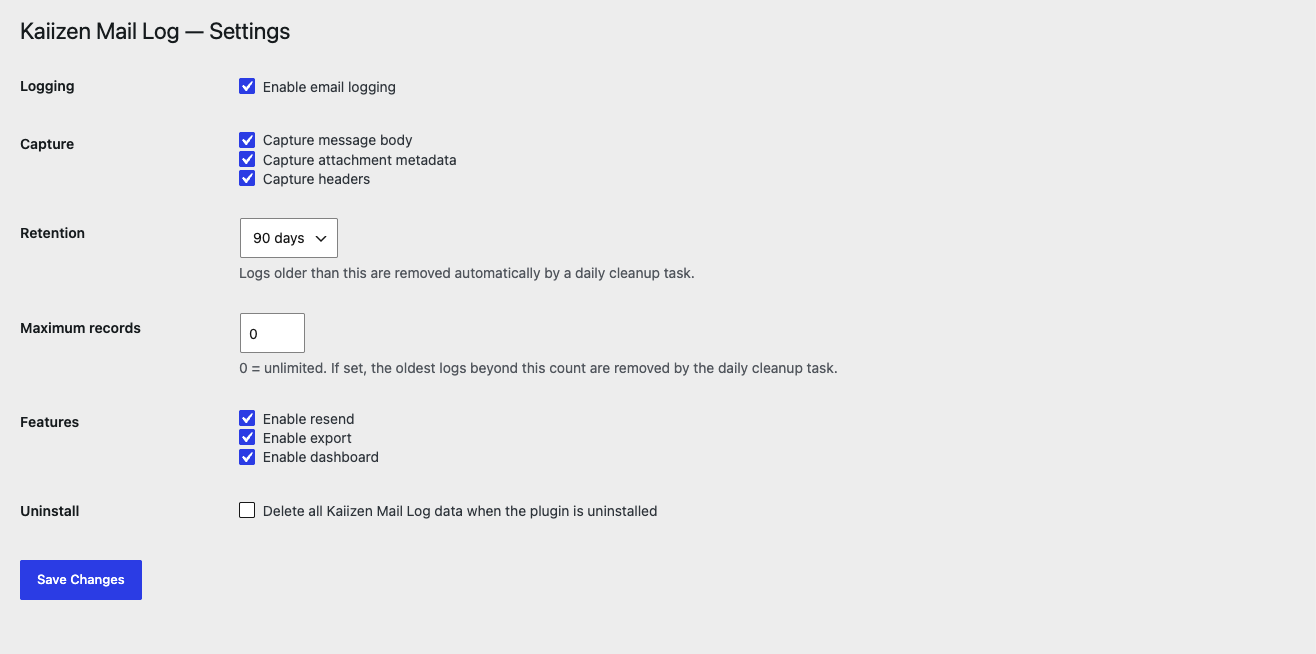
- Automatic retention cleanup, configurable per site.
- REST API (
kaiizenml/v1) and WP-CLI commands (wp kaiizenml list|view|delete|cleanup|export). - No premium tier, no telemetry, no tracking, no ads, no upgrade nags.
Free forever
Every feature in Kaiizen Mail Log is available for free, with no artificial limits.
Captures d’écrans
Installation
- Upload the
kaiizen-mail-logfolder to/wp-content/plugins/. - Activate the plugin through the « Plugins » screen in WordPress.
- That’s it — emails start logging immediately. Visit « Kaiizen Mail Log » in the admin menu to view them.
FAQ
-
Does this store logs in wp_posts?
-
No. Kaiizen Mail Log uses its own dedicated table (
{prefix}kaiizenml_logs) with purpose-built indexes, so it stays fast at high volume and never bloats your posts table. -
Is anything sent externally?
-
No. Kaiizen Mail Log has no telemetry, tracking, or external requests of any kind. If you enable SMTP delivery, your emails are sent to the SMTP server you configure — nowhere else.
-
Can I use it with another SMTP plugin?
-
Yes. SMTP delivery is off by default; leave it disabled and Kaiizen Mail Log keeps logging whatever mailer your other plugin uses. The test email works either way.
Avis
Il n’y a aucun avis pour cette extension.
Contributeurs/contributrices & développeurs/développeuses
« Kaiizen Mail Log » est un logiciel libre. Les personnes suivantes ont contribué à cette extension.
Contributeurs
Traduisez « Kaiizen Mail Log » dans votre langue.
Le développement vous intéresse ?
Parcourir le code, consulter le SVN dépôt, ou s’inscrire au journal de développement par RSS.
Journal des modifications
1.1.0
- New: SMTP delivery (Kaiizen Mail Log SMTP). Host, port, None/SSL/TLS encryption, optional authentication, From email/name with an optional « force » override. The password is stored encrypted, or can be supplied via the
KAIIZENML_SMTP_PASSWORDconstant in wp-config.php. - New: Send Test Email, on the same screen. Shows success or the exact error, plus the SMTP conversation with credentials and message content redacted.
- New REST route:
POST kaiizenml/v1/test-email.
1.0.1
- Fix: HTML emails could render blank or corrupted in the log viewer when the message contained double quotes (e.g. in
style,class, orhrefattributes), which is the case for nearly all real-world HTML emails. The viewer now assigns the email body to the preview iframe directly instead of inlining it into an HTML attribute string. - Fix: emails whose send failed before PHPMailer’s
phpmailer_inithook could run (e.g. an invalid From address) were logged with no HTML body at all, so the viewer showed only a « Plain text » tab dumping the raw HTML markup as text. HTML is now detected as early as possible, so the HTML tab appears and renders correctly even for these early failures. - Existing log entries affected by the above are backfilled automatically, once, the next time the admin loads.
1.0.0
- Initial release: capture pipeline, log table, dashboard, viewer, resend, CSV/JSON export, retention cleanup, REST API, WP-CLI commands.