
Description
By default, WordPress allows a single logo for your website.
With Logo Per Page, you can change the logo depending on the page the visitor is viewing.
Using it
Enable the plugin and go to Pages to create a new page or edit an existing one.
If your theme supports setting a custom logo, in the sidebar you now have an extra panel titled « Logo Per Page’.
- Create new page or edit an existing page
- Sidebar has option « Logo Per Page ». Click to open.
- Click « Select Logo » to set an alternate logo to display for this page
- Publish the page and view your site to see the alternate logo displayed on that page.
Captures d’écrans
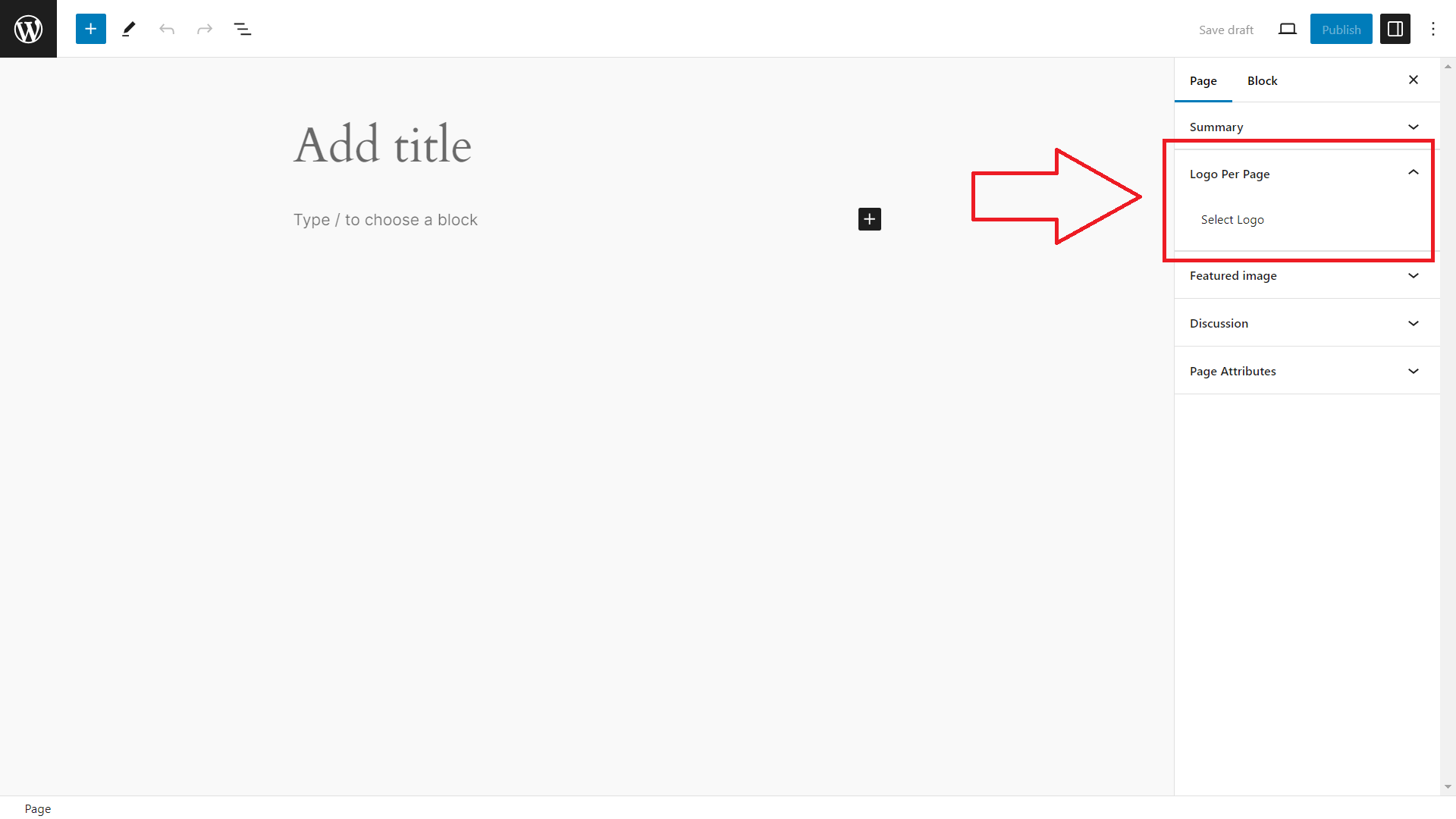
Sidebar will have « Logo Per Page » option available.
Blocs
Cette extension fournit 1 bloc.
- LPP Not Available Extension
Installation
- Go to plugins in your dashboard and select « Add New »
- Search for « Logo Per Page » or LPP
- Install and Activate the plugin
Avis

9 septembre 2024
2 réponses
Thanks for developing this plugin. It’s always a struggle to find a solution for displaying different logos on specific pages.
Contributeurs/contributrices & développeurs/développeuses
« Logo Per Page » est un logiciel libre. Les personnes suivantes ont contribué à cette extension.
Contributeurs
Traduisez « Logo Per Page » dans votre langue.
Le développement vous intéresse ?
Parcourir le code, consulter le SVN dépôt, ou s’inscrire au journal de développement par RSS.
Journal des modifications
1.0.3
Verified compatibility with WordPress 6.9
1.0.2
Verified compatibility with WordPress 6.8
1.0.1
Verified compatibility with WordPress 6.7
1.0.0
- First release.