Description
Menulookin Admin Menu Debugger is a developer-focused WordPress plugin that helps you inspect registered admin submenu pages and identify their menu slugs and hook suffixes.
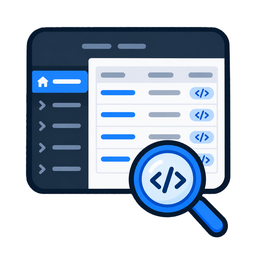
The plugin provides a dedicated debugging interface where you can view the parent menu, submenu title, menu slug, and available hook suffix associated with registered WordPress admin submenu pages.
Using Menulookin Admin Menu Debugger, you can:
- View registered WordPress admin submenu pages.
- View the parent menu associated with each submenu.
- View the menu slug of each submenu.
- Identify available hook suffixes associated with admin submenu pages.
- Inspect admin menu information from a centralized interface.
- Use the displayed information when developing and debugging admin page functionality.
- Identify hook suffixes that can be used with admin-related WordPress hooks.
Features include:
- Dedicated Admin Menu Debugger page.
- Parent Menu information.
- Submenu title information.
- Menu slug information.
- Hook suffix information.
- Simple table-based debugging interface.
- Developer-focused administration tool.
- No external services or third-party data transmission.
Menulookin Admin Menu Debugger is designed to make it easier for WordPress developers to inspect admin submenu information and identify the hook suffixes used by WordPress for registered administration pages.
Installation
- Upload the
menulookin-admin-menu-debuggerfolder to the/wp-content/plugins/directory. - Activate the plugin through the ‘Plugins’ menu in WordPress.
- Open Tools Menulookin Admin Menu Debugger from the WordPress admin menu.
- Review the registered submenu pages, menu slugs, and available hook suffixes.
FAQ
-
Menulookin Admin Menu Debugger is a WordPress developer tool that displays information about registered admin submenu pages, including their menu slugs and available hook suffixes.
-
You can use Menulookin Admin Menu Debugger to inspect WordPress admin submenu information and identify hook suffixes while developing or debugging plugins that add administration pages.
-
What information does the plugin display?
-
The plugin displays the parent menu, submenu title, menu slug, and available hook suffix for registered admin submenu pages.
-
Why might a hook suffix not be displayed?
-
A hook suffix is displayed when WordPress has an actual hook attached to the corresponding administrative plugin page. If no hook is attached, Menulookin does not display a calculated hook suffix as though it were an actual registered hook.
-
No. Menulookin Admin Menu Debugger only provides debugging information about registered admin submenu pages.
-
Does the plugin collect or send data to external services?
-
No. Menulookin Admin Menu Debugger does not connect to external services or send data to third-party services.
-
Is the plugin intended for developers?
-
Yes. Menulookin Admin Menu Debugger is designed primarily as a developer and debugging tool for inspecting WordPress administration menu information and identifying page hook suffixes.
Avis
Il n’y a aucun avis pour cette extension.
Contributeurs/contributrices & développeurs/développeuses
« Menulookin Admin Menu Debugger » est un logiciel libre. Les personnes suivantes ont contribué à cette extension.
Contributeurs
Traduisez « Menulookin Admin Menu Debugger » dans votre langue.
Le développement vous intéresse ?
Parcourir le code, consulter le SVN dépôt, ou s’inscrire au journal de développement par RSS.
Journal des modifications
1.0
- Initial release.