
Description
NewsletterMaker Lite lets you build beautifully laid-out newsletters directly inside WordPress, without touching a single line of code. Perfect for membership organisations, clubs, associations, and community groups that publish regular newsletters.
Build your newsletter with a visual editor:
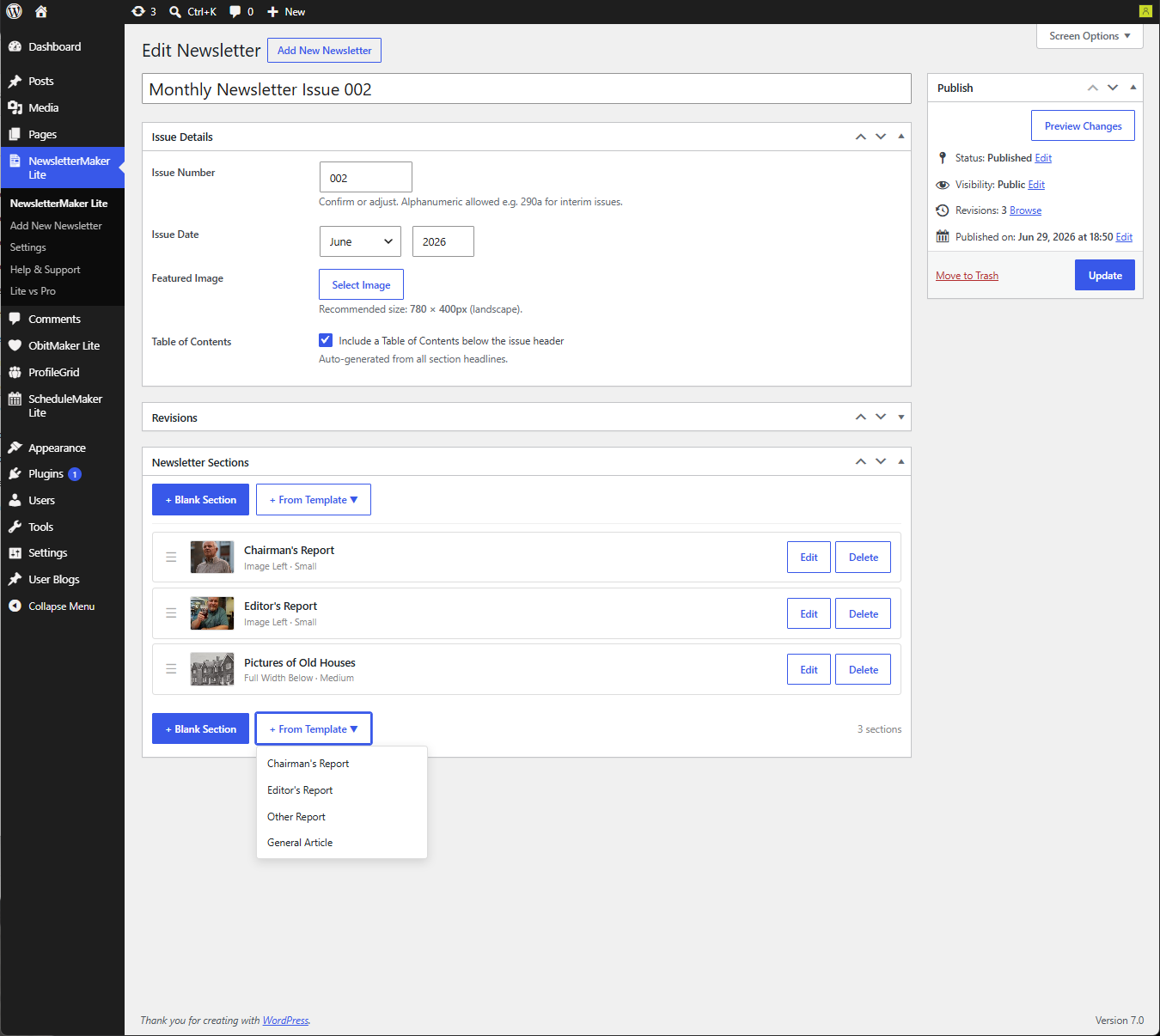
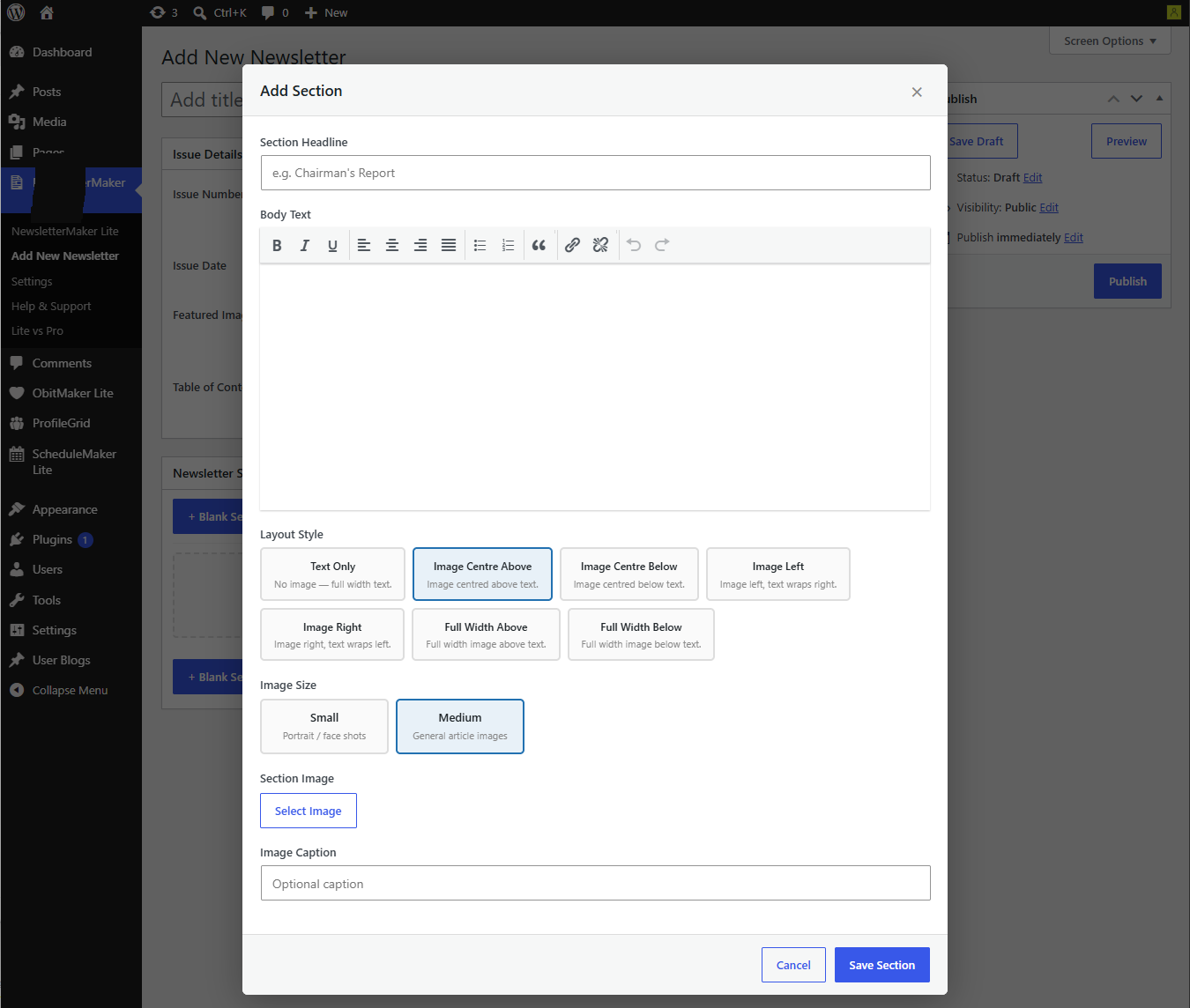
- Add sections with a choice of layouts — text only, image left, image right, image above and below
- Choose image sizes to suit your content — small portrait shots for reports, medium for articles
- Add headlines, body text, captions and image galleries
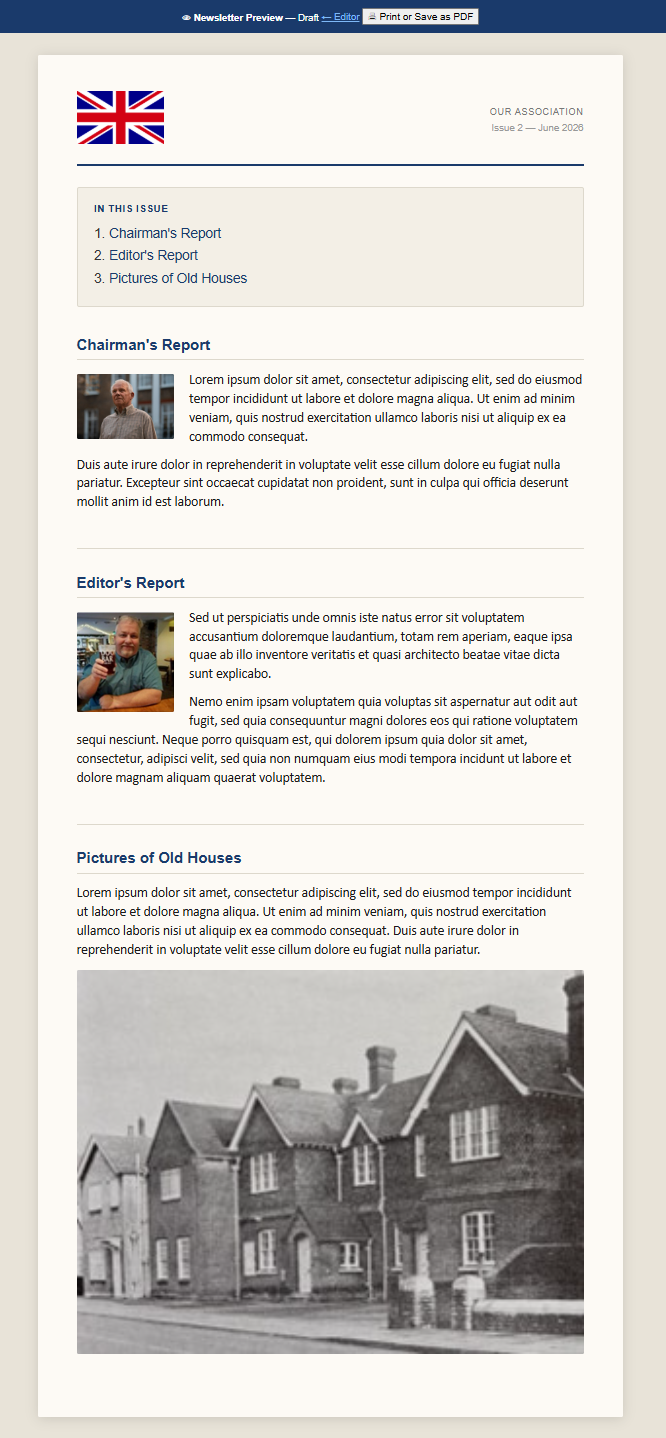
- Auto-generated Table of Contents from your section headings
- Reorder sections by dragging and dropping
- Section templates for common report types — Chairman’s Report, Editor’s Report, and more
Preview and export:
- Full-screen preview showing exactly how your newsletter will look
- Print to PDF directly from the browser — no additional software required
Manage your newsletters:
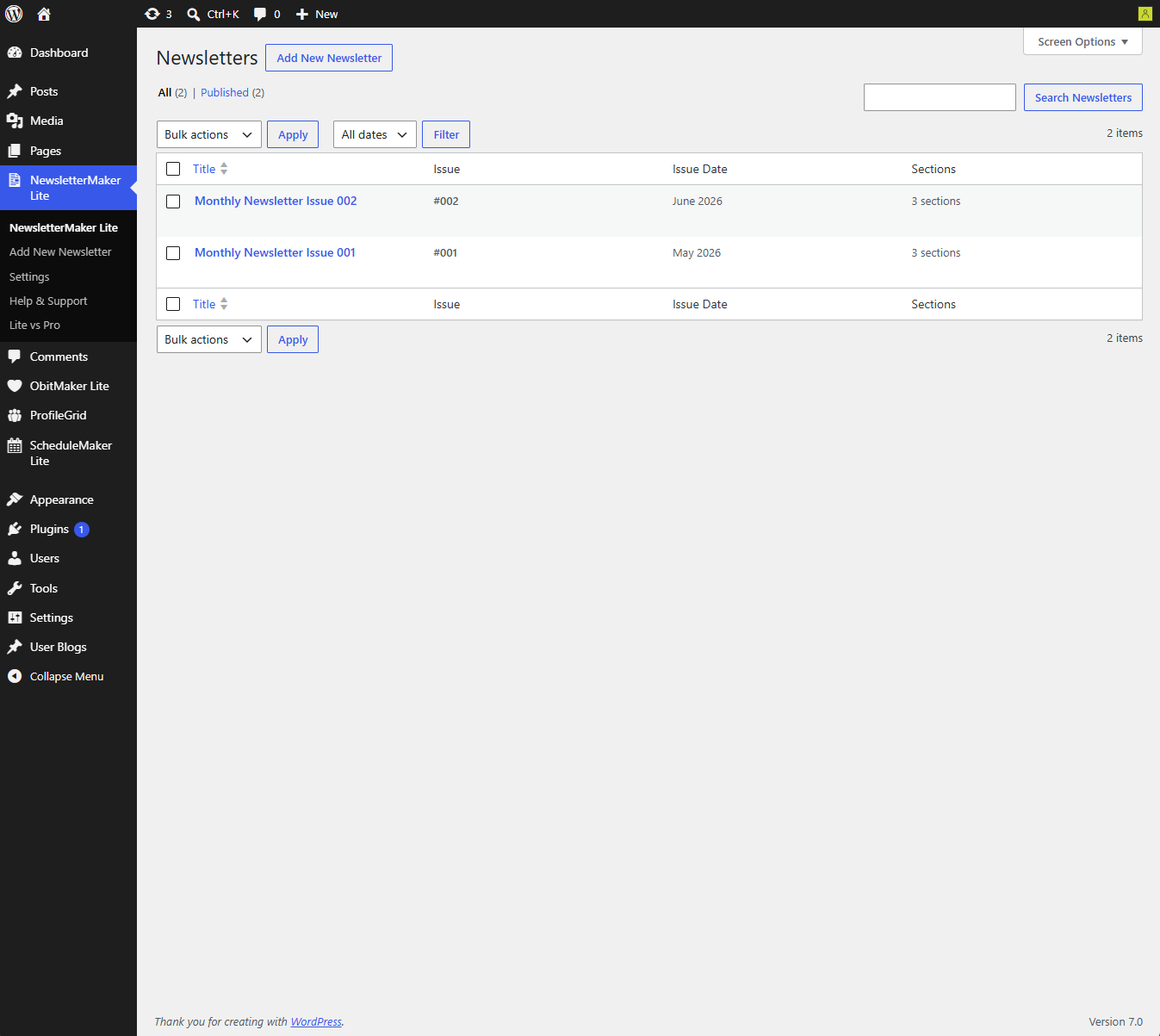
- Newsletter list with issue number, date and section count at a glance
- Keep a skeleton newsletter as a reference for your regular standing sections
NewsletterMaker Pro adds powerful publishing features:
- Generate print-quality PDFs server-side using the mPDF library
- Publish newsletters as standalone web pages on your site — outside your theme, beautifully formatted
- Copy Forward — create next month’s issue from this month’s in one click
- Continuation sections — flow long articles across multiple sections with different image layouts
- Featured image caption and Editor’s Note
- Half-page and full-page advertisement layouts
- Save PDF directly to your server archive folder
- Published Issues admin screen — manage all your live newsletters
Captures d’écrans
Installation
- Upload the
newslettermaker-litefolder to/wp-content/plugins/ - Activate the plugin through the Plugins menu in WordPress
- Go to NewsletterMaker Lite Settings and enter your organisation name, newsletter title and logo
- Go to NewsletterMaker Lite Add New to create your first newsletter
Recommended first steps:
- Set up your organisation details in Settings before creating your first newsletter
- Build a skeleton newsletter with your regular standing sections and keep it as a reference
- Use that reference when adding the standing sections to each new issue
FAQ
-
Does this work with any WordPress theme?
-
Yes — the newsletter editor works independently of your theme. The preview page is a standalone page outside your theme.
-
The Lite preview is available to authorised WordPress editors. Use browser print to create a PDF for members. NewsletterMaker Pro can publish a standalone web page with its own URL.
-
Can I generate a PDF?
-
The free version supports browser print to PDF from the authorised preview. NewsletterMaker Pro adds server-side PDF generation using the mPDF library.
-
Do I need any technical knowledge?
-
No coding required at all. If you can use WordPress, you can use NewsletterMaker Lite.
-
Yes — use the Print button in the preview to print or save as PDF. For a professionally formatted PDF, upgrade to NewsletterMaker Pro.
-
In NewsletterMaker Pro, use the Copy Forward feature to create a new issue from the previous one with all your standing sections already in place. In the free version, create a new newsletter and add your sections manually.
-
No limits — create as many newsletters and sections as you need.
Avis
Il n’y a aucun avis pour cette extension.
Contributeurs/contributrices & développeurs/développeuses
« NewsletterMaker Lite » est un logiciel libre. Les personnes suivantes ont contribué à cette extension.
Contributeurs
Traduisez « NewsletterMaker Lite » dans votre langue.
Le développement vous intéresse ?
Parcourir le code, consulter le SVN dépôt, ou s’inscrire au journal de développement par RSS.
Journal des modifications
1.0.0
- Initial release
- Full newsletter builder with 6 layout styles
- Section templates for common report types
- Table of Contents auto-generation
- Drag and drop section reordering
- Full-screen preview
- Browser print to PDF