

Description
Plugin homepage & demo.
Documentation.
Petitioner pairs unlimited, drag-and-drop petition forms with advanced targeting and export tools, everything you expect from premium petition builders, available free in the plugin directory.
It’s built for advocacy teams, nonprofits, campaigns, and publishers who need high-volume petitions with reliable delivery, flexible layouts, and clear reporting without SaaS lock-in.
Quick start
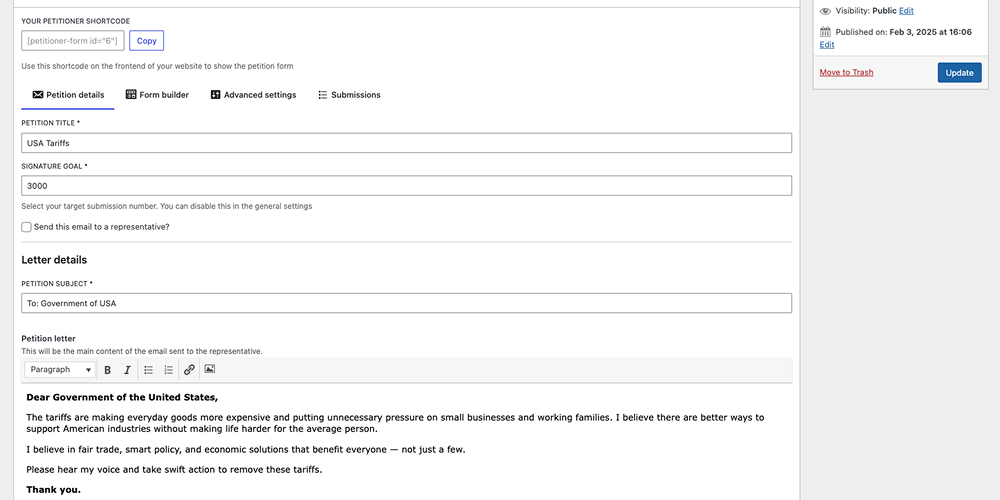
- Install Petitioner and create your first petition under Petitioner -> Add New.
- Configure delivery (target email, confirmations, approval defaults) and design under the Settings tabs.
- Drop the Gutenberg block or shortcode into any page, collect signatures, and export or display submissions as needed.
Highlights
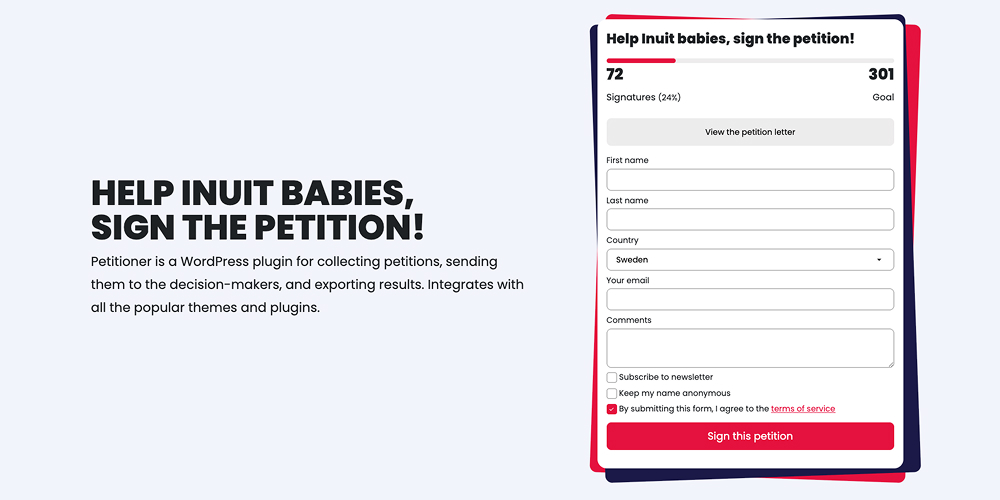
- Unlimited petitions powered by a drag-and-drop builder with 10+ specialized fields.
- Automated decision-maker delivery plus optional double opt-in and manual moderation.
- Frontend submission showcases (grid, list, ticker) with privacy-friendly options.
- CSV exports with advanced filtering for accurate reporting and CRM imports.
Features:
Unlimited petitions
Create and manage an unlimited number of petitions.
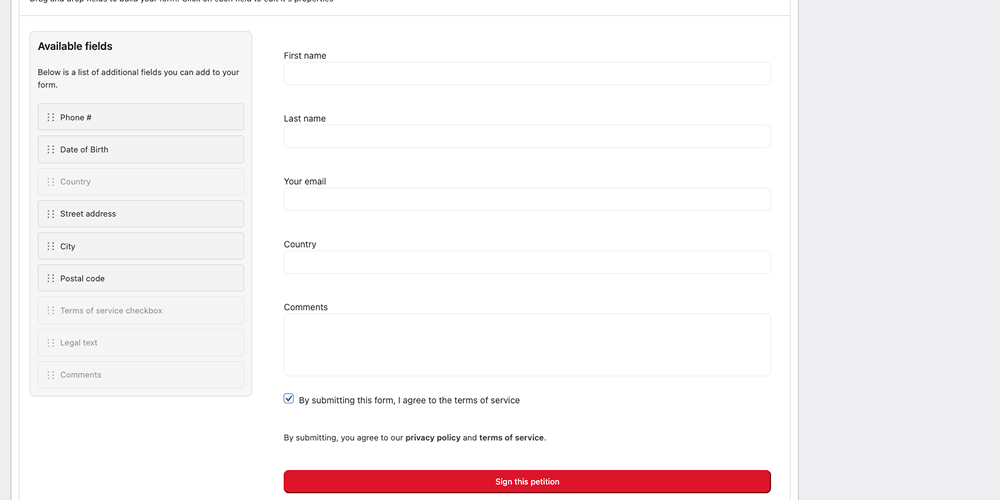
Drag and drop form builder
– Add/remove/reorder fields based on your needs
– Supports over ten field types: text, email, phone, address, date of birth, newsletter opt-in, anonymous signature, terms acceptance, and more
– Add rich text to the form for disclaimers and legal text
– Edit each field’s label, placeholder, and required state
Control submission behaviour
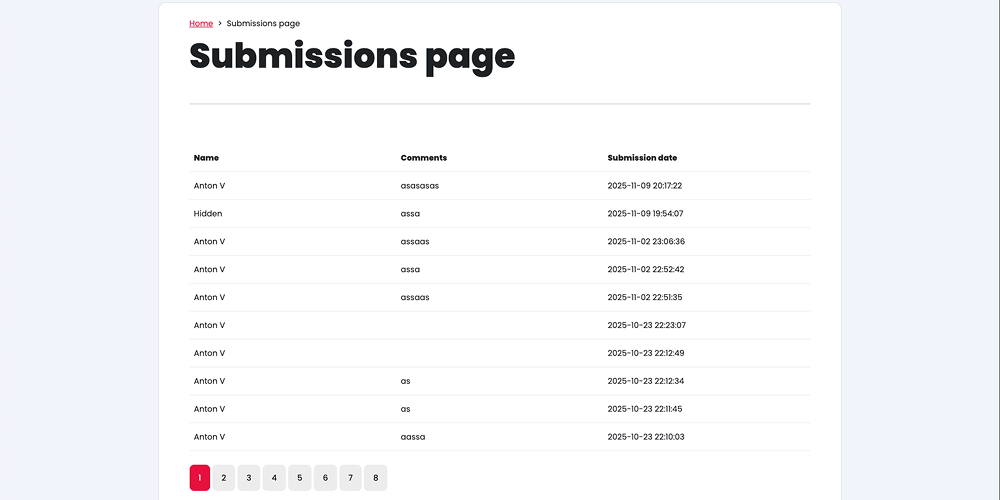
– Show submissions on the frontend in a few different styles
– Email functionality: Automatically send petition letters to representatives via email.
– Ability to store submissions without sending emails to the rep.
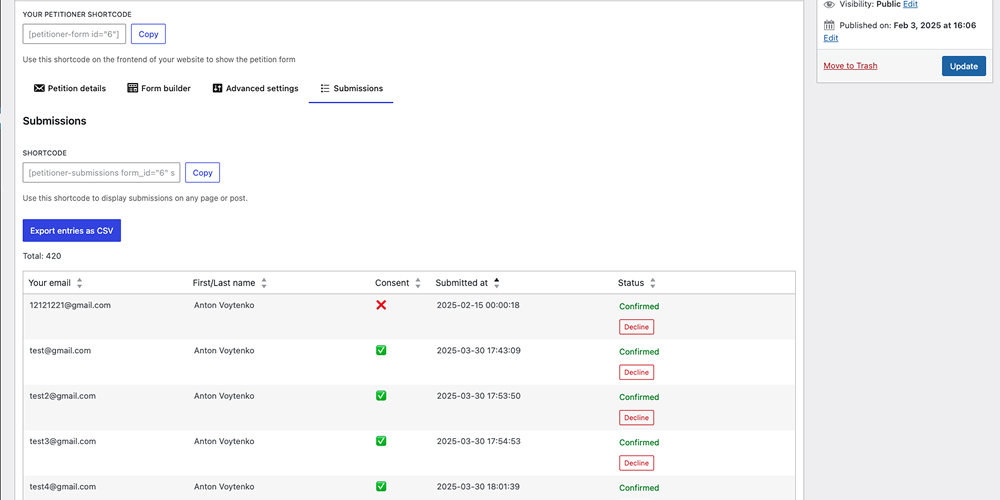
– Ability to manually approve/deny petitions and set the default approval behavior (approved by default or declined)
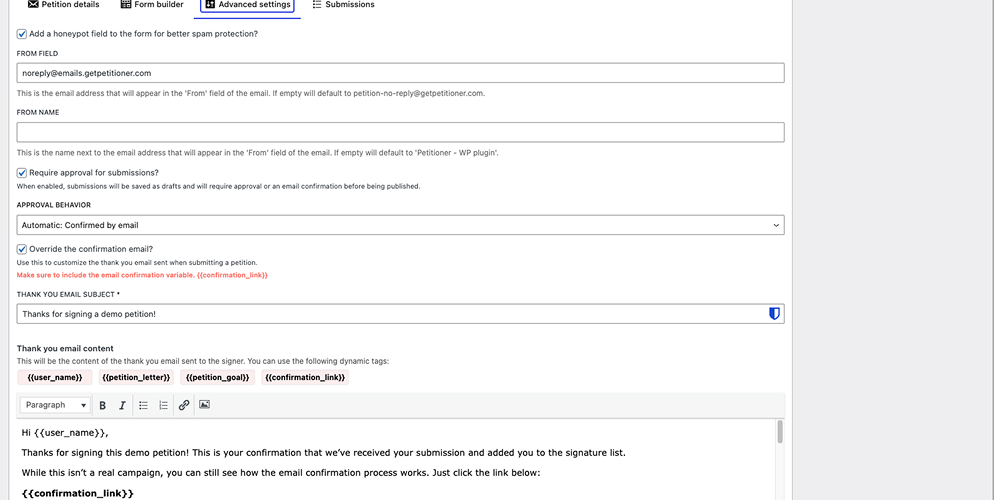
– Option to confirm emails via email
– Customize email confirmations, petition letters, and thank you emails
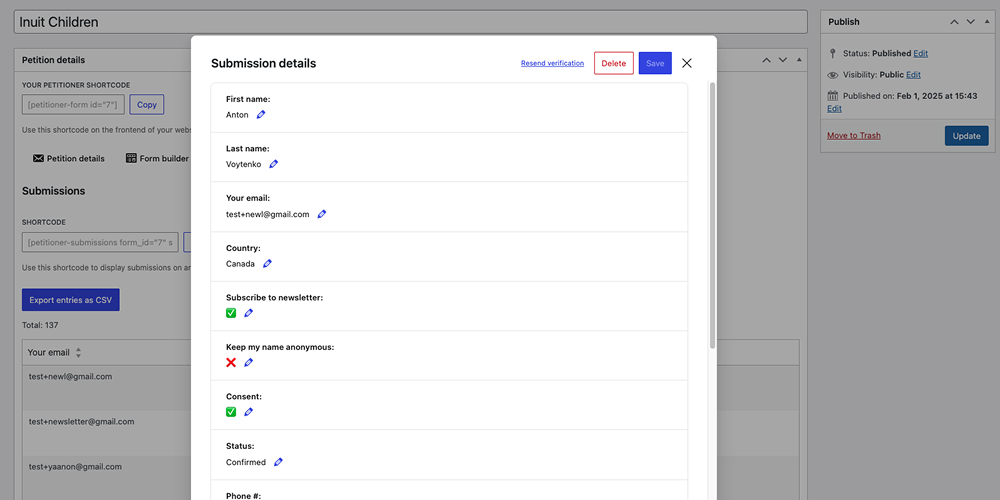
– Option to edit and delete submissions
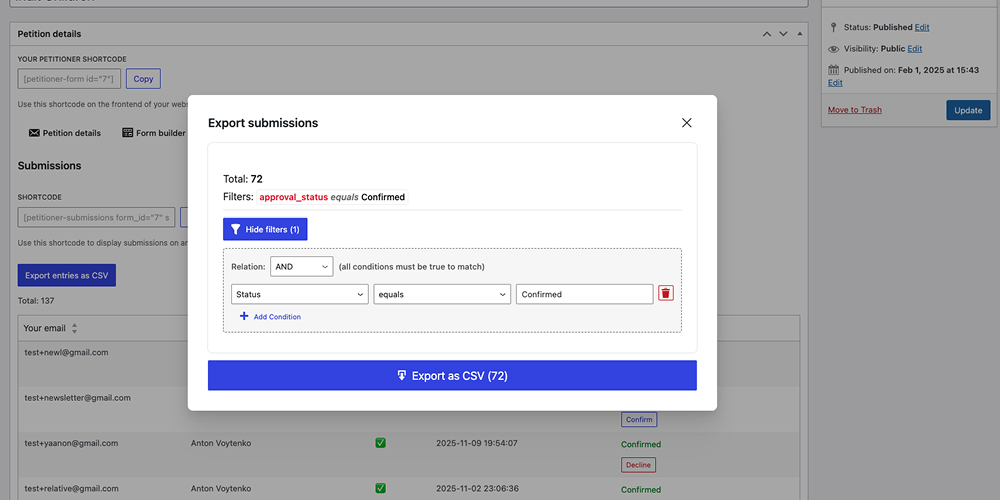
– Form submissions export: export petition signups and submission data to a CSV file for easy reporting.
– Preview data, rename columns, and map values (e.g., « 1 » to « Yes » or dynamic values like {{field_name}}) before downloading CRM-ready files.
– Filter out unwanted submissions before exporting by targeting any form field
– Goal milestones: set incremental signature targets (e.g., 100, 500, 1000) to keep momentum high.
– Custom redirects: redirect users to custom « Thank You » or « Action » pages after signing or confirming their email.
Design & layout features
– The plugin features a modern, mobile-friendly design for a seamless user experience.
– Color customizations & custom CSS options
– WYSIWYG editor: Easily edit petition letters and confirmation emails using a modern WYSIWYG editor.
– Gutenberg integration with a custom petition block!
– Several shortcodes to take your petitions to the next level:
– Form shortcode – embed the entire petition anywhere shortcodes are supported.
– Petition goal – surface your signature target dynamically.
– Progress bar – visualize progress toward the goal in real time.
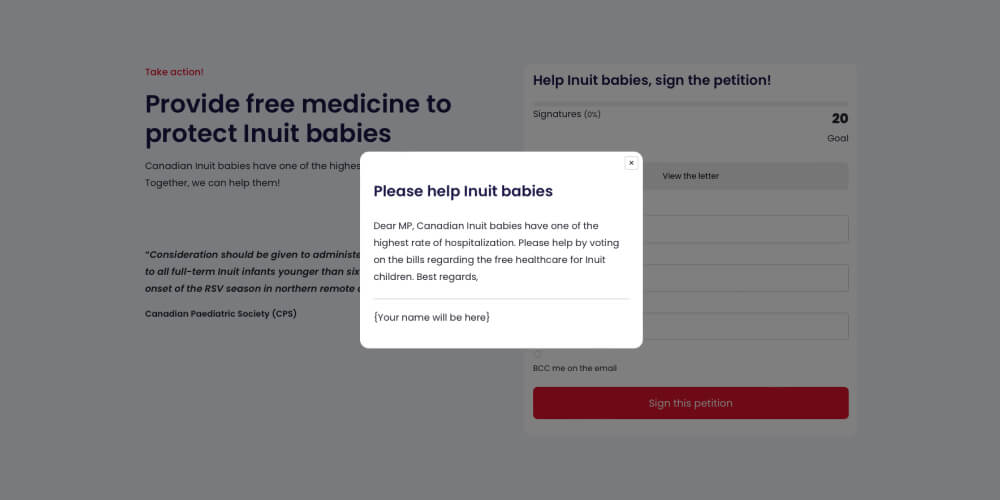
– Petition letter popup – open the full letter in a modal.
– Submission count – show live signature totals.
– Submissions display – list, grid, and ticker layouts with privacy controls.
Spam protection features
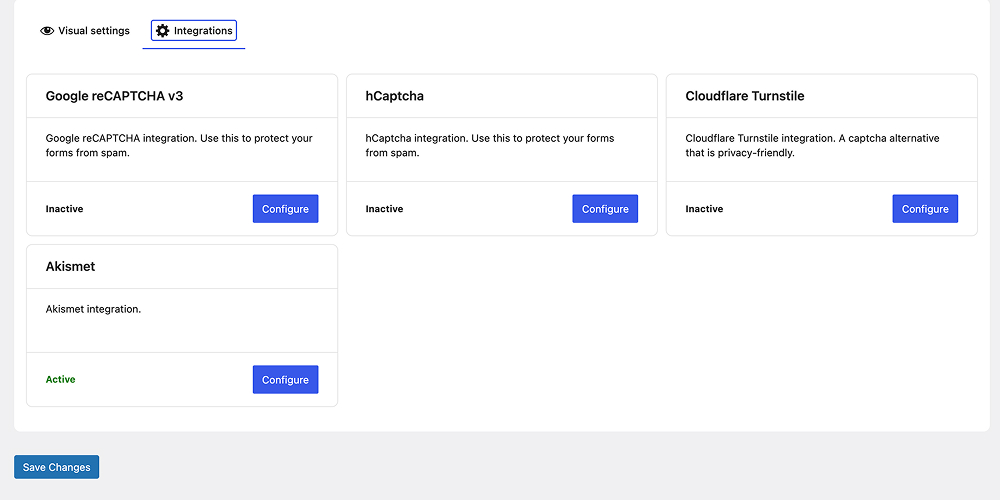
– Captcha integrations: reCAPTCHA, hCaptcha, and Cloudflare Turnstile
– Akismet integration – handle spam seamlessly without adding any js libraries
– Honeypot field
– Email confirmations
– Compatible with all of the popular SMTP plugins (uses wp_mail behind the scenes)
Extremely lightweight and modern
– Vanilla JavaScript bundle weighs in at ~4KB gzipped
– Theme-friendly CSS variables let you match any brand quickly
– Rich hooks and filters make third-party integrations effortless
Development and Source Code
The source code for this plugin is publicly available on GitHub:
https://github.com/avoy18/petitioner
Captures d’écrans


Blocs
Cette extension fournit 2 blocs.
- Petitioner Submissions Displays submissions for a petition
- Petitioner Form A form for collecting petitions
FAQ
How do I show the petition on my website?
Create your first petition under Petitioner -> Add new. Once you do that, you can either use a shortcode provided on the creation page or a Gutenberg block.
Can I collect petitions without sending emails?
Absolutely. Sending a petition letter to a representative is optional. Just disable the rep email inside the petition’s Email tab and submissions will still be stored, displayed, and exportable.
How can I prevent unwanted submissions or spam?
Enable one (or more) of the built‑in defenses: reCAPTCHA / hCaptcha / Turnstile, Akismet integration, honeypot field under Advanced Settings, double opt-in email confirmations, manual approve/deny, and the ability to edit or delete entries directly from the Submissions tab. More guidance: https://getpetitioner.com/docs/captcha/
How do I customize the styles?
You can customize your petitions under Petitioner -> Settings. You can change the colors, conditionally display certain fields, and add custom CSS.
How can I ensure petition emails don’t go to spam?
Petitioner uses the WordPress
wp_mail()function, so deliverability depends on your hosting. Install an SMTP plugin (e.g., WP SMTP) to route mail through a trusted sender. You can also disable the “Send this email to a representative?” option to avoid sending hundreds of identical letters and damaging your domain reputation.How do I see and export the submissions?
Simply open the edit page for the petition in question and you will see a table with all of the submissions. There will also be a button to export. You can also filter out unwanted submissions before exporting.
How can I display the submissions on the frontend?
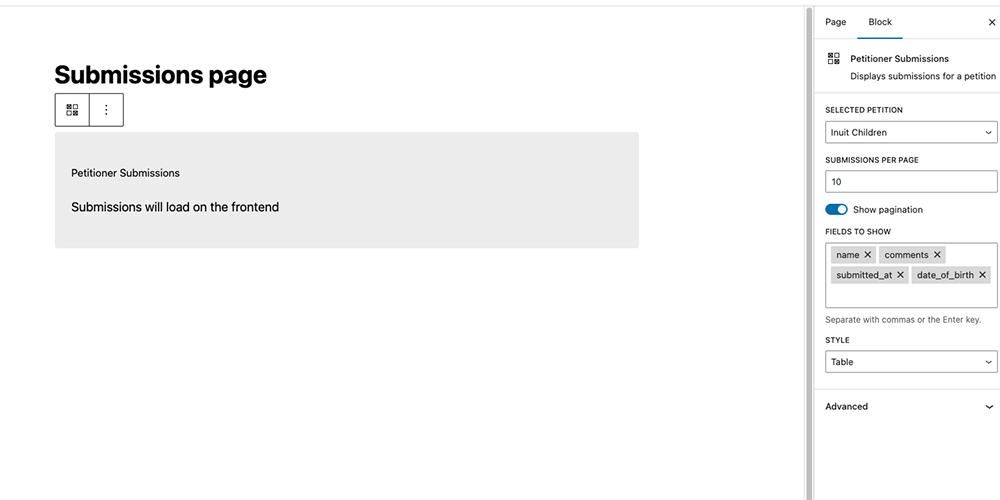
Insert either the Gutenberg “Petitioner Submissions” block or the
[petitioner_submissions]shortcode wherever you want the signatures to appear. Full walk-through: https://getpetitioner.com/docs/show-submissions-on-the-frontend/Can I redirect users to a specific page after they sign?
Yes. In the petition settings, you can define custom redirect URLs for successful submissions, email confirmations, and even error states.
Does the plugin support incremental goals?
Yes! The milestones feature lets you set multiple signature targets so you can celebrate progress as your campaign grows.
Is it developer-friendly?
Very. The plugin exposes dozens of filters, actions, and JavaScript events plus helper shortcodes for rendering counts, goals, progress bars, popups, and more. See the full extension reference at https://getpetitioner.com/docs/filters-and-hooks/
Can I request features?
Absolutely! Feel free to reach out through this contact form
What if I have more questions?
You can find a more extensive FAQ on the main website. Additionally, you can reach out via this contact form.
Avis


Contributeurs/contributrices & développeurs/développeuses
« Petitioner » est un logiciel libre. Les personnes suivantes ont contribué à cette extension.
Contributeurs
“Petitioner” a été traduit dans 2 locales. Remerciez l’équipe de traduction pour ses contributions.
Traduisez « Petitioner » dans votre langue.
Le développement vous intéresse ?
Parcourir le code, consulter le SVN dépôt, ou s’inscrire au journal de développement par RSS.
Journal des modifications
0.8.6
- Improvements
- New util for triggering scheduled actions immediately. Useful when bypassing scheduler.
- Reworked how the goals get updated on the frontend, ensuring its not cached by static html output
- Bugfixes
- Make « Sincerely » and « Below is a copy of your letter: » translatable via the labels system instead of hardcoded strings.
- Fix malformed HTML in the default thank-you email greeting (« Dear {{user_name}}, »).
- Regenerate and update translation files (.pot, .po, .mo) to match corrected email strings and new label keys.
- Fixed select dropdowns showing the first option instead of the « Select » placeholder on load
0.8.5
- Improvements
- Additional spacing and font size controls in the styles customizer
- A new visual preview in the customizer
- Improved the
petitioner_submission_finalizedhook: it now hydrates the submission data that it sends. Good for working with the custom fields.
0.8.4
- Improvements
- Submissions Gutenberg block now has a proper preview in the admin UI (instead of a grey placeholder box)
- Preserve active tab state on save on petition edit screen and settings
- Bugfixes
- Security: fixed a potential XSS vulnerability by removing unsanitized use of
ptr_active_tabparam in the URL - Security: Updated composer and NPM dependencies, resolving multiple critical/high Dependabot vulnerabilities
- Compatibility: Fixed a composer installation crash on PHP 8.0-8.3 by strictly enforcing the platform PHP requirement
- Security: fixed a potential XSS vulnerability by removing unsanitized use of
0.8.3
- Improvements
- Added ActionScheduler as a dev dependency and a wrapper util class to work with it
- Exported reusable components as a global window object
- Added a programmatic CSV importer utility for submissions
- Bugfixes
- Security fix: form submission method changed from GET to POST to prevent potential PII exposure in URLs if JS is disabled
0.8.2
- Improvements
- Added a filter letting you adjust the anonymous display name
- Submission UI: improved pagination (prev/next buttons and hiding inner page numbers)
- Submission GB block and a shortcode: allow pagination buttons to be hidden
- Added an option to feature submission entries so they are pinned on the frontend
- Submitted at dates are now properly formatted vs showing a raw timestamp
- Tested up to WordPress 7.0
- Bugfixes
- Fixed typo on the submission shortcode clipboard button (replaced form_id= » » with id= » »)
- Fixed an issue where representative emails were not sent if the submission was manually approved
- Fixed a bug where form labels would show up under label overrides but dont do anything (removed them)
- Architecture
- Reworked settings & editing fields registration to make it a lot more extendable
- Increased the test coverage (frontend)
0.8.1
- Improvements
- Add an option for custom redirects on form submit, email confirmation, and email error
- Simplify custom field creation with
AV_Petitioner_Field_Registry - Adding a new goal milestones feature letting you have several incremental goals
- New hooks & filters:
petitioner_allow_external_redirects,av_petitioner_form_attributes,petitioner_email_confirmation_success,petitioner_email_confirmation_error` - Improved test coverage
- Additional architectural and performance improvements
- Bugfixes
- Allow overriding the confirmation email messages in the settings
- Fix tinymce editor not letting you pass absolute urls (and breaking images in the process)
0.8.0
- Massive architecture overhaul
- Moving away from SCSS in favour of styled components & regular CSS
- Add an option to extend the plugin with custom fields via JS and PHP hooks
- Submissions on the frontend: connect all of the fields to be managed in 1 place, also ensure that none of the sensitive data is sent to the frontend
- Added PHP Unit tests + workflow and a pre-push hook
- Performance enhancements – admin
- Significantly reduced the bundle size of the admin pages
- CSV export: add an option to modify column headers & show preview of the CSV
- Show/hide/rename columns before exporting
- Specify custom mappings for things like updating values (e.g. « 1 » -> « Yes », « 0 » -> « No »). You can also dynamically pull values from other fields (e.g. putting fname and lname together into a single « Full Name » column).
- Country field improvements: you can now modify the country list (reorder and remove countries from the dropdown)
- Additional export filter options (contains|does not contain)
0.7.4
- Security: fixed broken access control on the submissions API that allowed subscribers to access submission data.
0.7.3
- Bugfix: ensure tinymce doesn’t re-initialize on value change
0.7.2
- Bugfixes
- Fix a bug with captcha-related form errors showing as « undefined » vs saying what actually happened
- Better handling of captcha-related methods – initiate the class vs add static methods all over
- Improved label editing: the settings page now lets you edit a lot more labels than before!
- Improved Google ReCaptcha logic when dealing with aggressive caching (clearing stale values before executing)
0.7.1
- Bugfixes
- Fixed nonce validation issues caused by page caching
- Fixed captcha-related console errors when captcha is disabled
- Tested with WordPress 6.9
- Minor code improvements
0.7.0
- Improved export for submissions
- Allow filtering out unwanted items
- Handle large lists in steps to avoid timeouts
- New fields
- Keep me anonymous field + allow editing « Anonymous » under Settings -> Labels
- Newsletter opt-in field
- BCC me field
- Bug fixes and UI improvements
- Improved email headers security
- Fixed a division by zero error flagged by one of the users
- Cleaned up the styling in the admin
0.6.2
- Allow passing images to the petition letter
- Fix relative paths on images in the email templates
- Allow displaying date of birth on submissions
0.6.1
- Allow passing images to the WYSIWYG editor
- New field: Date of Birth
- Fix a bug with « Confirmed » DB value being translatable
0.6.0
- Improved submissions
- Added sorting of submissions in admin
- Added ability to edit and delete submissions
- Tabs now remember the state on refresh
- Improved the code structure overall
0.5.3
- Add a new « From name » field that allows you to customize the sender name in outgoing emails, overriding the default email format to display your preferred sender name.
- Bugfix: fixed missing default from name if you don’t pass anything at all
0.5.2
- Bug: fixed an issue with making checkboxed checked by default
- Bug: fixed placeholders not working
- Allow passing html values in labels safely
0.5.1
- Bug: remove double escaping of html attributes on the form
0.5.0
- New comment textarea field
- Allow showing the progress bar via a shortcode even if it’s disabled in the general settings
- Additional display options on the submission component, you can now show more fields. Improved the block controls and also how it handles empty values.
- Bug: fixed the issue with form builder not reordering in some cases
0.4.6
- Add option to edit all of the labels via the plugin settings
0.4.5
- Make signee’s BCC disabled by default
- Add a new filter:
av_petitioner_mailer_settings
0.4.4
- Add option to render submissions on the frontend
- Add a new shortcode:
[petitioner-submissions id="{form id}" style="{simple or table}" per_page="{number of entries per page}" show_pagination="{true or false}"]
- Add multiple styles and configurations
- Allow hiding last names through petition settings
- Add a new shortcode:
0.4.3
- Editing labels:
- Added UI for editing the thank you message on the petition (shows up after you submit the form)
- Added a filter to override other random strings
- Code refactoring: made some changes to the structure
- Minor UI tweaks:
- You can now close the popup with an ESC key
- Added explicit color to the close button to fix styling for some users
0.4.2
- Bugfix: add the new fields to the CSV export
0.4.1
- Bugfix: Ensure plugin version is always set in the database and automatically re-run database migrations if missing or old
0.4.0
- Brand new drag and drop form builder
- Add/remove/reorder the form fields
- Automatic migration from the old editing experience
- Edit individual field settings
- Add rich text to the form
- Add new optional fields
- Moved admin js to typescript
- Add basic testing
- Bug fixes: fixing the bug with the nonce field not validating on some environments
0.3.4
- Bugfix: fix an occasional error related to unnecessary nonce sanitization
0.3.3
- Submissions tab improvements, special thanks to @Shahraz98
- Add ability to resend confirmation emails
- Add a button to resend all confirmation emails at once (please use this with caution)
- Refactored the code & improved the submissions UI
- Fix a bug with the export button
- Fix a bug with the wrong number on the submission count when the confirmation behavious is auto-denied by default
- Fix a minor bug with the textdomain loading too early
- Add basic translations to French, Ukrainian, Russian, and Dutch
0.3.2
- Bug fixes:
- Fix a bug with hCaptcha breaking forms on Firefox, special thanks to @Shahraz98
- Fix the recaptcha code running when recaptcha is used by another plugin
0.3.1
- Add custom javascript event – petitionerFormSubmit
- Improve readme to highlight the latest features
0.3.0
- Spam protection improvements:
- Add a honeypot option for additional spam protection
- Akismet integration – handle spam seamlessly without adding any js libraries
- Integrate with Cloudflare Turnstile – a privacy first captcha
- Create custom filters (petitioner_send_ty_email, petitioner_send_to_representative, petitioner_after_submission, petitioner_get_styled_message)
- New shortcodes (petitioner-goal, petitioner-submission-count, petitioner-goal-progress-ui, petitioner-letter-modal-ui)
- Bug fixes and UI improvements
- Better style emails visually
- Allow overriding the « from » field
- A new and improved settings page
- Add better DB schema handling
- Fix a bug with confirmed emails not sending letters to the rep
- Add a translation template
0.2.6
- Fix export button not showing up
- Fix custom CSS not applying with custom colors
- Add confirmation emails
0.2.5
- Allow editing confirmation emails
0.2.4
- Bug fixes after the previous release
0.2.3
- Add Google reCAPTCHA and hCaptcha
- Allow multiple target emails
- Add optional legal disclaimer & consent checkbox
- Refactor & organize editor UI
0.2.2
- Added the ability to approve/deny petitions
- Reworked the edit fields & submissions UI
0.2.0
- Added the country field
- Improved checkbox styles
- Added color customizer to the settings page
0.1.4
- Improved readme & docs
- Improved asset enqueuing
- Fixed internalization issues
- Improved plugin escaping and sanitization
0.1.3
- New plugin settings page
0.1.2
- New Gutenberg block
0.1.1
- Added more sanitization and preparing for the wp.org upload
0.1.0
- Initial version of the plugin