Description
Options :
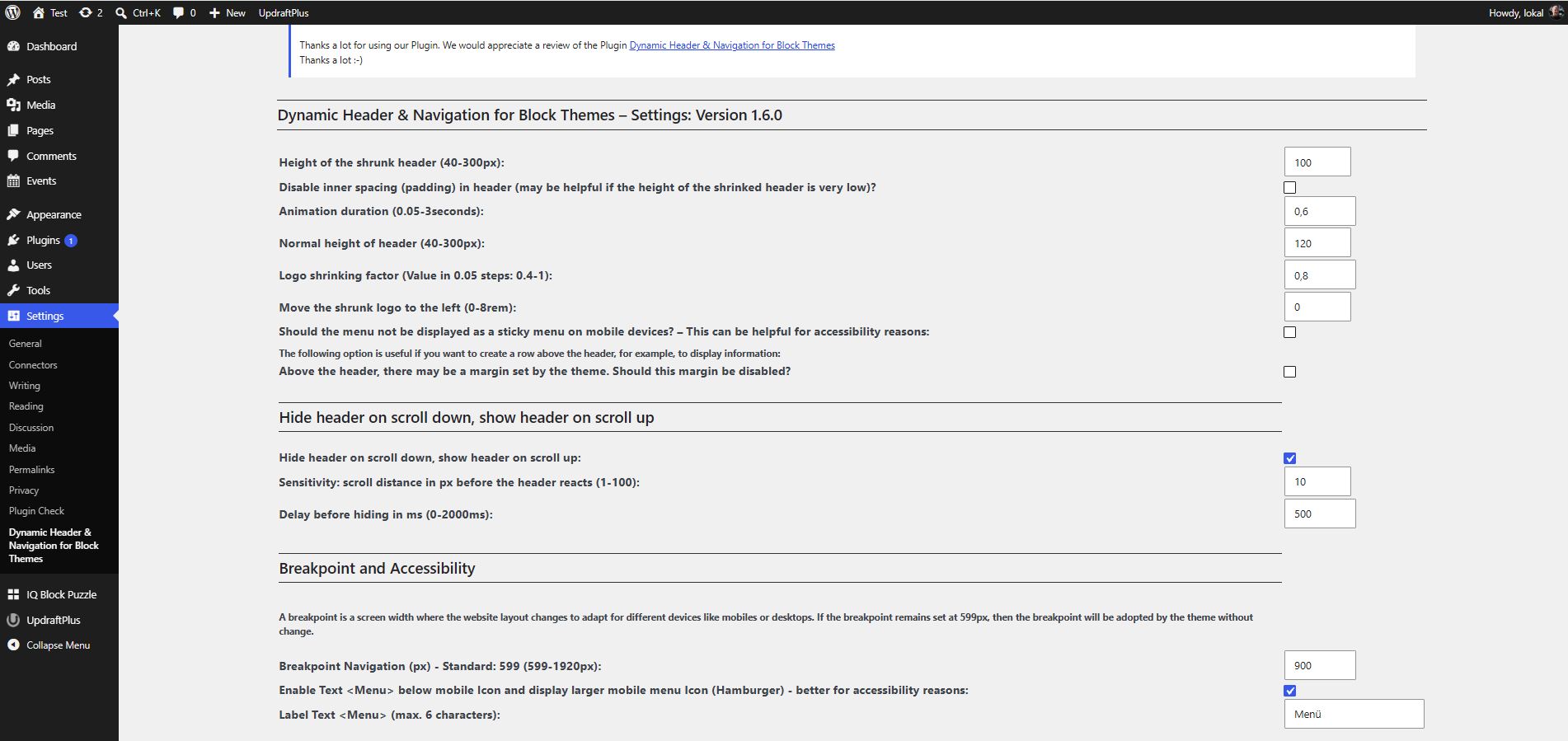
- Réglage de la hauteur de l’entête
- Réglage de la hauteur du rétrécissement de l’entête
- Set Logo shrinking factor
- Définit le logo rétréci à gauche (ajouté dans la version 1.3)
- Réglage de la durée de l’animation (en secondes) pour le rétrécissement de l’entête
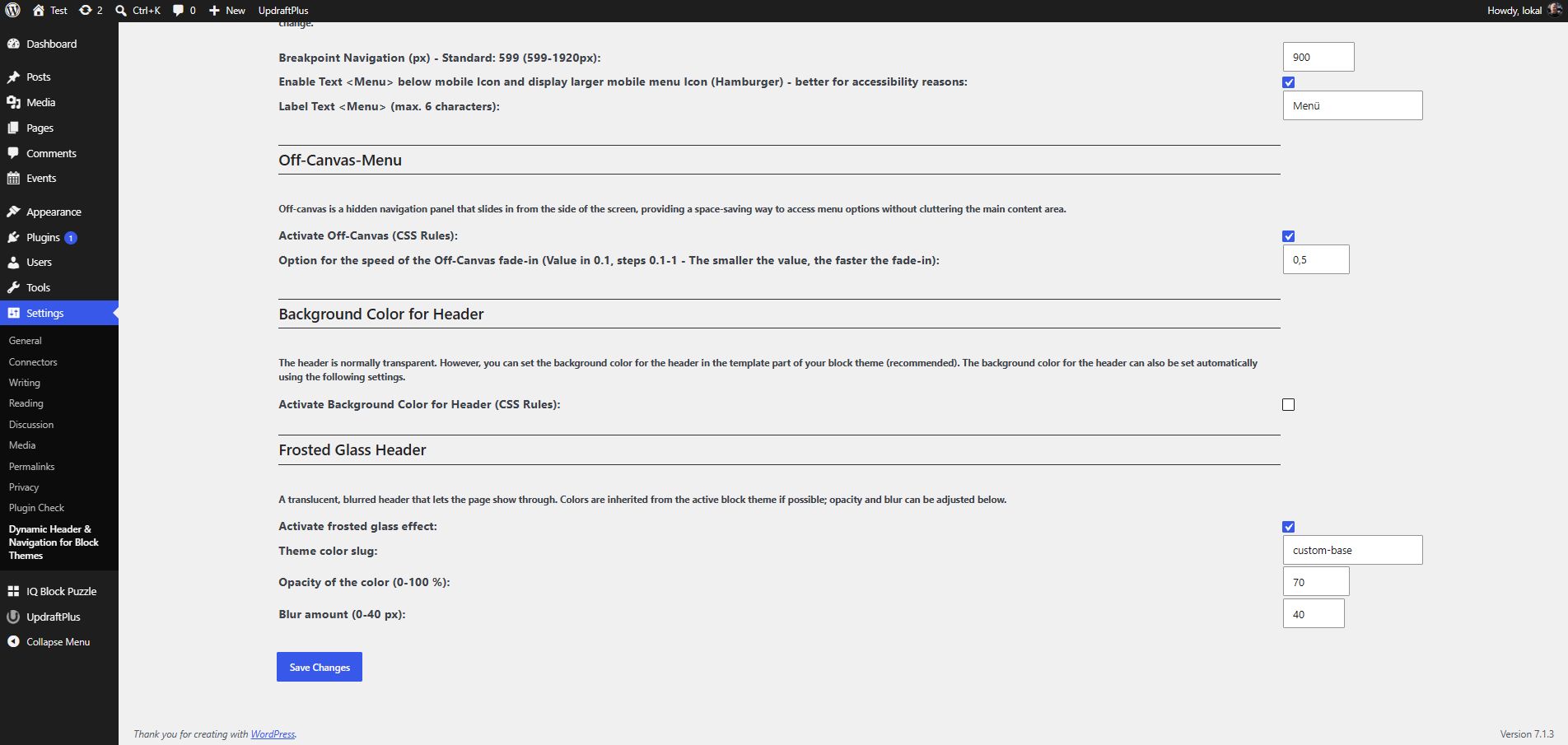
- Option pour définir un point de rupture pour la navigation (ajoutée dans la version 1.1)
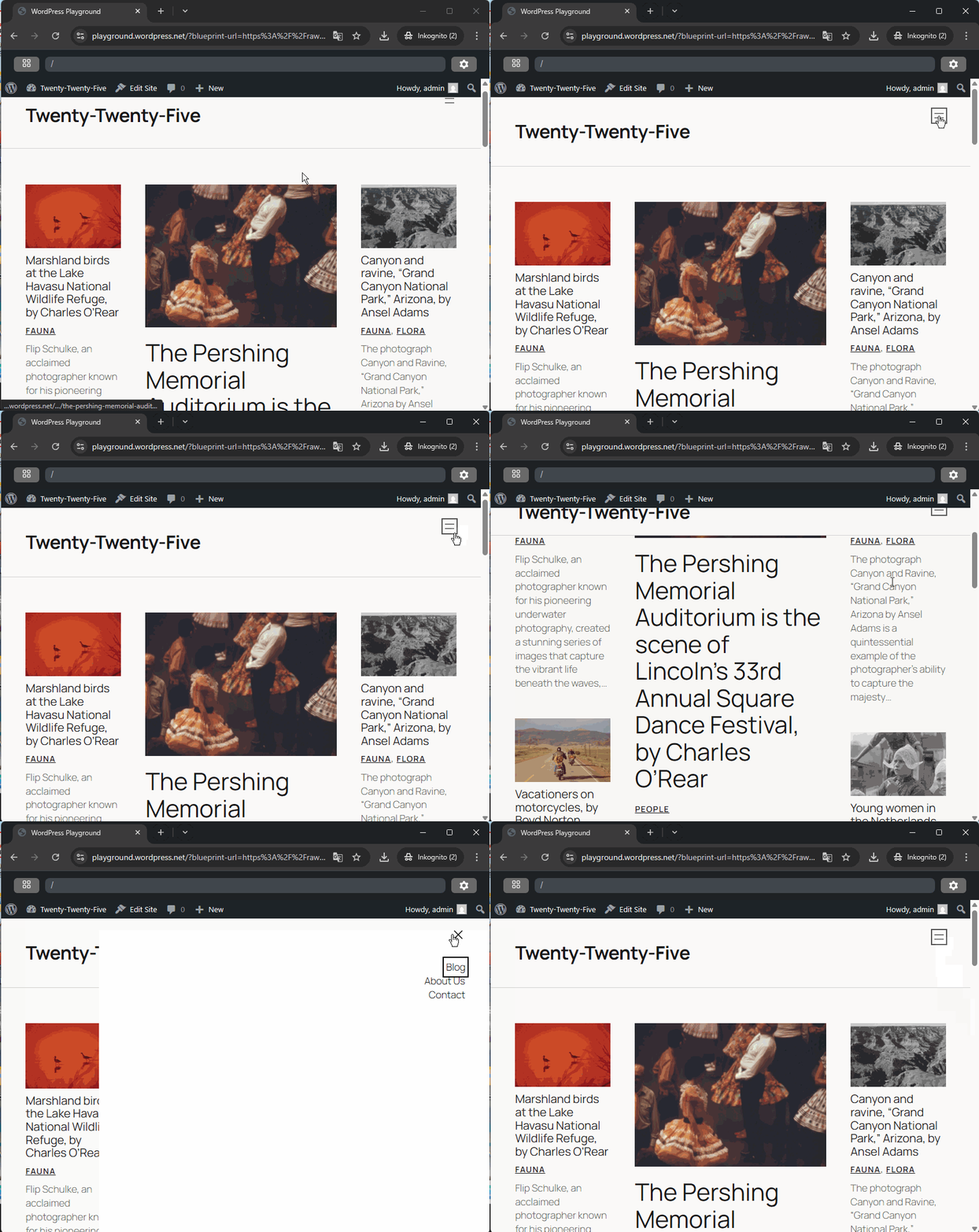
- Option pour définir le hors-champ (ajoutée dans la version 1.2)
- Option for the speed of the Off-Canvas fade-in (added in Version 1.3.1)
- Option to disable inner spacing (padding) in header (added in Version 1.4)
- Option to enable Text below mobile Icon and display larger mobile menu Icon (Hamburger) – better for accessibility reasons (added in Version 1.4)
- Option to Label Text (added in Version 1.4)
- Option: Menu does not appear as sticky on mobile devices – may be better for accessibility reasons. (added in Version 1.4.1)
- Option: Above the header, there may be a margin set by the theme. This margin can be disabled if desired. (added in Version 1.5.1)
- Option: Frosted glass header. (added in Version 1.6.0)
- Option: Hide header on scroll down, show header on scroll up. (added in Version 1.6.0)
Dynamic Header & Navigation for Block Themes (Nom précédent de l’extension : Shrinking Logo Sticky Header) est une extension WordPress légère développée spécifiquement comme solution de navigation pour la plupart des thèmes basés sur les blocs.
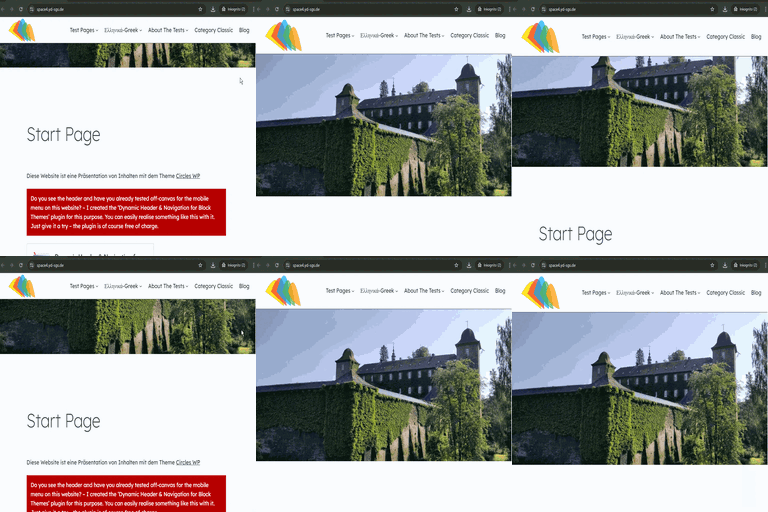
Elle ajoute un entête épinglé moderne avec des effets de réduction douce et animée pour l’entête et le logo du site.
Lorsque l’internaute fait défiler la page, l’entête et le logo se réduisent automatiquement, ce qui optimise l’espace à l’écran et permet d’accéder facilement à la navigation sans perturber l’expérience de navigation.
L’extension vous permet de configurer individuellement la hauteur de l’entête et du logo, qu’ils soient normaux ou réduits, ce qui vous donne un contrôle total sur l’apparence de votre site.
Ces réglages peuvent être facilement ajustés pour correspondre à votre image de marque ou à vos préférences en matière de design.
L’un des principaux avantages de Dynamic Header & Navigation for Block Themes est sa simplicité :
Après l’activation, les effets pour épingler ou rétrécir le menu fonctionnent en principe immédiatement – aucune installation ou réglage supplémentaire n’est nécessaire.
Il est donc idéal pour les utilisateurs et utilisatrices qui souhaitent obtenir un effet d’entête dynamique et professionnel sans avoir à gérer des options complexes ou du code personnalisé.
Videos
This video demonstrates general settings:
This video demonstrates the new options in version 1.6.0 of the plugin « Dynamic Header & Navigation for Block Themes », such as the “Frosted glass header” option and the “Hide header when scrolling down, show header when scrolling up” option:
How can I locate the « slug » for the background-color in the header div?
This video shows how to find the slug for the header div’s background-color in a block theme if the “Frosted Glass” option doesn’t produce the desired effect.
Traductions
- (French): Thanks to Patricia BT
Captures d’écrans
Installation
- Allez dans
Extensionsdans le menu de l’interface d’administration - Cliquez sur le bouton
Ajouter une extension - Recherchez
Shrinking Logo Sticky Headeret cliquez sur « Installer maintenant » ou cliquez sur le lientéléverser une extensionpour téléversershrinking-logo-sticky-header.zip. - Cliquez sur
Activer l’extension
FAQ
-
Est-il possible d’utiliser cette extension avec tous les thèmes basés sur les blocs ?
-
Tested with Twenty Twenty-Three, Twenty Twenty-Four, Twenty Twenty-Five, Ollie, Circles WP.
If the plugin does not work with your block theme, please write to the support forum. I will then see what I can do. -
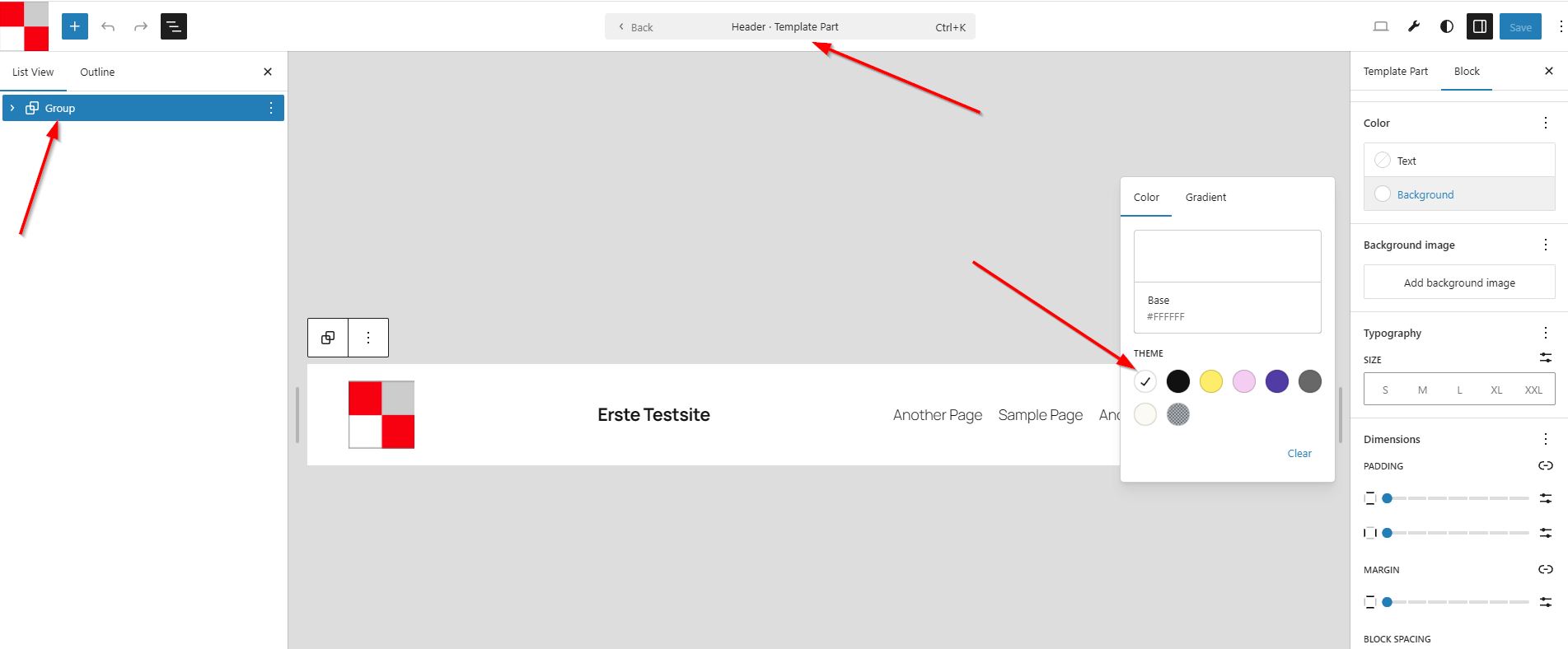
Pourquoi l’entête épinglé est-il transparent et comment puis-je le modifier ?
-
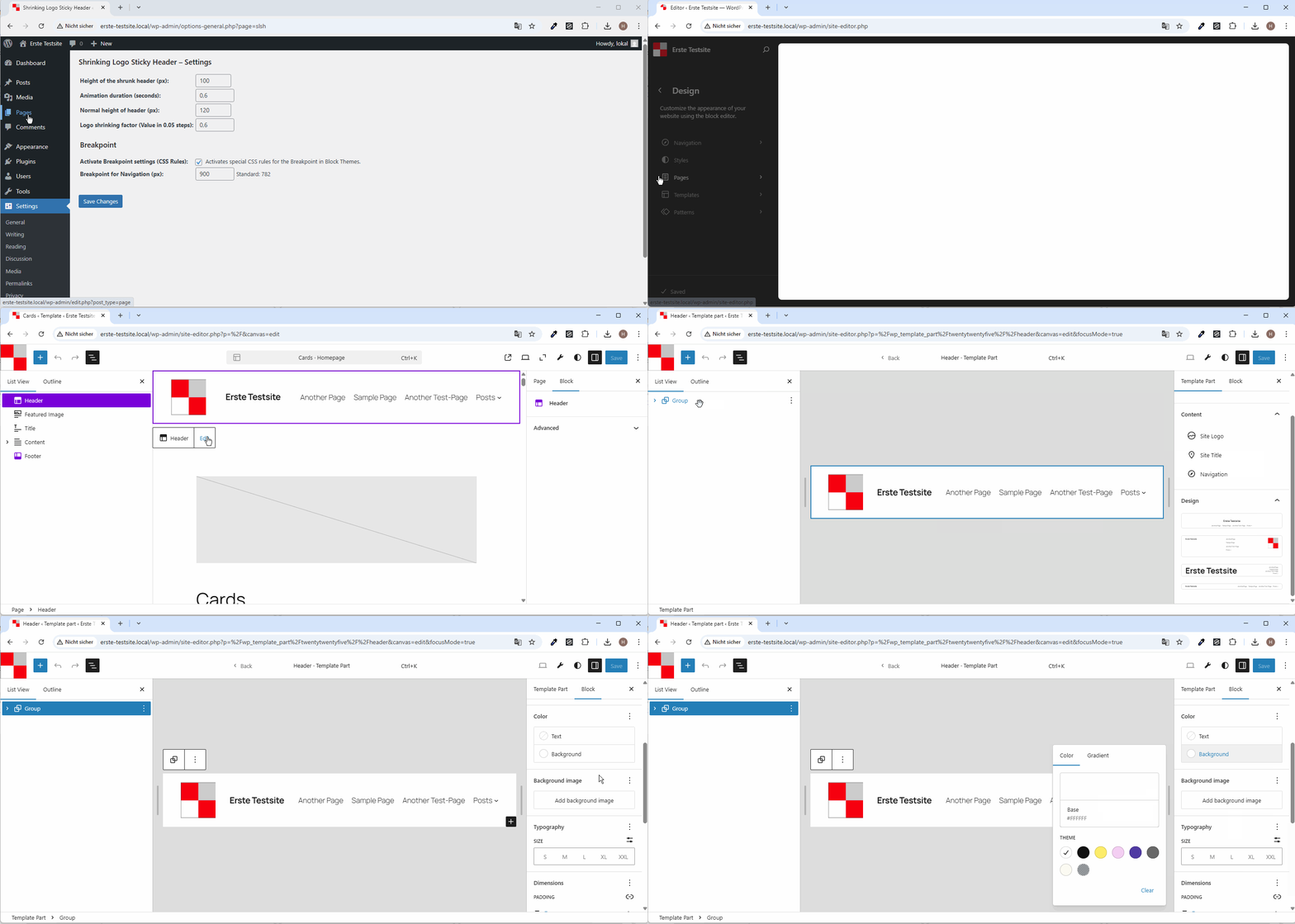
The template part for the header is initially transparent in many block themes.
For this reason, the background colour of the outer group block for the header must be changed to a colour such as white, for example.
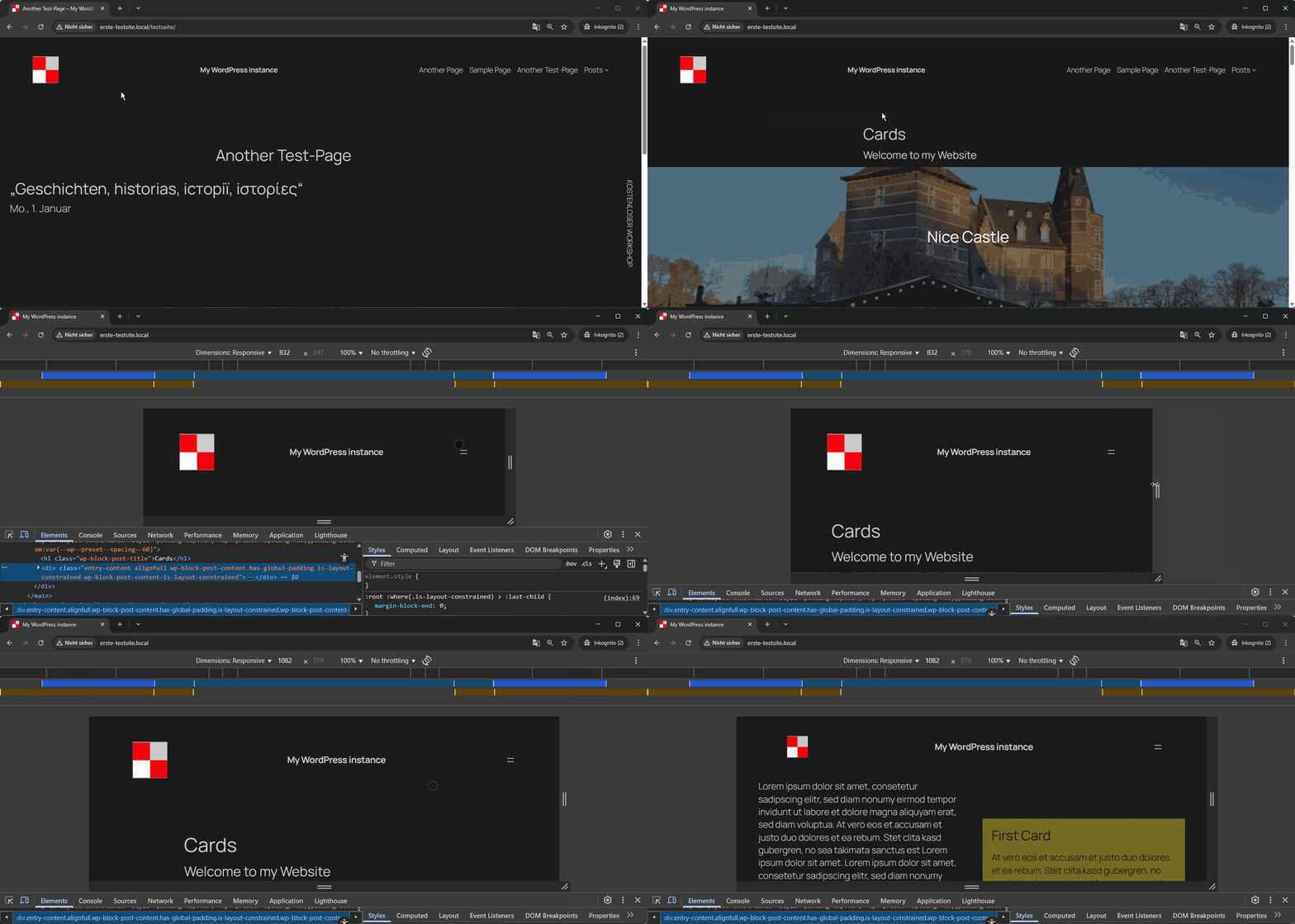
If the header has a background colour, then the header ‘covers’ the content when scrolling. See also the screenshot. This is the recommended procedure.
If the recommended option described above does not work for you, you can also set the background colour for the header automatically via the settings. -
Yes, no problem at all: From version 1.4.1 onwards, you can optionally deactivate the sticky option on mobile devices. Please see setup of the Plugin.
-
Why doesn’t the Frosted Glass feature work on mobile devices?
-
This has to do with an issue related to the off-canvas option, which I unfortunately haven’t been able to resolve yet. I’ll keep working on it.
-
Is the plugin suitable for accessible websites?
-
Yes, in principle it is, but features such as “Frosted Glass” or “Hide header on scroll down, show header on scroll up” should either not be used at all or, at the very least, used with caution.
-
The spacing above and below changes when you scroll down (shrink). How can this be changed?
-
If you set the values for the top and bottom paddings to 0 in the settings for the header (and possibly for all groups contained in the header),
the inner margins will be controlled by the plugin, and the margins (paddings) should be set correctly.
You can find the settings in the header template section (see Appearance -> Editor -> Patterns -> Header) -
Est-il possible d’utiliser cette extension également avec les thèmes classiques (par exemple Astra, OceanWP, GeneratePress) ?
-
Les thèmes classiques offrent parfois une telle option, mais probablement uniquement dans des versions payantes. Cette extension ne peut être utilisée qu’avec des thèmes basés sur les blocs.
-
Pouvez-vous me montrer des exemples illustrant ces effets ?
-
Oui, avec plaisir :
https://haurand.com/ et https://space4.yd-sgs.de/ -
Existe-t-il de la documentation et des informations complémentaires sur l’extension ?
-
Oui, bien sûr :
* (anglais) : https://haurand.com/plugin-shrinking-logo-sticky-header/
* (allemand) : https://haurand.com/das-plugin-shrinking-logo-sticky-header/ -
Who are you?
-
I’am Hans-Gerd.
My work on this plugin will be sponsored by https://haurand.com/ -
How can I report security bugs?
-
You can report security bugs through the Patchstack Vulnerability Disclosure Program. The Patchstack team helps validate, triage and handle any security vulnerabilities. Report a security vulnerability.
Avis


Contributeurs/contributrices & développeurs/développeuses
« Dynamic Header & Navigation for Block Themes » est un logiciel libre. Les personnes suivantes ont contribué à cette extension.
Contributeurs
“Dynamic Header & Navigation for Block Themes” a été traduit dans 2 locales. Remerciez l’équipe de traduction pour ses contributions.
Traduisez « Dynamic Header & Navigation for Block Themes » dans votre langue.
Le développement vous intéresse ?
Parcourir le code, consulter le SVN dépôt, ou s’inscrire au journal de développement par RSS.
Journal des modifications
1.6.0: October 27, 2026
- Added Option: Frosted glass header.
- Added Option: Hide header on scroll down, show header on scroll up.
- Added: « Settings » link on the Plugins overview page for quick access to the plugin settings
- Fix: When the breakpoint for the mobile menu was set to exactly 599px and the text was set to « Menu » the text was displayed next to the mobile menu icon instead of below it.
- Fix some minor issues
- Plugin Check: No errors, no warnings (« Checks complete. No errors found. »)
1.5.1: August 14, 2026
- Added Option: Above the header, there may be a margin set by the theme. TThis margin can be disabled if desired.
- Enhancement: Improved Control of the Anchors
- Added FAQ regarding spacing in the header.
- Plugin Check: No errors, no warnings (« Checks complete. No errors found. »)
- Tested up to WordPress 7.1
1.5: January 4, 2026
- Fix: Flickering in header when scrolling up in most cases completely prevented (Code improvements)
- Fix: Language Files corrected – prevent direct access
- Plugin Check: No errors, no warnings
1.4.1: November 20, 2025
- Added Option: Menu does not appear as sticky on mobile devices – may be better for accessibility reasons
- Fix: ID in form field corrected
- Tested up to WordPress 6.9
1.4: September 10, 2025
- Added: Option to disable inner spacing (padding) in header
- Added: Option to enable Text below mobile Icon and display larger mobile menu Icon (Hamburger) – better for accessibility reasons
- Enhancement: Height and width of mobile icon (SVG) changed to 44px (AAA) when the above option is used
- Added: Option to Label Text below mobile Icon
- Enhancements: Explanations and Design in the settings cleaned up
1.3.2: August 1, 2025
- Fix: Anchors are now controlled at the correct height.
- Enhancements: Various CSS rules optimised (better support for various block themes for example Ollie)
1.3.1: July 11, 2025
- Added: Option for the speed of the off-canvas fade-in
- Added: Show Version of the Plugin in Settings (header)
1.3: June 22, 2025
- Ajouté : réglage optionnel de la couleur d’arrière-plan de l’entête
- Ajouté : réglage optionnel permettant de déplacer le logo réduit vers la gauche
- Ajouté : notification pour avis
1.2: May 22, 2025
- Ajouté : menu hors-champ optionnel
- Ajouté : désinstallation : supprimez les options dans la table lorsque vous désinstallez cette extension.
- Renommage de l’extension : « Dynamic Header & Navigation for Block Themes » au lieu du nom précédent de l’extension : « Shrinking Logo Sticky Header »
- Mise à jour des fichiers de langue
- Correctif : notification de chargement des fichiers de langue : « Cette extension n’est pas correctement préparée pour la localisation. »
- Améliorations : amélioration du code (suppression des options superflues)
1.1: May 9, 2025
- Ajouté : réglages optionnels des points de rupture
- Améliorations : amélioration du code
1.0: May 1, 2025
- Amélioration : sécurité (échappement supplémentaire des valeurs)
- Amélioration : renommage du text domain dû à l’internationalisation de cette extension
- Vérifié avec Plugin Check : « Vérification terminée. Aucune erreur n’a été trouvée. »
0.4.4: April 26, 2025
- Amélioration : CSS optimisé
0.4.3: April 26, 2025
- Ajouté : option pour le facteur de rétrécissement du logo (valeur par incréments de 0,05)
- Amélioration : CSS optimisé
0.4.2: April 26, 2025
- Ajouté : option de traduction et fichiers de traduction dans le dossier des langues
- Ajouté : option pour la hauteur de l’entête
0.4.1: April 25, 2025
- Correctif : problème avec le groupe intérieur
0.4: April 25, 2025
- Ajout de réglages dans l’interface d’administration pour la hauteur de l’entête/du logo, de la durée de l’animation.
0.3: April 24, 2025
- Effet de rétrécissement optimisé
0.1: April 24, 2025
- Naissance de Shrinking Logo Sticky Header