

Description
Google Search Console, formerly known as Google Webmaster Tools, is an essential tool for monitoring and maintaining your site’s presence in Google search results. The SMNTCS Google Webmaster Tools plugin simplifies the process of adding the Google Search Console verification code to your website, ensuring that you can easily verify your site and access valuable insights about its performance.
Captures d’écrans
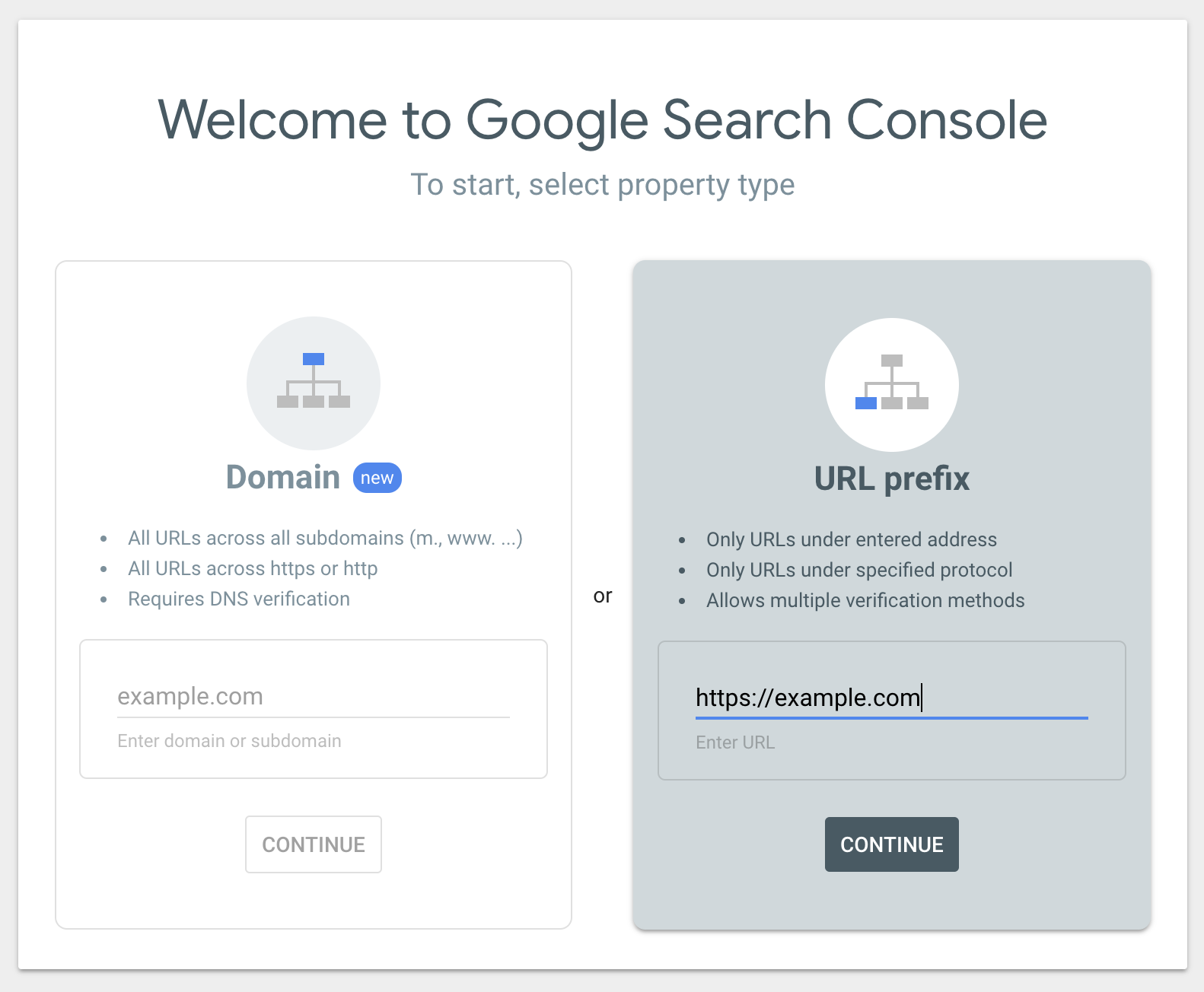
Provide your URL in the section URL prefix 
Copy the meta tag from the section HTML tag 
Paste you Google Analytics tracking code in the customizer
Installation
- Upload
smntcs-google-webmaster-toolsto the/wp-content/plugins/directory - Activez l’extension depuis le menu « Extensions » de WordPress.
- Go to https://search.google.com/search-console/welcome
- Provide your URL in the section
URL prefix, e.g. https://example.com, and click onContinue - Now, open the section
HTML tagwithin the sectionOther verification methods - Copy the meta tag, e.g.
<meta name="google-site-verification" content="BeFze6w_rrIm1NFPKJ-pDDbkf0oeqrtC5sjqb6WzCoE" /> - Go to Google Webmaster Tools and paste your verification code
FAQ
-
Why do I need Google Webmaster Tools in first place?
-
Google Webmaster Tools enables web masters to detect indexing issues, e.g. if the Google Bot cannot access the page or if missing pages occur in the search index.
-
How do I add Google Webmaster Tools to my page?
-
- Go to https://search.google.com/search-console/welcome
- Provide your URL in the section URL prefix, e.g. https://example.com, and click on Continue
- Now, open the section HTML tag within the section Other verification methods
- Copy the meta tag, e.g.
<meta name="google-site-verification" content="BeFze6w_rrIm1NFPKJ-pDDbkf0oeqrtC5sjqb6WzCoE" /> - Go to Google Webmaster Tools and paste your verification code
-
Why am I not able to save the verification code?
-
This issue might be caused by a security plugin. If you use a security plugin, e.g. Wordfence, then disable it so save your verification code and activate it once you’re done.
Avis


Contributeurs/contributrices & développeurs/développeuses
« SMNTCS Google Webmaster Tools » est un logiciel libre. Les personnes suivantes ont contribué à cette extension.
Contributeurs
“SMNTCS Google Webmaster Tools” a été traduit dans 6 locales. Remerciez l’équipe de traduction pour ses contributions.
Traduisez « SMNTCS Google Webmaster Tools » dans votre langue.
Le développement vous intéresse ?
Parcourir le code, consulter le SVN dépôt, ou s’inscrire au journal de développement par RSS.
Journal des modifications
3.5 (2025.04.02)
- Test up to WordPress 6.8
3.4 (2024.10.30)
- Test up to WordPress 6.7
3.3 (2024.10.22)
- Test up to WordPress 6.6
- Migrate Cypress to Playwright
3.2 (2023.10.02)
- Test up to WordPress 6.4
3.1 (2023.03.11)
- Test up to WordPress 6.2
3.0 (2022.12.03)
- Test up to WordPress 6.1
2.9 (2022.05.09)
- Test up to WordPress 6.0
2.8 (2021.12.19)
- Replace Travis CI with GitHub Actions
- Test up to WordPress 5.8
2.7 (2021.04.25)
- Test up to WordPress 5.7
2.6 (2020.10.09)
- Test up to WordPress 5.5
2.5 (2020.05.02)
- Add testing
- Test up to WordPress 5.4
2.4 (2019.11.22)
- Test up to WordPress 5.3
2.3 (2019.06.28)
- Update installation instructions
2.2 (2018.03.18)
- Add README.md
2.1 (2016.12.24)
- Add FAQ
2.0 (2016.09.11)
- Use Customizer instead of options page
1.6 (2016.07.20)
- Add donation link
1.5 (2016.07.20)
- Update textdomain
1.4 (2016.07.20)
- Add settings link
- Update Dutch translation
- Update German translation
1.3 (2016.07.20)
- Store translations outside plugin
1.2 (2016.07.20)
- Make plugin translation ready
- Add Dutch translation
- Add German translation
1.1 (2016.07.20)
- Fix broken file path
- Add FAQs
1.0 (2016.07.20)
- Version initiale