

Description
TransX402 Paywall lets site owners sell individual articles with IDRX stablecoin micropayments. Configure your TransX402 API key, set prices in IDR, and enable paywalls per post.
This plugin requires a free TransX402 account and API key (sandbox or live). All plugin code is fully available; payment settlement is provided by the TransX402 service.
Features
- Server-side settlement — your API key stays on the server
- Payment history stored in your WordPress database
- Return visits unlock via a signed HttpOnly access cookie
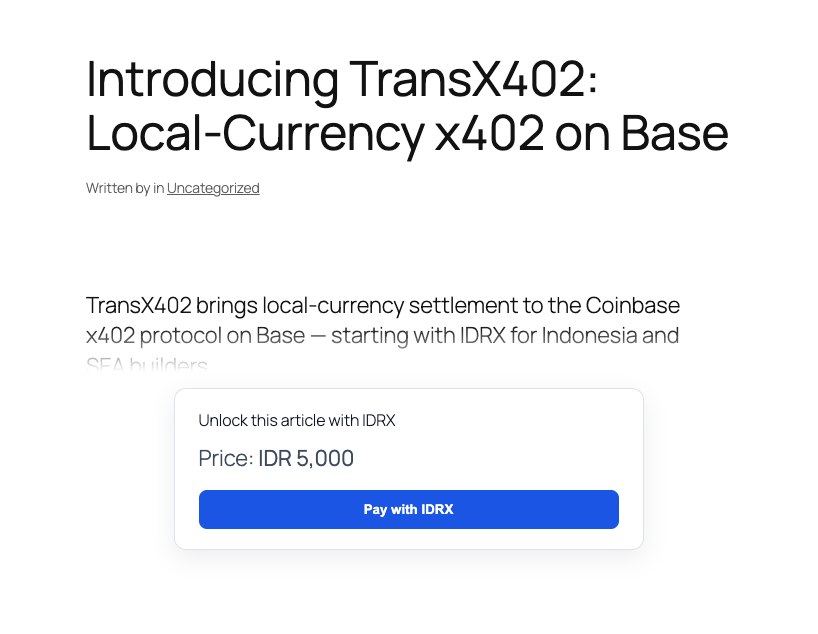
- Preview modes: first paragraph, word count, or excerpt
- Overlay, inline, and blur paywall styles
- Paywalled content gated on singular views, REST API, RSS, excerpts, and search
Source
Development repository: https://github.com/campinvestment/transx402-wordpress-plugin
External services
This plugin connects to external services to process payments and display admin links:
- TransX402 API (
https://api.transx402.com, or an admin-configured allowlisted facilitator URL) — payment facilitation and verification. The site sends the API key (server-side only), payment signatures, and transaction hashes. No visitor API keys are exposed in the browser. Terms: https://transx402.com/terms. Privacy: https://transx402.com/privacy - Block explorers (
https://basescan.org,https://testnet-explorer.onchainfolio.com) — used only in the WordPress admin payments list to link transaction hashes. No visitor data is sent to these services.
Service provider: Camp Investment / TransX402 — https://transx402.com
Privacy
- Stores payment history (payer wallet address, transaction hash, post ID, amount) in your WordPress database.
- Sends payment payloads and transaction hashes to the TransX402 facilitator when a visitor pays.
- Sets an HttpOnly, SameSite=Lax signed access cookie (Secure when the site uses HTTPS) after a successful payment so return visits can unlock content without re-paying.
Credits
- @transx402/client v0.2.5 (MIT) — browser payment SDK, bundled at
assets/vendor/transx402.browser.min.js. Source and build instructions: https://github.com/campinvestment/transx402-client. Sync with./scripts/sync-client.sh. - Bundled transitive dependencies (MIT/BSD as noted in the vendor file footer) include noble-hashes, noble-curves, buffer, and ieee754.
Captures d’écrans
Installation
- Upload the plugin ZIP via Plugins > Add New > Upload Plugin
- Activate TransX402 Paywall
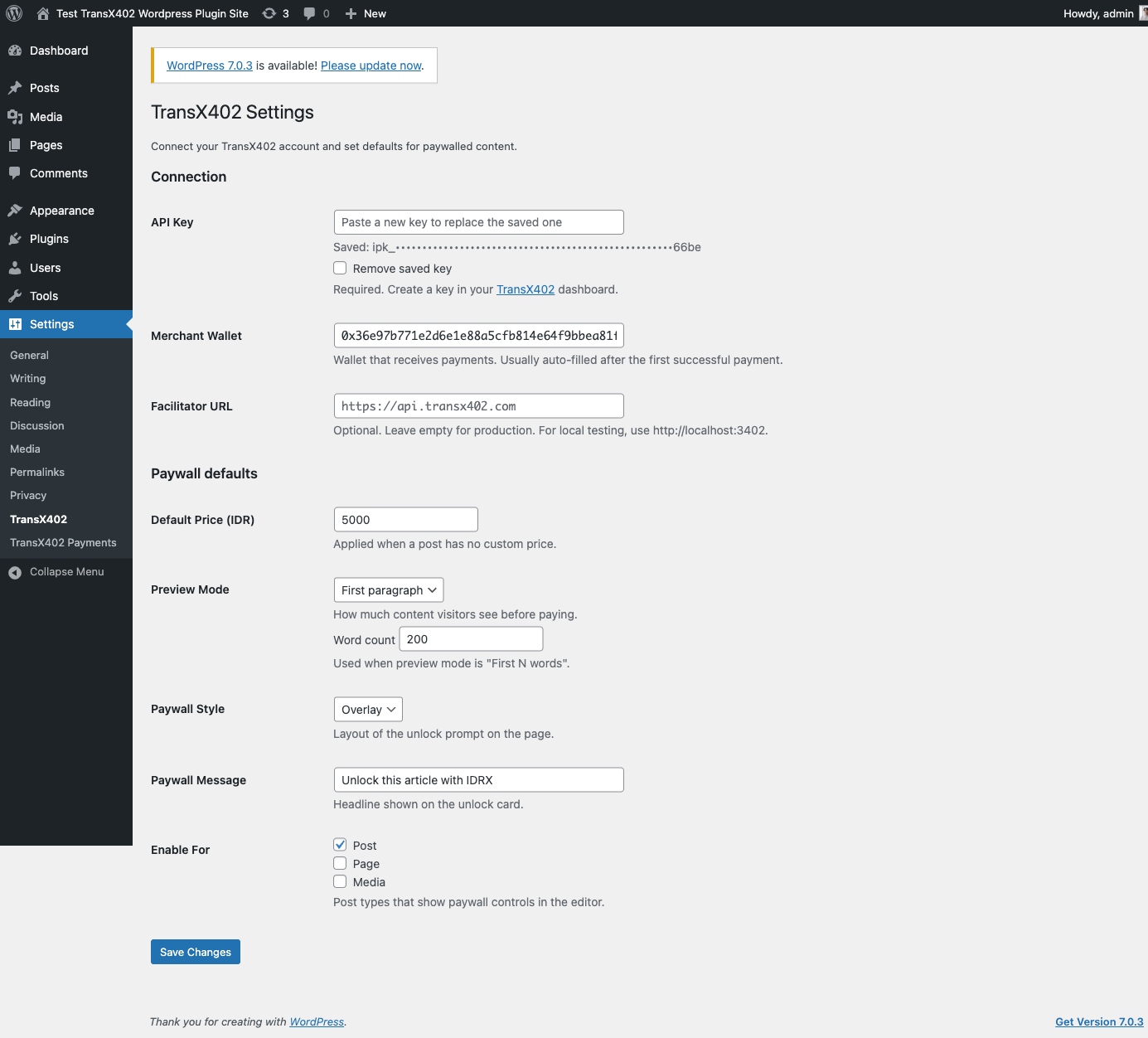
- Go to Settings > TransX402 and enter your API key and merchant wallet
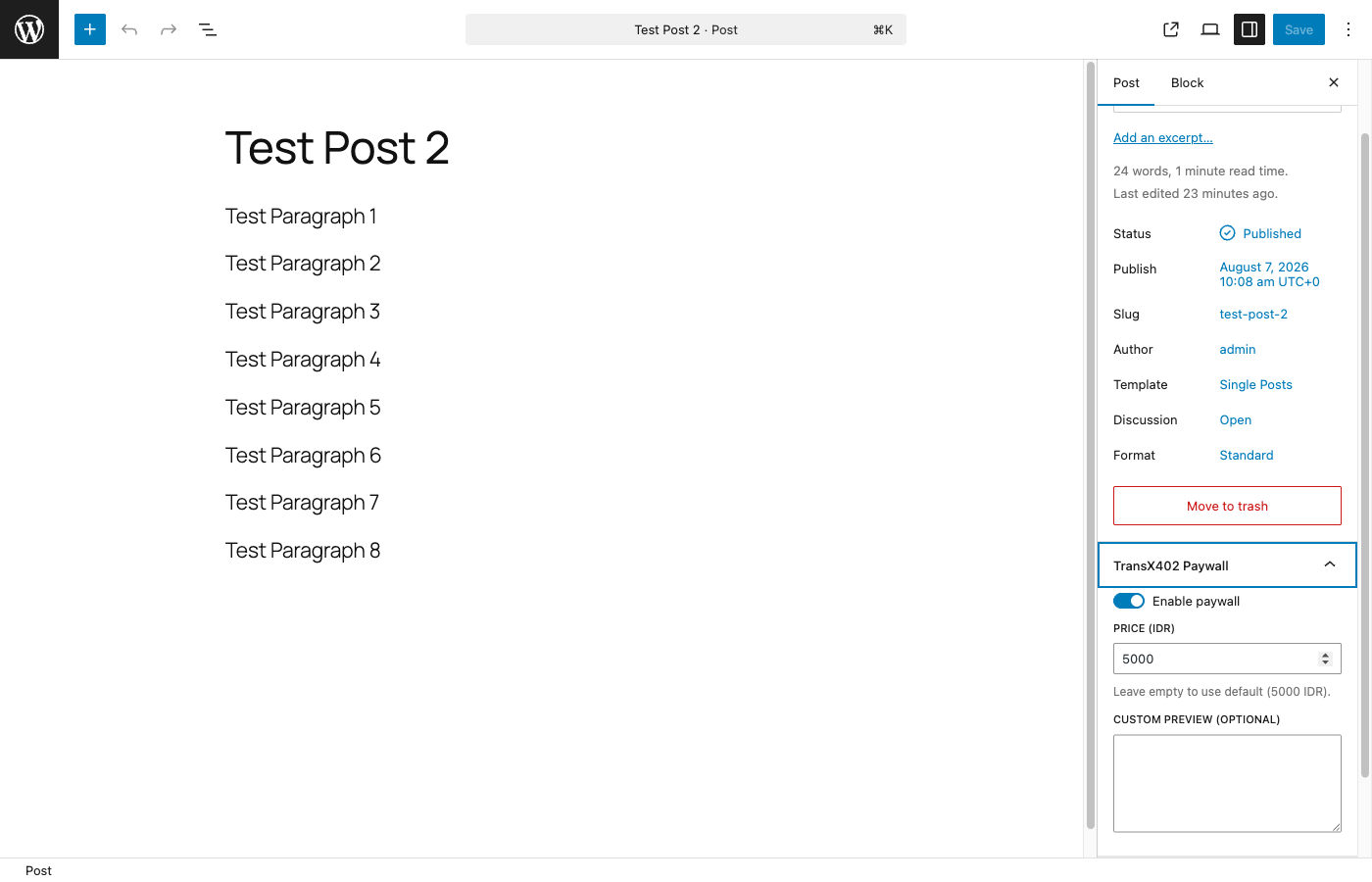
- Enable paywall on individual posts from the editor sidebar
FAQ
-
Do I need a TransX402 account?
-
Yes. Register at dashboard.transx402.com and create a sandbox (
ipk_sandbox_…) or live (ipk_live_…) API key. The plugin will not settle payments without a configured key. -
Where do I find my merchant wallet?
-
Copy it from the TransX402 dashboard. It is also auto-detected after your first successful payment.
-
The plugin sets an HttpOnly access cookie only after a successful payment so return visits can unlock content. Site owners in the EU (or similar jurisdictions) should disclose this cookie in their cookie policy / CMP if required for their region.
-
What are the TransX402 terms of use?
-
See https://transx402.com/terms and https://transx402.com/privacy (or the terms linked from your TransX402 dashboard).
Avis
Il n’y a aucun avis pour cette extension.
Contributeurs/contributrices & développeurs/développeuses
« TransX402 Paywall » est un logiciel libre. Les personnes suivantes ont contribué à cette extension.
Contributeurs
Traduisez « TransX402 Paywall » dans votre langue.
Le développement vous intéresse ?
Parcourir le code, consulter le SVN dépôt, ou s’inscrire au journal de développement par RSS.
Journal des modifications
1.0.0
- Initial release with server settlement and WordPress DB payment history