

Description
Random image light box plugin allows you to show one random image with on click light box effect in the website. We can upload your images via plugin admin, alternatively we can use the image folder path in the short code to display the image.
Check official website for live demo http://www.gopiplus.com/work/2020/10/11/wordpress-plugin-random-image-light-box/
- Live Demo : Live Demo
- More Information : More Information
- Plugin : Plugin URI
Plugin features
-
Simple and easy installation.
-
Display one image on random order.
-
Light box effect on mouse click.
How to configure
-
Install and activate the Random image light box plugin.
-
During activation it create 2 default records in the plugin admin.
-
Go to Settings >> Random image >> Add New in your WordPress admin to add and update the details.
-
To add the Random image light box plugin in the page or post, copy the below given plugin short and use it in your post.
-
If you want to add in the widget, you can drag and drop the Random image light box widget in to your sidebar.
Captures d’écrans

Front Screen 1. http://www.gopiplus.com/work/2020/10/11/wordpress-plugin-random-image-light-box/

Front Screen 2. http://www.gopiplus.com/work/2020/10/11/wordpress-plugin-random-image-light-box/

Admin Screen 1. http://www.gopiplus.com/work/2020/10/11/wordpress-plugin-random-image-light-box/
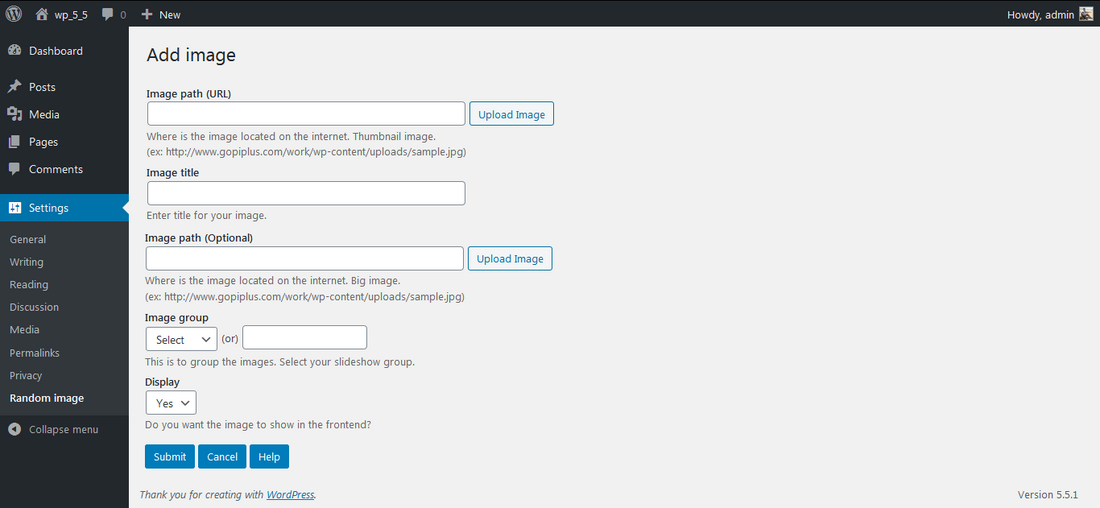
Admin Screen 2. http://www.gopiplus.com/work/2020/10/11/wordpress-plugin-random-image-light-box/
Installation
Install Plugin using WordPress Plugin Search
Go to your WordPress admin area and click on Plugins >> Add New. Search Random image light box plugin using search option. Find the plugin and click Install Now link. Finally click activate plugin link to activate the plugin.
Install Plugin using the WordPress Admin Plugin Upload
Download the plugin random-image-light-box.zip from download location. Go to Plugins >> Add New in your WordPress admin. Select upload plugin button. Upload the available random-image-light-box.zip file and click Install Now. Finally click activate plugin link to activate the plugin.
Avis
Il n’y a aucun avis pour cette extension.
Contributeurs/contributrices & développeurs/développeuses
« Random image light box » est un logiciel libre. Les personnes suivantes ont contribué à cette extension.
Contributeurs

Traduisez « Random image light box » dans votre langue.
Le développement vous intéresse ?
Parcourir le code, consulter le SVN dépôt, ou s’inscrire au journal de développement par RSS.
Journal des modifications
1.0
- First version
1.1
- Tested upto 5.7
1.2
- Tested upto 5.8
- Use plugin short code in the widget.
1.3
- Tested upto 5.9